

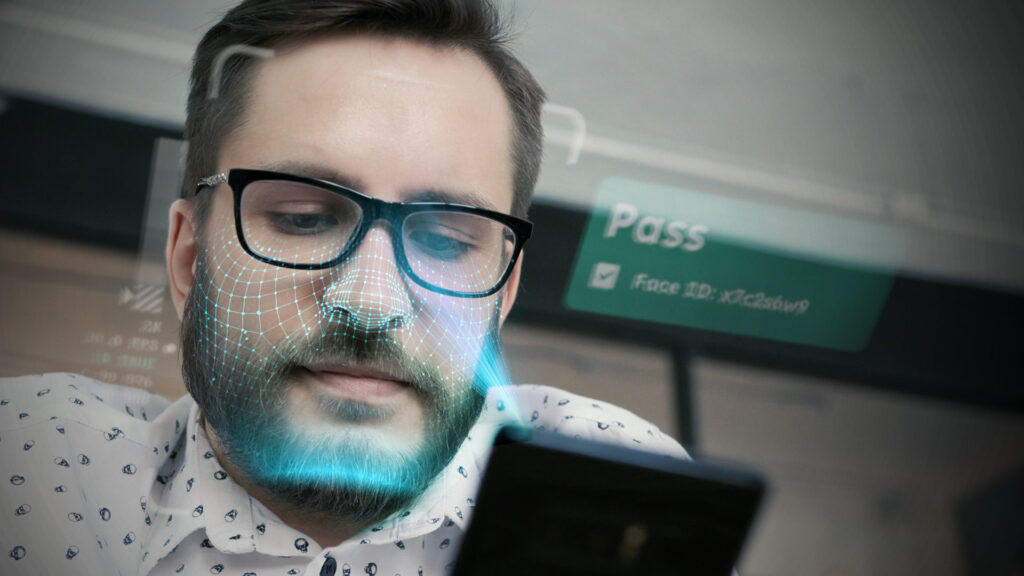
Let’s say you need a copy of your house key. You could go to a local locksmith who makes one right in front of you, or you could mail your key to a factory and wait. Which feels safer? This is the essential difference between cloud-based systems and on-device facial recognition. Instead of sending your sensitive data across the internet to a remote server, this method does all the work locally on your personal hardware. This simple change in location is the secret to how it enhances privacy, giving you confidence that your biometric data never leaves your device.
Key Takeaways
- Processing Stays on Your Device: On-device facial recognition keeps your sensitive biometric data local. By never sending it to a remote server, this method drastically reduces the risk of it being exposed in a large-scale data breach or shared without your consent.
- It’s a Template, Not a Photo: The system doesn’t save an image of your face but instead creates a secure mathematical template from your facial features. This unique digital code can’t be reverse-engineered, meaning your actual likeness remains private.
- Technology Is Only One Part of the Puzzle: While on-device processing is a powerful tool, true security requires your participation. Layering this technology with smart habits—like using strong passcodes and keeping software updated—creates the strongest defense for your personal data.
What Does ‘On-Device’ Facial Recognition Mean for You?
You’ve probably used facial recognition to unlock your phone or tag a friend in a photo. At its core, the technology uses your unique facial features—like the distance between your eyes or the shape of your jawline—to confirm your identity. While it first saw use by government agencies, it became a common feature on personal devices in the 2010s. But not all facial recognition systems are created equal, especially when it comes to your privacy.
That’s where on-device facial recognition comes in. Instead of sending your facial data to a remote server in the cloud for analysis, this method does all the work directly on your device. Your phone, laptop, or tablet handles the entire process of capturing, analyzing, and verifying your face. This simple difference is a game-changer for privacy because your sensitive biometric information never leaves the hardware you hold in your hands. It’s a self-contained system designed to verify you’re you, without broadcasting your data across the internet. For businesses, this approach is key to authenticating users and detecting fraud without creating massive, centralized databases of sensitive information. It helps build a more trustworthy online world by proving human presence securely and respectfully.
How Your Phone Processes Your Face Data
The process is surprisingly straightforward. First, your device’s camera captures an image of your face. The system then analyzes your key facial features and converts them into a unique numerical code or template—often called a faceprint. Think of it as a digital signature, not a photograph. This abstract code is what gets stored securely on your device. The next time you use the feature, the system creates a new code from your live image and compares it to the one it has stored. If they match, you’re verified. The original image is immediately discarded, and only that impersonal digital code remains.
Key Frameworks: Apple’s Vision and Google’s ML Kit
This kind of technology isn’t built from scratch every time. Major tech companies provide the foundational toolkits, or frameworks, that developers use to integrate facial recognition into their apps. Apple, for instance, began using deep learning for face detection back in iOS 10. According to its Machine Learning Research team, this powerful technology is now accessible to developers through the Vision framework. This allows app creators to build sophisticated features that can identify faces in photos and videos directly on an iPhone or iPad, ensuring the processing stays local and private.
On the other side of the aisle, Google offers its own powerful solution with ML Kit. This framework is designed to bring Google’s machine learning expertise to both Android and iOS apps. Its on-device capabilities are surprisingly robust. For example, one Android app successfully used Google ML Kit for face detection in group photos, accurately finding faces even when they were partially obscured. By providing these pre-built, optimized tools, both Apple and Google have made it much easier for developers to implement secure, on-device facial recognition without needing to be machine learning experts themselves.
Core AI Models: FaceNet and TensorFlow Lite
If frameworks are the toolkits, then AI models are the specialized instruments that do the heavy lifting. One of the most important models in this space is FaceNet, which was developed by Google. Its primary job is to perform the crucial step of converting a face into a unique digital signature. As one developer of an on-device recognition app explains, the system uses FaceNet to create unique digital codes, or embeddings, for faces. This is the model that ensures the template stored on your device is a mathematical representation, not a reversible photograph, making the entire process more secure.
Of course, running a sophisticated model like FaceNet on a smartphone requires an efficient engine. That’s where TensorFlow Lite comes in. It’s a version of Google’s open-source machine learning platform that’s specifically designed for mobile and embedded devices. It allows complex AI models to run quickly and efficiently without draining your battery or slowing down your phone. The same developer notes that their app relies on TensorFlow Lite to run the AI models locally. Together, models like FaceNet and engines like TensorFlow Lite form the technical backbone that makes fast, private, and reliable on-device facial recognition possible.
On-Device vs. Cloud: Where Does Your Face Data Go?
The biggest difference between on-device and cloud-based systems is where your data travels. With cloud-based recognition, your facial data is sent over the internet to a company’s servers for processing. This creates multiple opportunities for interception or data breaches along the way. In contrast, on-device processing keeps everything local. Your data stays on your personal device, significantly reducing its exposure to external threats.
When it comes to building secure systems, privacy should be a main focus from the very beginning. On-device technology embodies this principle by minimizing data collection and transmission. It answers the growing concerns about how personal information is handled by ensuring your biometric template never has to be shared in the first place.
The Hybrid Approach: A Middle Ground
While on-device processing is a huge win for privacy, it’s not always a one-size-fits-all solution. Some applications need the processing power and vast datasets that only the cloud can offer. This is where a hybrid model comes in, offering a smart compromise that balances security with advanced functionality. This approach uses the device for the most sensitive steps—like analyzing your face and creating that secure template—while offloading less critical tasks to the cloud. It’s a way to leverage the strengths of both systems without making unnecessary privacy trade-offs.
In a practical sense, this means your device could confirm you are a real, live person and then send an anonymized signal to a server to complete a transaction or check against a fraud database. The server gets the confirmation it needs without ever accessing your biometric data. This kind of thoughtful engineering is crucial for building user trust. By being transparent about what data is processed where, companies can provide powerful features while still respecting personal privacy. It’s a more nuanced approach that helps keep the internet human by verifying presence securely and responsibly.
The Engineering Behind On-Device AI
Shrinking a powerful AI model to fit on your smartphone is a bit like packing a symphony orchestra into a suitcase. The massive computational power and memory that AI typically requires just don’t exist in your pocket. So, how do engineers make it work? It comes down to a combination of clever hardware optimization and innovative training methods. They had to rethink the entire process, from the ground up, to create AI that is both powerful and efficient enough to run locally without draining your battery or slowing your phone to a crawl. This engineering is the secret sauce that makes fast, private, and secure on-device verification a reality for businesses and users alike.
Overcoming Hardware Limitations
The first major hurdle is the hardware itself. Deep learning models, the brains behind facial recognition, are notoriously hungry for memory and processing power. As Apple’s own research highlights, these models often demand more resources than a typical phone can spare. To solve this, engineers rely on specialized frameworks designed for mobile devices. For example, many apps use TensorFlow Lite, a version of Google’s popular AI library that’s stripped down to run efficiently on less powerful hardware. These tools allow developers to compress large AI models and optimize them to work within the tight constraints of a smartphone, ensuring the process is quick and doesn’t compromise your device’s performance.
Smart Training for Smaller Devices
Beyond optimizing the software, engineers also had to get creative with how the AI models are trained. One of the most effective techniques is a method called “teacher-student” training. Imagine a large, powerful AI model—the “teacher”—that has been trained on a massive dataset in a data center. This teacher model then trains a much smaller, simpler “student” network to perform the same task. The student learns to mimic the teacher’s accuracy but with a fraction of the complexity. This specialized training allows developers to build a compact model that runs efficiently on a device like a phone, delivering precise results without needing the raw power of its larger counterpart. It’s this kind of smart engineering that enables sophisticated, privacy-preserving technology to function right in the palm of your hand.
The Privacy Advantage of On-Device Facial Recognition
When it comes to your personal data, location is everything. The single most important factor in protecting your privacy is where your information is processed and stored. With on-device facial recognition, the answer is simple: it stays with you. Unlike cloud-based systems that send your data across the internet to a remote server, on-device technology performs all its calculations directly on your phone or computer. This fundamental difference is what makes it a more private and secure choice.
This local approach creates a powerful shield for your personal information in several key ways. First, it keeps your sensitive data firmly in your hands, never transmitting it to a company server where it could be vulnerable. Second, by decentralizing data, it makes life much harder for hackers, who can no longer target a single, massive database. It also puts a stop to unauthorized data sharing with third parties and adds a crucial layer of protection against breaches, ensuring that even if a single device is compromised, your core biometric identity remains secure. Let’s look at how each of these layers works to keep you safe.
Your Data Stays With You, Not on a Server
The core principle of on-device processing is that your information never leaves your control. When a system uses on-device facial recognition, all the complex work of verifying your identity happens right on your phone, tablet, or computer. This means your sensitive biometric data is processed locally and isn’t uploaded to a remote server or cloud. Because your information isn’t traveling across the internet or sitting in a centralized database, the risk of it being intercepted or exposed in a large-scale data breach is dramatically reduced. You remain the sole keeper of your data, which is exactly how it should be.
Why It’s a Smaller Target for Hackers
Think of a centralized server full of user data as a bank vault—a single, high-value target for criminals. A successful breach could expose the information of millions of users at once. On-device processing completely changes this dynamic. By keeping each user’s data on their own device, it eliminates that central vault. Instead of one massive target, there are millions of individual, separate ones. This decentralization minimizes the potential attack surface for hackers, making widespread data theft incredibly difficult and far less rewarding for cybercriminals. It’s a simple case of not putting all your eggs in one basket.
Keeping Your Face Data Out of Third-Party Hands
A major concern with any personal data is how it might be used or shared without your knowledge. Because on-device processing keeps your information local, it isn’t transmitted to external servers where it could potentially be sold, shared, or analyzed by other companies. This architecture ensures that users maintain control over their biometric information and prevents it from being used for marketing, tracking, or other purposes you never agreed to. Your facial data is used for one purpose only—verifying your identity on your device—and isn’t passed along to anyone else.
Your Built-In Defense Against Data Breaches
Even with the best security, what happens if your specific device is lost, stolen, or compromised? On-device systems are designed with this in mind. The technology doesn’t store a picture of your face. Instead, it converts your facial features into a secure numerical template or what some call an “impersonal digital code.” This template is a mathematical representation that cannot be reverse-engineered to recreate your actual face. So, even if a bad actor gained access to the data on your device, they wouldn’t find a usable photo—just a string of code that is meaningless without the original system’s specific algorithms.
What Data Is Actually Collected on Your Device?
When we talk about facial recognition, it’s easy to imagine a massive database of photos, like something out of a spy movie. But with on-device systems, the reality is much different—and far more private. The key is understanding what information is actually being collected and, just as importantly, what isn’t. It’s not about storing your picture; it’s about creating a secure, mathematical key that only you possess.
From Your Face to a ‘Faceprint’
Think of your face as a unique key. An on-device system doesn’t save a copy of that key; instead, it measures its specific dimensions to create a template. The process starts when the system finds a face in an image or video. It then analyzes the geometry of your face, mapping out the unique features that make you, you. This includes the distance between your eyes, the shape of your nose, and other distinct points. These measurements are then converted into a numerical code, often called a “faceprint.” This isn’t a photo but a highly secure, mathematical representation of your facial characteristics, making it incredibly difficult for anyone else to replicate.
Why It’s a Template, Not a Picture
This distinction between a template and a picture is crucial for privacy. Instead of storing an actual image of your face, on-device systems convert your features into what are essentially “impersonal digital codes.” This code can’t be easily reverse-engineered to reconstruct your face, which means your likeness isn’t sitting in a database waiting to be compromised. The system doesn’t need to know what you look like—it just needs to confirm that the person trying to log in has the same unique facial geometry as the authorized user. This method ensures the original image is never stored or transmitted, keeping your personal identity separate from the authentication process.
Where Your Data Lives
So, where does this digital template go? With on-device processing, it stays right where it was created: on your personal device. This is a fundamental departure from cloud-based systems that send your data to a remote server. By keeping the template localized, the system dramatically reduces the risk of unauthorized access. If your facial data were ever stolen from a central server, it could lead to serious issues like identity theft. Storing it locally means there’s no central honeypot for hackers to target. Of course, this data is also encrypted on your device, adding another critical layer of security to protect your personal information.
On-Device Facial Recognition: Fact vs. Fiction
On-device facial recognition is a huge leap forward for user privacy, but it’s not a magic wand. A lot of the fear and confusion around this technology comes from lumping all different types of facial recognition together. Let’s clear the air and tackle some of the most common myths. Understanding the nuances is the first step toward building a more trustworthy digital world. When you know what the technology can and can’t do, you can make better choices about the platforms you use and the businesses you support.
The Truth About ‘100% Secure’ On-Device Systems
It’s easy to think that keeping data on your device makes it completely untouchable, but that’s not the whole story. While on-device processing dramatically improves security by keeping your biometric data out of the cloud, it isn’t a fortress. The ISACA points out that while this method reduces the risk of large-scale data breaches, it’s not infallible. If your specific device is ever compromised, that data could be at risk. The real concern is that, unlike a password, you can’t change your face. This is why a system’s overall security—not just where the data is stored—is so critical. True security comes from a layered approach that protects the device itself and the data on it.
The Spoofing Problem: Can a Photo Unlock Your Phone?
One of the biggest vulnerabilities in facial recognition is something called “spoofing.” This is when a bad actor tries to trick the system by presenting it with a fake, like a photograph, a video on another screen, or even a mask. It’s a surprisingly low-tech way to try and beat a high-tech system—and it often works. A study by the consumer group Which? found that nearly 40% of the Android phones they tested could be unlocked with a photo of the owner. This wasn’t a sophisticated attack; it was done with a low-resolution image printed on regular paper. When a simple photo can bypass security, it undermines the trust we place in these systems to protect our most sensitive information.
Liveness Detection: The Answer to Spoofing Attacks
This is where liveness detection comes in. It’s an additional security layer designed specifically to stop spoofing attacks. Instead of just asking, “Does this face match the one on file?” it asks a more important question: “Is this a real, live human being in front of the camera?” The technology uses advanced AI models to look for subtle indicators of life that a 2D photo or video can’t mimic, like tiny head movements, blinking, or changes in texture and lighting on a 3D surface. These systems are trained to tell if a face is real or a fake, ensuring the person being authenticated is physically present.
Crucially, this liveness check can happen right on your device, just like the initial facial scan. This maintains the privacy benefits of on-device processing. Major tech companies like Apple have long prioritized the need to perform face detection on-device to keep user data secure and private. By adding a liveness check to this local process, platforms can confirm genuine human presence without ever sending sensitive biometric data to a remote server. For businesses that need to verify users, prevent fraud, or protect their communities from bots, this combination is the key to building trust while respecting privacy.
Why Not All Facial Recognition Tech Is Created Equal
This is one of the biggest misconceptions out there. People often picture public surveillance cameras when they hear “facial recognition,” but the technology that unlocks your phone is fundamentally different. As experts at Keyless note, facial recognition technology varies wildly in its purpose and accuracy. Some systems are built for one-to-many identification (like picking a face out of a crowd), which can be prone to errors and bias. In contrast, on-device authentication is a one-to-one verification: Is this person who they say they are? This approach is more accurate, more private, and designed for a completely different purpose—securing your personal account, not tracking your movements.
Does Total Privacy Really Mean Zero Risk?
Even with the best privacy-enhancing technology, we can’t eliminate risk entirely. The existence of any powerful tool creates the potential for misuse. Some worry that facial recognition could be used to track people without their knowledge, creating a chilling effect on personal freedom. While on-device systems are specifically designed to prevent this kind of tracking by never sending your biometric data to a central server, the fear speaks to a deeper need for trust and transparency. True privacy isn’t just about technical safeguards; it’s about ethical design. It requires a commitment from companies to use technology responsibly and to build systems that protect users by default.
What Are the Real Privacy Risks?
Even with the significant privacy advantages of on-device processing, it’s smart to have a clear-eyed view of the potential risks. No technology is a silver bullet, and being aware of the vulnerabilities is the first step toward protecting yourself and your users. When we talk about risks in facial recognition, they generally fall into a few key categories: the security of your personal device, the potential for algorithmic bias, and the transparency of the companies behind the technology.
Understanding these issues isn’t about fear-mongering; it’s about empowerment. When you know what to look for, you can make better choices about the platforms you use and the data you share. It also helps you ask the right questions of technology providers. A truly privacy-focused system is designed with these challenges in mind, building in safeguards to protect users from both digital and real-world threats. Let’s walk through some of the most important risks to consider.
What if Your Device Is Compromised?
On-device processing is designed to keep your biometric data out of the cloud, but what happens if your phone or laptop itself is hacked? If malware compromises your device, it could theoretically gain access to the applications and data stored on it. If facial data is stolen, it can lead to serious problems like identity theft. This is why the security of the facial template itself is so critical.
The best systems ensure this data is heavily encrypted and stored in a secure enclave on the device, making it extremely difficult for other apps to access. Still, your first line of defense is always strong overall device security. Using a strong passcode, keeping your operating system updated, and being cautious about the apps you install are essential practices for protecting any sensitive information on your device.
What Happens if Your Phone Is Stolen?
Losing your phone is stressful enough without worrying about your data. The good news is that biometrics offer a powerful layer of security in cases of physical theft. After all, a thief might steal your phone, but they can’t steal your face. This makes your facial template a much tougher credential to compromise than a simple password, which could be guessed or previously exposed in a data breach.
While it’s true that a highly sophisticated attacker might try to bypass a device’s security measures, it’s a far more complex challenge than cracking a password. For the average person, using facial recognition to lock their device and authenticate apps makes their data significantly safer if the device falls into the wrong hands. It creates a barrier that stops casual thieves in their tracks.
Let’s Talk About Bias and Accuracy Issues
One of the most critical conversations happening around AI involves fairness and bias. Some facial recognition systems can be less accurate for women, older individuals, and people of color. This isn’t a malicious choice but often the result of training AI on datasets that aren’t diverse enough. When a system is less accurate for certain groups, it can lead to frustrating experiences or even unfair outcomes, like being repeatedly locked out of an account.
It’s crucial for companies to be transparent about their system’s performance across all demographics. Responsible developers actively work to mitigate algorithmic bias by using diverse training data and rigorously testing their models. As a user or a business, it’s important to choose technology from providers who prioritize equity and can demonstrate that their systems work reliably for everyone.
Who Else Can Access Your Data?
Transparency is the bedrock of trust. A major privacy concern arises when people don’t know their faces are being scanned or how that data is being used. Some companies fail to clearly explain their data practices, leaving users in the dark. This is why the principle of informed consent is so important. You should always know what data is being collected, why it’s needed, and where it’s being stored.
With on-device systems, the answer should be simple: a mathematical template is created and stored only on your device. But you still need to trust the application provider. Look for clear, easy-to-understand privacy policies that explicitly state that your biometric data never leaves your device and isn’t shared with third parties. Companies that are upfront about their technology are the ones building a more trustworthy digital world.
Why You Are the First Line of Defense
Even the most advanced privacy-enhancing technologies can’t operate in a vacuum. While on-device processing creates a strong technical barrier against data misuse, the ultimate safeguard is an informed and engaged user. Think of it this way: you wouldn’t hand over your house keys without knowing who you’re giving them to and why. The same principle applies to your biometric data. Your awareness is the critical layer of security that technology alone can’t provide.
Understanding how your data is handled empowers you to make better choices about the apps and services you use. It shifts the dynamic from passively accepting terms of service to actively questioning them. When users and businesses alike start asking the right questions—about data storage, consent, and transparency—it forces the entire industry to adopt higher standards. This collective expectation is what drives the development of more trustworthy technology. It’s not just about protecting yourself; it’s about contributing to a safer, more human-centric digital ecosystem where privacy isn’t an afterthought, but a fundamental right.
Understanding What You’re Agreeing To
True consent is more than just clicking “I agree.” It’s about making a knowledgeable decision. Unfortunately, many platforms don’t make this easy. As one report notes, “Often, people don’t know their faces are being scanned, stored, or analyzed.” This happens when consent requests are buried in lengthy legal documents or use confusing jargon.
Informed consent means you understand exactly what data is being collected, why it’s needed, and how it will be used—all before you hand it over. It should be a clear, straightforward exchange. As a user, you have the right to this information. As a business, providing it is the first step in building a relationship based on trust, not just transactions. This clarity is a core tenet of modern data privacy laws.
What to Demand from Tech Companies
Consent is the first step, but transparency is the ongoing commitment. It’s not enough to know what data is collected; you also need to know where it goes. When platforms are vague about their data-sharing practices, it creates significant risk. As experts point out, “When face data is shared across different systems, it can be hard to control and might be used in ways people didn’t agree to.”
This is why we must demand more from the technology we use. Ask the tough questions: Is my data shared with third parties? Is it sold to data brokers? How can I revoke access? Companies that are serious about user trust will have clear, accessible answers. Vague responses or silence are red flags. True transparency means giving users a clear view into their data’s entire lifecycle.
Why Privacy Should Be the Default, Not an Add-On
For too long, privacy has been treated as an add-on or a feature to be dealt with after a product is built. This approach is no longer acceptable. The best, most trustworthy technology incorporates a “Privacy by Design” framework, where protections are built in from the very beginning. This means engineers and product designers prioritize user privacy at every stage of development, from the first line of code to the final user interface.
This proactive approach ensures that systems are designed to “collect only necessary data and keep it secure.” On-device processing is a perfect example of this principle in action. By designing a system that never needs to send sensitive biometric data to a server, the risk is minimized by default. Expecting this level of care isn’t asking too much—it’s the new standard for building trust online.
Your Checklist for Maximum Privacy Protection
While on-device facial recognition is a huge leap forward for privacy, it doesn’t operate in a vacuum. The security of your data ultimately depends on the security of the device it lives on. Think of it like having an unbreakable safe inside a house—if you leave the front door wide open, you’re still taking a risk. Taking an active role in your digital security is the best way to protect your information. By layering smart habits on top of privacy-first technology, you can create a robust defense that keeps your personal data exactly where it belongs: with you. These simple, proactive steps can make a significant difference in safeguarding your digital life.
Lock Down Your Device First
Your smartphone is the gatekeeper to your digital world, so securing it is the absolute first step in protecting your facial data. Before you even think about app permissions or software updates, you need to lock down the device itself. This means using a strong, unique passcode or PIN—something that isn’t easily guessable like your birthday or “1234.” While facial recognition is convenient for unlocking your phone, it should be paired with a solid passcode as a fallback. A strong lock screen is your primary defense against physical theft, ensuring that if your device falls into the wrong hands, your private information, including your biometric data, remains inaccessible. This foundational layer of security is non-negotiable for true digital privacy.
Master Your Privacy Settings
Your device and the apps you use offer a surprising amount of control over your data, but you have to take the initiative to use it. It’s a great habit to regularly review and adjust the privacy settings on your phone, social media accounts, and other applications. Pay close attention to which apps have permission to access your camera, microphone, or photo library. Does that game really need to see your photos? Probably not. By being selective about these permissions, you can significantly limit how your data is shared and reduce your digital footprint. This isn’t a one-and-done task; think of it as a periodic check-up to ensure your settings still align with your comfort level.
Don’t Ignore Those Software Updates
Those software update notifications might seem like a nuisance, but they are one of your most powerful security tools. Updates do more than just add new emojis or change the look of an app; they often contain critical patches for security weaknesses that could be exploited to access your data. Hackers are constantly looking for these vulnerabilities, and developers are always working to fix them. Keeping your operating system and your apps updated is crucial to protect against these threats. The easiest way to stay on top of this is to enable automatic updates. This simple action ensures your device’s defenses are always current, closing security gaps before they can be used against you.
Go Beyond a Password with Multi-Factor Authentication
Multi-factor authentication, or MFA, is like having a second deadbolt on your digital door. It adds an extra layer of security that makes it much harder for unauthorized users to gain access to your accounts, even if they somehow manage to get past your first line of defense. Facial recognition can be one of these “factors,” but it’s most powerful when combined with another method, like a PIN you know or a one-time code sent to an authenticator app. For example, your banking app might require both your face and a password to log in. This layered approach is a core principle of modern cybersecurity and is one of the most effective ways to protect your online accounts.
For Businesses: How Privacy-First Tech Builds Customer Trust
Adopting new technology often feels like a trade-off between security and privacy. But it doesn’t have to be. For businesses looking to verify real human presence online, the goal isn’t just to keep bots out; it’s to welcome people in, making them feel secure without feeling surveilled. Privacy-first technology, especially on-device processing, offers a path forward. It allows companies to solve critical issues like fraud and account security while demonstrating a genuine respect for user data. This approach isn’t just about compliance—it’s about building a foundation of trust that can become a true competitive advantage. When users know you’re protecting their privacy by design, they’re more likely to engage with your platform, share information, and become loyal customers.
How to Authenticate Users and Protect Their Privacy
Let’s be honest: traditional facial recognition can be unsettling for users. The idea of a company storing a photo of your face on a server somewhere brings up valid concerns about data security and misuse. A privacy-first approach changes the game entirely. Instead of storing images, on-device systems convert facial geometry into an abstract mathematical representation—a template or code that cannot be reverse-engineered into a picture. This allows you to confirm a user is the same person who registered, without ever holding onto their sensitive biometric photo. By striking the right balance between security and individual rights, you can offer seamless authentication that actually makes users feel safer.
Fighting Fraud While Putting User Respect First
The same technology that authenticates users can also be a powerful tool for fraud detection. It provides a simple, low-friction way to confirm that a real, live person is behind a transaction, a new account sign-up, or a high-risk login attempt. This helps to effectively stop automated bot attacks, prevent account takeovers, and curb other fraudulent activities that erode trust and cost businesses money. The key difference is how it’s done. Instead of comparing a user’s face against a massive, centralized database, the verification happens privately on their own device. This protects your platform from bad actors without treating legitimate customers like suspects.
Building User Trust, One Secure Login at a Time
Ultimately, trust is earned through transparency and respect. Implementing privacy-first technology is a powerful signal to your users that you take their data seriously. But the technology itself is only part of the equation. It’s crucial to be upfront with users about what you are doing and why. Clearly explain that you are using on-device processing to verify their presence for their own security, and that their biometric data never leaves their device. By choosing privacy-first solutions, you’re not just adopting better tech; you’re building a more trustworthy brand. This commitment shows users you see them as partners, not data points, fostering the kind of long-term loyalty that is essential for growth.
Developer Flexibility and Customization
On-device facial recognition isn’t just a win for user privacy; it also gives developers the freedom to get creative. Using frameworks like Apple’s Vision and Google’s ML Kit, developers can integrate advanced capabilities directly into their apps without the security headaches of cloud processing. This means they can build custom user experiences from the ground up—tailoring the interface, adjusting the sensitivity of the recognition, and making identity verification feel like a natural part of their app. The technology works by converting facial features into a secure numerical template, not a photo, keeping sensitive data local. This level of control allows developers to build applications that not only confirm a real human is present but do so in a way that feels seamless and respectful, which is the foundation of building lasting user trust.
Related Articles
- Face Verification Will Revolutionize Ad Spend
- How Online Age Verification Works: A 5-Step Guide
- What Is AI Age Verification? A Complete Guide
Frequently Asked Questions
How is this different from the facial recognition I see in movies or used for surveillance? That’s a great question because the distinction is critical. Surveillance technology is designed for one-to-many identification—scanning a crowd to find a match in a large database. On-device facial recognition is built for one-to-one verification. Its only job is to answer a simple question: “Is this the person who is authorized to use this device or account?” It confirms your identity by matching your live face to a secure template stored only on your personal device, without ever referencing an external database or tracking you in public.
If the data is on my device, what happens if my phone gets stolen? This is a common and very valid concern. The good news is that your biometric data is much more secure than a password in this scenario. The system doesn’t store a photo of you, but rather a numerical code or template that represents your facial geometry. This template is encrypted and stored in a secure part of your device. So, even if a thief had your phone, they wouldn’t find a usable picture of your face, and they certainly couldn’t use a photo of you to unlock it. They would need your actual, live face, which makes it a powerful defense against physical theft.
You mention a “template” or “faceprint.” Can that be used to recreate my face? No, and this is the core of what makes this technology so private. The template is a mathematical representation of the unique distances and relationships between features on your face, converted into a secure string of numbers. It’s an abstract digital signature, not a hidden picture. This process is designed to be a one-way street, meaning the code cannot be reverse-engineered to reconstruct your actual facial image. The system only needs the code to confirm a match, ensuring your likeness remains private.
Is on-device facial recognition completely foolproof and unbiased? No technology is perfect, and it’s important to be transparent about that. While on-device processing is a massive step forward for security, the overall safety of your data still depends on keeping your device secure with strong passcodes and updated software. Furthermore, some facial recognition models have shown bias, performing less accurately for women and people of color. Responsible companies address this by rigorously testing their systems with diverse data to ensure they work fairly and accurately for everyone.
As a business, how does this help me beyond just logging a user in? While secure logins are a key benefit, the technology’s real power lies in establishing trust at critical moments. You can use it to confirm a real, live human is present when a new account is created, a large transaction is made, or a sensitive profile change is requested. This helps you stop automated bot attacks and prevent account takeover fraud at its source. By doing this in a way that respects user privacy—keeping all sensitive data on the user’s device—you build a more secure platform and show your customers that you take their safety seriously.