

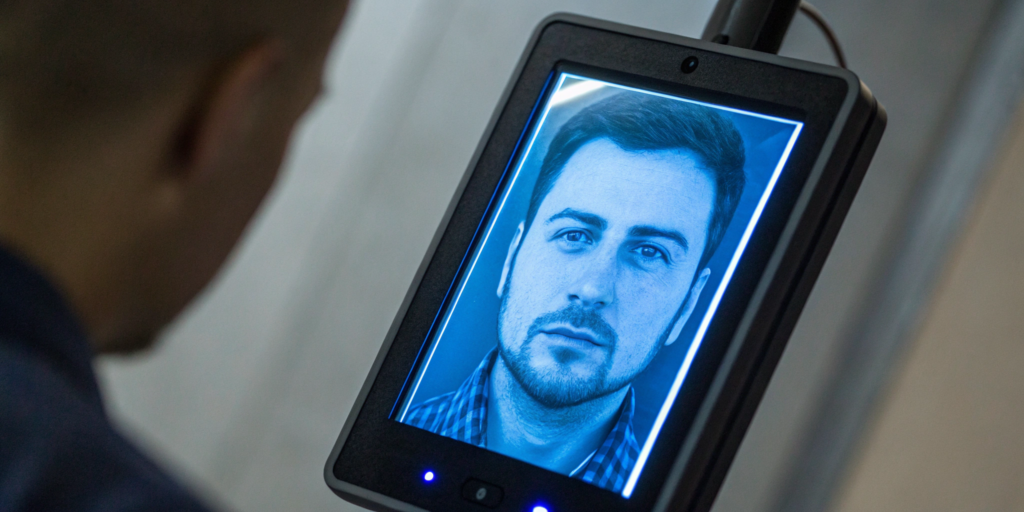
Your platform’s biggest security risk might be where you least expect it: the account recovery process. Traditional methods using passwords or personal info are a goldmine for fraudsters trying to take over accounts. Every successful takeover chips away at user trust and puts your business on the line. It’s time for a better lock. Implementing account recovery with facial verification is how you build a truly secure user account. By confirming someone’s identity with their unique facial biometrics—something they are, not just something they know—you create a powerful barrier against bad actors. This guide explains exactly how this technology works to stop scammers and protect your platform’s integrity.
Key Takeaways
- Solve two problems at once. Facial verification replaces frustrating, insecure recovery methods with a process that’s both easier for your users and tougher for fraudsters. Technologies like 3D Liveness confirm a real person is present, stopping spoofing attempts cold.
- Treat privacy as a core feature, not an afterthought. You’re handling highly personal data, so choose partners with verifiable security standards like FIDO certification. Be transparent with your users about how their data is managed to build and maintain their trust.
- Evaluate the entire implementation, not just the scan. The best service integrates smoothly with your existing systems, works flawlessly across all devices, and provides an intuitive journey for your users. This reduces support tickets and ensures the solution actually solves the problem it’s meant to.
The Cracks in Traditional Account Security
For decades, the password has been the primary gatekeeper for our digital lives. But in an environment where data breaches are common and automated bot attacks are relentless, this traditional approach is showing its age. Relying on secrets that can be forgotten, stolen, or guessed is a risky strategy for any platform. When a user’s account is compromised, it’s not just their data that’s at stake—it’s their trust in your service. The fundamental flaw is that these methods verify a piece of information, not the actual person holding it. This gap is where fraudsters thrive, exploiting weak credentials to gain access and cause damage. To protect your users and your platform, it’s essential to understand the vulnerabilities inherent in these legacy systems before you can build a stronger defense.
The Trouble with Passwords
We ask a lot from our users when it comes to passwords. Security experts from agencies like the Federal Trade Commission advise us to create long, complex passwords and, crucially, to use a unique one for every single account. This is sound advice, but it runs directly counter to human nature. Most people opt for simple, memorable passwords and reuse them across multiple sites. This creates a massive security hole. When one service suffers a data breach, the stolen credentials can be used in “credential stuffing” attacks, where bots automatically try the same username and password combinations on countless other websites. This means a breach on a completely unrelated service could lead directly to fraudulent activity on your platform, all because of a weak, reused password.
Creating Stronger Passphrases
As a response to the difficulty of remembering complex character strings, many security professionals now recommend using passphrases. The UK’s National Cyber Security Centre suggests a simple method: combine three random words to create a password that is both long and memorable. A passphrase like “CoffeeForestBicycle” is significantly harder for a computer to guess than “P@ssword1!” but is far easier for a person to remember. While this is a definite improvement over traditional password habits, it doesn’t solve the core problem. A passphrase is still just a secret. It can be written down, phished, or socially engineered, and it still requires the user to remember it—a particular challenge when they need a unique one for every service.
The Role of Password Managers
Password managers are a powerful tool for bridging the gap between security best practices and human behavior. These applications generate and store long, random, and unique passwords for every account, requiring the user to remember only a single master password. This solves the reuse problem and ensures credentials are as strong as possible. However, this convenience introduces a new, high-stakes point of failure. If an attacker manages to compromise that one master password, they gain access to the user’s entire digital life. While password managers are a huge step up for individual security hygiene, they still operate within the fragile ecosystem of knowledge-based authentication.
When Security Questions Become Insecure
Security questions were once seen as a reliable fallback for account recovery, but they have become one of the weakest links in account security. Questions like “What was your mother’s maiden name?” or “What was the name of your first pet?” rely on information that is often semi-public. In an age of social media, a quick scan of a user’s profile can often reveal the answers. This information is also frequently exposed in data breaches, making it accessible to bad actors. Because the answers are static and often easily discoverable, security questions fail to provide meaningful protection. They represent another form of knowledge-based authentication that is easily compromised, proving once again that what a user *knows* is a poor substitute for verifying who they *are*.
Strengthening the Gates: An Overview of Modern Authentication
As traditional security methods falter, modern authentication techniques offer a more robust and user-friendly path forward. The core principle is a shift away from relying on a single, vulnerable secret. Instead, these methods use multiple layers and different types of evidence to confirm a user’s identity. This approach, often called multi-factor authentication (MFA), creates a layered defense that is far more resilient to common attacks. If a password is stolen, it’s no longer enough to grant an attacker access. Beyond just adding layers, the industry is also moving toward entirely passwordless solutions like passkeys, which eliminate the password altogether. These modern systems not only provide superior security but also reduce friction for legitimate users, creating a safer and smoother experience for everyone on your platform.
Adding a Layer with Multi-Factor Authentication (MFA)
Multi-factor authentication is one of the most effective steps you can take to secure user accounts. It works by requiring two or more different types of verification before granting access. These factors are typically categorized as something you know (a password or PIN), something you have (a phone or hardware key), and something you are (a fingerprint or face scan). By requiring a combination, you ensure that a compromised password alone is not enough for a criminal to take over an account. For example, even if an attacker has a user’s password, they would also need physical access to that user’s phone to approve the login request. This is why security experts universally recommend enabling MFA wherever it is available, as it dramatically reduces the risk of unauthorized access.
Moving Beyond Passwords with Passkeys
While MFA strengthens passwords, passkeys aim to replace them entirely. A passkey is a digital credential stored securely on your device—like your phone or computer—that allows you to sign in to websites and apps without entering a password. When you log in, your device confirms your identity using its built-in security, such as Face ID, a fingerprint, or a device PIN. According to the Google Safety Center, this method is not only faster than typing a password but also highly resistant to phishing attacks, since the passkey is tied directly to the specific website or app it was created for. By moving authentication from a memorized secret to a trusted device, passkeys offer a glimpse into a more secure and convenient passwordless future.
The Convenience of “Sign in with…” Services
You’ve likely seen buttons that say “Sign in with Google” or “Sign in with Microsoft.” These services, known as federated or social logins, offer a convenient and secure alternative to traditional account creation. Instead of making a new password for your site, users can log in using an account they already have and trust. This approach offloads the burden of password management and security to major providers who have invested heavily in protecting their systems with features like MFA and advanced threat detection. For your platform, this can simplify the sign-up process and give users confidence by letting them leverage an account they have already secured. It’s a practical way to provide strong authentication without having to build the entire infrastructure from scratch.
How Does Facial Verification Secure a User Account?
When a user forgets their password, the traditional recovery process can be a real headache, involving frustrating security questions or waiting for reset links via email. Facial verification offers a much smoother and more secure alternative. Instead of asking “what do you know?” it asks “who are you?” by using a person’s unique facial characteristics as the key to unlock their account. This method relies on biometrics—the measurement of unique physical traits—to confirm identity with a high degree of certainty.
The process is designed to be intuitive. A user who is locked out of their account can simply choose the facial verification option, follow a few on-screen prompts to capture their image, and regain access in seconds. This shift from knowledge-based authentication to inherence-based authentication (using something you are) is a significant step forward. It not only simplifies the user experience but also erects a much stronger barrier against unauthorized access. As platforms grapple with the need to protect user data from increasingly sophisticated threats, biometric authentication provides a powerful tool for confirming that the person trying to access an account is truly who they say they are.
What’s the Technology Behind the Scan?
At its heart, facial verification technology isn’t about storing a gallery of your users’ photos. Instead, when a user enrolls, the system analyzes a selfie or a photo from an ID to create a unique digital map of their face. This map, often called a facial template or an “embedding,” is a numerical representation of their distinct facial features. It’s like a highly complex, one-of-a-kind fingerprint for the face.
When that user needs to recover their account, the system prompts them for a new selfie. It then creates a new digital map from that image and compares it to the original one stored securely on file. If the two maps match, the system confirms the user’s identity and grants them access. This process ensures that sensitive biometric data is handled securely, as a mathematical formula, not a simple photograph.
What Your User Experiences, Step by Step
From the user’s perspective, the entire process is designed to be quick and effortless. Imagine a customer gets a new phone and can’t remember the password to your app. Instead of going through a multi-step email verification, they can simply choose to recover their account with their face. The app will open their phone’s camera and guide them to position their face correctly within a frame.
They might be asked to perform a simple action, like looking left or right, to prove they are a live person. Within moments, the technology verifies their identity, and they’re back in their account. This effortless experience removes the friction commonly associated with account recovery, reducing user frustration and the number of support tickets your team has to handle. It turns a potential point of churn into a moment of seamless service.
How 3D Liveness Detection Stops Scammers Cold
This is where the technology gets really smart. A common concern is whether a scammer could fool the system with a simple photo or video of the user. That’s where “3D Liveness” detection comes in. Advanced systems use sophisticated algorithms to confirm that they are interacting with a real, three-dimensional person who is physically present. This technology can detect the subtle movements, textures, and depth cues of a living person, making it nearly impossible to spoof with a 2D image or even a pre-recorded video.
Solutions like VerifEye take this a step further by quietly confirming human presence without adding extra steps for the user. This anti-spoofing capability is critical for preventing fraud, detecting bots, and stopping bad actors from creating duplicate accounts. By ensuring a real human is behind every interaction, you can protect your platform and maintain the integrity of your user community.
Why Facial Verification Beats Traditional Account Recovery
Let’s be honest: nobody likes being locked out of their account. For years, the recovery process has been a clunky dance of forgotten passwords, obscure security questions (“What was the name of your first pet’s favorite toy?”), and frustrating waits for reset links. These old-school methods aren’t just annoying for users; they’re a security liability for your platform. They rely on information that can be guessed, stolen, or socially engineered, leaving both your users and your business vulnerable. This is where facial verification changes the game entirely. By using a person’s unique biometric data—their face—you can offer a recovery process that is faster, more intuitive, and significantly more secure. It replaces “what you know” with “who you are,” creating a stronger, more human-centric approach to security that benefits everyone. It streamlines the user experience while simultaneously tightening your defenses against fraud, a rare win-win in the world of digital security. This shift not only reduces friction for legitimate users trying to regain access but also raises the bar for bad actors attempting to take over accounts. It’s about moving from a system of fragile secrets to one of verifiable identity, building a foundation of trust that starts with a simple, secure glance.
The Flaws in Passwords and Security Questions
We’ve all been there—stuck in a loop of password resets and security questions we set years ago. These traditional methods are more than just an inconvenience. They are slow, create a frustrating user experience, and, most importantly, are often insecure. Relying on personal information for recovery can be risky, as details like your mother’s maiden name or first school can often be found online. This makes accounts vulnerable to takeovers by anyone who does a little digging. It’s a system built on memory, which is fallible, rather than identity, which is constant.
Create a Frictionless Experience for Your Users
Imagine your user loses their phone or gets locked out of their account. Instead of a multi-step ordeal, they can simply look at their camera to regain access. Facial verification offers an incredibly easy and secure way to get back in. This process is not just about convenience; it’s about providing immediate, frictionless help at a moment of high stress. For users, this means no more forgotten answers or waiting for reset emails. For your business, it means a smoother, more positive customer experience that builds loyalty and reduces churn.
The Clear Advantage for a Secure User Account
The real power of facial verification lies in its advanced security. Modern systems don’t just match a picture; they confirm a person is physically present using “3D Liveness” technology. This crucial step ensures that a fraudster can’t use a photo, video, or even a sophisticated mask to fool the system. Top-tier solutions take it a step further by linking a person’s face to their official ID during onboarding. This creates a powerful, one-to-one connection that proves the person recovering the account is genuinely who they claim to be, effectively stopping fraud before it starts.
Cut Down on Support Costs and Headaches
Every password reset request is a drain on your support team’s time and your company’s resources. Organizations spend a significant amount of money and manpower helping users who are locked out. By implementing a self-service biometric recovery option, you empower users to solve their own problems instantly. This dramatically reduces the number of support tickets related to account access, as noted by providers like Facia. The result is a more efficient operation, lower support costs, and a team that’s free to focus on more complex customer issues instead of repetitive password resets.
Comparing the Top Facial Verification Solutions
When you’re ready to choose a facial verification provider, you’ll find that not all solutions are built the same. The right partner for you will depend on your specific needs, whether that’s prioritizing a frictionless user experience, ensuring maximum data integrity, or finding a tool that works across various industries. Each platform has its own approach to balancing security, privacy, and usability. Let’s take a look at how some of the top solutions stack up.
Realeyes VerifEye Technology
Realeyes focuses on a critical, foundational question: is there a real, unique human being behind the screen? The VerifEye technology is engineered with a privacy-first design to protect user identity while it validates personhood and confirms uniqueness. It’s less about identifying who someone is and more about confirming that they are a real person, which is a key distinction for building trust at scale.
The process is designed to be incredibly lightweight, completing in just a few seconds for a few cents. This means you can dramatically improve your data integrity and security without adding frustrating steps for your users or racking up operational expenses. It’s a powerful way to maintain high completion rates for sign-ups or surveys while quietly ensuring the data you collect is from genuine individuals.
iProov
iProov’s technology shines in situations where users need to regain access to their accounts. We’ve all been there—you get a new phone or get locked out of an important service. iProov offers a simple and secure way for users to get back in with a quick face scan, making it a strong defense against criminals trying to exploit a weak account recovery process.
Their system is built to be fast and user-friendly, which is essential for keeping customers engaged and happy. By making account recovery effortless, iProov helps businesses secure user accounts without causing the friction that often leads people to abandon a service altogether. It’s a practical solution for a very common and often frustrating customer support issue.
Facia
Facia also offers a path to instant biometric account recovery, replacing outdated and insecure methods like forgotten passwords and personal security questions. Their standout feature is a “3D Liveness” technology, which is designed to confirm that the user is physically present during the scan. This is a crucial step in preventing fraud, as it can effectively tell the difference between a live person and a spoof attempt using a photo, video, or mask.
This technology is also highly versatile, making it a viable option for a wide range of industries, from banking and retail to healthcare and education. Its ability to ensure smooth and secure operations across different environments makes it a flexible choice for businesses with diverse needs.
What Separates the Best Providers from the Rest?
Ultimately, the best facial verification providers find the sweet spot between airtight security and a seamless user experience. Each of the top solutions brings a unique strength to the table. For instance, Realeyes’ VerifEye represents a significant advancement in verification by focusing on enhancing data integrity and confirming human presence with almost no friction for the user.
Meanwhile, iProov’s fast and user-friendly scans are excellent for maintaining positive customer engagement, especially during the critical moment of account recovery. And Facia’s versatility allows it to be implemented effectively across many different sectors. The right choice depends on your primary goal—whether it’s ensuring the fundamental integrity of your user base, simplifying account access, or deploying a single solution across multiple business units.
Let’s Talk About the Real Privacy and Security Risks
Adopting facial verification is a big step, and it’s smart to go in with your eyes open. While this technology offers a huge leap forward in security and user experience, it also brings up valid questions about privacy and data protection. The key isn’t to avoid the technology altogether, but to understand the potential risks so you can choose a partner who mitigates them effectively. When you’re dealing with something as personal as a user’s face, building and maintaining trust is everything. Let’s walk through the most common concerns so you know exactly what to look for.
Your Face, Forever? The Deal with Biometric Data
Unlike a password or a PIN, you can’t change your face. This is what makes it such a powerful security key, but it also raises the stakes for data protection. When a user enrolls in a facial verification system, the technology creates a unique digital representation of their face—a biometric template. This isn’t just a photo; it’s a complex map of personal information. The most pressing question becomes: what happens to that data? It’s crucial to understand how a provider handles this sensitive information. Where is it stored? How is it encrypted? And what are the policies around data retention? Your users are trusting you with their most permanent identifier, so your provider’s approach to biometric data privacy must be airtight.
Can Your Biometrics Be Stolen?
It’s the question on every user’s mind: can a hacker steal my face? The fear is that if criminals get their hands on your biometric data, they could potentially steal your identity. While a simple photo won’t fool a system with proper liveness detection, the bigger concern is a large-scale breach of a provider’s database where biometric templates are stored. If these templates aren’t properly encrypted and secured, they could be compromised. This is why the security architecture of your facial verification partner is so important. A breach doesn’t just damage your platform’s reputation; it can cause real, lasting harm to your users, eroding the trust you’ve worked so hard to build.
What Happens When the Tech Gets It Wrong?
No technology is perfect. There’s always a chance a facial verification system could fail to recognize a legitimate user (a false negative) or, far worse, grant access to an impostor (a false positive). When a real user gets locked out, they’re forced to fall back on older, clunkier recovery methods that can be frustrating and expose personal information—undermining the very experience you’re trying to create. Furthermore, some algorithms have shown bias in facial recognition, performing less accurately for women and people of color. It’s essential to choose a solution that has been rigorously tested across diverse populations to ensure it’s both fair and effective for everyone.
Drawing the Line Between Security and Surveillance
Many people hear “facial recognition” and immediately think of public surveillance. It’s a valid concern, especially when news stories highlight how “face data can be collected in public places without anyone asking you first.” This is why it’s critical to distinguish between authentication and surveillance. Account recovery is a form of authentication—a user willingly and actively participates in the process to prove their identity for a specific purpose. Surveillance is passive and non-consensual. For any business, the implementation must be transparent and strictly consent-based. Users should always initiate the process and understand exactly why their face is being scanned. This ethical line is non-negotiable for maintaining user trust.
Your Checklist for Choosing a Facial Verification Service
Choosing a facial verification partner is a big deal. You’re not just buying a piece of software; you’re entrusting them with the security of your platform and the privacy of your users. The right service can make account recovery a breeze, while the wrong one can create security holes and frustrate your customers. As you evaluate your options, it’s helpful to move beyond the marketing claims and look for concrete proof of a provider’s quality. Focus on four key areas: industry certifications, a privacy-first mindset, a seamless user experience, and practical integration.
Prioritize FIDO Certification and Security Standards
When it comes to security, you don’t want to take a provider’s word for it—you want to see the receipts. Industry certifications are the best way to verify that a service meets rigorous, third-party standards. One of the most important seals to look for is from the FIDO Alliance, which sets the global standard for passwordless authentication. A FIDO-Certified face verification solution means the technology has been proven to protect against common attacks during the account recovery process. This certification is a strong signal that a provider is serious about building secure, interoperable, and future-proof technology.
Demand a Commitment to Privacy and GDPR Compliance
Security and privacy are two sides of the same coin. A truly trustworthy verification service is designed from the ground up to protect user data, not just confirm an identity. Look for providers who are transparent about their data handling policies and can demonstrate compliance with regulations like GDPR. The best solutions go a step further, incorporating features like a GDPR-compliant consent framework and anonymous face verification. This shows a commitment to minimizing data collection and giving users control over their personal information, which is essential for building and maintaining trust.
Insist on Seamless, Multi-Device Support
The best security is the kind your users barely notice. The account recovery process should be fast, intuitive, and reliable, no matter what device someone is using. A top-tier service should work seamlessly on any device with a front-facing camera, from a laptop to a smartphone. This ensures that a user who lost their phone can still recover their account from their computer without a hitch. Test the user journey yourself. Is it quick? Is it confusing? A clunky or slow experience will only push users toward your support team, defeating the purpose of an automated solution.
Confirm Easy Integration and Accessibility for All Users
Finally, a facial verification service has to fit into your world. On the technical side, that means easy-to-use APIs and SDKs that your development team can implement without a major headache. But it also means the service should be built for broad, real-world application. The provider should follow important rules and certifications that ensure their system is reliable across different industries and use cases. Don’t forget to ask about accessibility. The technology should be usable by everyone, including people with disabilities, to ensure you’re providing an equitable and inclusive recovery option for your entire user base.
A Practical Guide to Protecting Your Users’ Privacy
Adopting facial verification for account recovery is a big step, and it comes with a serious responsibility to protect your users’ privacy. People are understandably cautious about how their biometric data is used. Building trust isn’t just about having powerful technology; it’s about implementing it thoughtfully and transparently. When you put your users’ privacy at the forefront of your strategy, you not only protect them but also strengthen their confidence in your platform. It’s about proving that you see them as people, not just data points. Here’s how you can create a secure and respectful account recovery process.
Vet Your Technology Partner Carefully
The privacy and security of your users’ data are only as strong as the technology you use. That’s why selecting the right verification partner is the most critical decision you’ll make. You need a partner whose technology is built on a foundation of data integrity and user protection. Look for solutions that do more than just match a face to a photo. The best systems can detect bots and prevent duplicate accounts, ensuring the person behind the screen is real without over-collecting data. Your partner should be an extension of your commitment to privacy, providing technology that is both effective and ethically designed from the ground up.
Be Upfront About Your Data Handling and Retention Policies
No one likes feeling left in the dark, especially when it comes to their personal data. Being upfront about how you handle and retain biometric information is non-negotiable. Create a clear, easy-to-understand privacy policy that explains exactly what data is collected, how it’s stored, how long you keep it, and why. For example, a GDPR-compliant consent framework and anonymous face verification show a commitment to protecting participant data while upholding high verification standards. When you’re transparent, you give users the information they need to feel confident and in control, which is the cornerstone of a trusting relationship.
Follow Best Practices for a Secure Implementation
Once you’ve chosen a partner, the way you integrate their technology matters. It’s on you to implement best practices that create a secure environment. This means adopting a privacy-first design in your own systems. Advanced facial recognition should be used to validate personhood and confirm uniqueness, not to track users unnecessarily. Only prompt for facial verification when it’s truly needed for security, like during an account recovery attempt. By weaving these practices into your user experience, you demonstrate that security and privacy aren’t afterthoughts—they are core components of how you operate.
Always Have a Plan B: Offer Alternative Recovery Options
Facial verification is a fantastic tool, but it shouldn’t be the only key to the door. Some users may not be comfortable using biometrics, while others might face accessibility challenges. Offering alternative recovery methods is essential for an inclusive and user-friendly experience. While a simple face scan can replace slow, outdated methods like security questions, it’s smart to also provide options like multi-factor authentication through an app or codes sent to a trusted device. Giving users a choice shows that you respect their preferences and ensures that no one is ever permanently locked out of their account.
Beyond Authentication: Essential Cybersecurity Practices
Implementing strong authentication like facial verification is a massive step toward securing your platform, but it’s one piece of a larger puzzle. Think of it as installing a high-tech lock on your front door. It’s incredibly effective, but you still need to make sure your windows are closed and you don’t accidentally give a copy of your key to a stranger. Building a truly secure environment means pairing advanced technology with smart, everyday habits. These foundational cybersecurity practices help protect your users—and your business—from every angle, creating a culture of security that reinforces the trust you’re working so hard to build.
Keep Your Software Up to Date
It’s easy to ignore those little pop-up notifications telling you it’s time to update your software, but hitting “remind me later” can leave you vulnerable. Software updates aren’t just about adding new features; they often contain critical security patches that fix vulnerabilities discovered by developers. The Federal Trade Commission emphasizes that these updates are a first line of defense to protect your personal information from hackers. The simplest way to stay protected is to turn on automatic updates for your operating system, web browser, and any apps you use regularly. This ensures you’re always running the latest, most secure version without having to think about it.
Recognize and Avoid Phishing Attempts
Phishing is one of the oldest tricks in the book for a reason: it works. These are fraudulent emails, texts, or messages designed to look like they’re from a legitimate company, aiming to trick you into clicking a malicious link or handing over sensitive information. A classic example is an urgent email from your “bank” asking you to verify your account details. As a rule of thumb, be skeptical of any unexpected communication that asks for personal data or creates a false sense of urgency. Never click on links or download attachments from suspicious sources. If you’re unsure, go directly to the company’s official website or app to log in.
Implement the Principle of Least Privilege
This might sound technical, but the concept is simple: don’t give any account more permissions than it absolutely needs. On your computer, for example, it’s wise to do your daily work from a standard user account rather than an administrator account. According to CISA, most everyday tasks like browsing the web or writing documents don’t require administrator-level access. By using a standard account, you make it much harder for malware or an attacker to mess with your computer’s settings or access sensitive system files if your account is ever compromised. It’s a simple change that dramatically limits the potential damage of a security breach.
What to Do If an Account Is Compromised
If you suspect one of your accounts has been hacked, the most important thing is to act quickly. The longer an attacker has access, the more damage they can do. First, try to change the password immediately to lock them out. If you can’t access the account, use the provider’s official recovery process. Check for any unauthorized activity, like messages you didn’t send or changes to your profile information. For a serious breach where you believe someone is using your personal information to commit fraud, the FTC recommends visiting IdentityTheft.gov to report the incident and get a personalized recovery plan. Having a clear plan of action ready can help you respond effectively in a stressful situation.
Is Facial Verification the Right Move for Your Business?
Deciding to use facial verification for account recovery is a big step. It involves weighing powerful security benefits against important user privacy considerations and thinking through the practical details of implementation. It’s not just a technical upgrade; it’s a strategic choice about how you want to interact with your users and protect your platform. To figure out if it’s the right move for your business, you need to look at the decision from a few key angles: the security-privacy balance, the user experience, and the overall business impact.
Balancing the Pros and Cons of Security vs. Privacy
At its core, the debate around facial verification comes down to a classic trade-off: tightening up security without overstepping on privacy. On one hand, this technology can seriously enhance security by making it much harder for bad actors to hijack the account recovery process. A simple selfie check is a formidable barrier against fraudsters. On the other hand, implementing facial recognition means you’ll be handling sensitive biometric data. This naturally brings up valid privacy concerns, as you’re collecting personal information directly from your users’ faces. The right solution finds a balance by providing robust security while treating user data with the highest level of care and transparency.
Considering the Realities of Implementation and Accessibility
A great idea is only as good as its execution. For facial verification, that means it has to be easy for your team to implement and even easier for your users to, well, use. The goal is to replace clunky, outdated methods like forgotten passwords with something seamless that allows people to get back into their accounts instantly. For your team, this means looking for a solution designed for minimal friction and straightforward technical integration. Technologies like our own VerifEye are built to fit into existing workflows without causing major headaches for your developers or your users, ensuring the process is smooth for everyone involved.
How to Make the Right Call for Your Business
Ultimately, the decision rests on your specific business needs and values. Start by looking at the numbers. How much time and money are you currently spending on manual account recovery? Letting users securely recover their own accounts can dramatically cut costs and free up your support teams for more complex issues. Next, consider trust and compliance. Any provider you choose should be built on a foundation of trust, adhering to major regulations and certifications like GDPR and ISO. By evaluating the potential cost savings, the user experience improvements, and the provider’s commitment to security and privacy, you can make an informed choice that protects your business and respects your users.
Related Articles
- What is KYC Verification? A Complete Guide
- How Does Facial Recognition Prevent Duplicate Accounts?
- Your Guide to Preventing Synthetic Identity Fraud
- KYC ID Verification: A Complete Guide for 2026
Frequently Asked Questions
How does this technology handle changes in a person’s appearance, like growing a beard or wearing glasses? That’s a great question, and it’s something the best systems are designed to handle. Modern facial verification technology is incredibly sophisticated. It analyzes the underlying, stable structures of your face—like the distance between your eyes, the shape of your nose, and your bone structure—rather than just surface-level features. So, changes like growing a beard, wearing makeup, or putting on glasses typically don’t pose a problem. The system is smart enough to see past those temporary alterations and recognize the unique facial map that belongs to you.
Is the “facial template” you mentioned just a stored photo of my user? Not at all, and this is a key point for privacy. A facial template is not a photograph. When a user enrolls, the system analyzes their selfie and converts their unique facial features into a complex string of numbers—a mathematical representation. This template is what gets stored, not the image itself. It’s a secure and privacy-conscious method because this string of numbers cannot be reverse-engineered back into a picture of the person’s face. Think of it as a one-of-a-kind digital fingerprint that is useless to a hacker without the specific system that created it.
What happens if the system can’t recognize a legitimate user? While today’s technology is highly accurate, no system is perfect. In the rare case that a legitimate user isn’t recognized—perhaps due to extremely poor lighting or an obstructed camera—they aren’t permanently locked out. This is why it’s so important to have a well-rounded security strategy. A good implementation will always include a reliable plan B, such as sending a one-time code to a trusted device or using an authenticator app. The goal is to provide a fast and secure primary option with facial verification while ensuring there’s always another way in, so no user is ever left stranded.
How is this different from the facial recognition used for surveillance? This is a critical distinction. The technology used for account recovery is about authentication, not surveillance. Authentication is an active, consent-based process where a user willingly looks into their camera for the specific purpose of proving their identity to access their own account. Surveillance, on the other hand, is passive and non-consensual, often involving scanning crowds without anyone’s knowledge. The services we’re discussing are designed to empower and protect the individual user, giving them a secure key to their digital life, which is fundamentally different from a system designed to watch people from afar.
How difficult is it to integrate a facial verification service into an existing app or website? You might be surprised at how straightforward it can be. Leading providers understand that businesses need solutions that work with their existing infrastructure, not against it. They typically offer well-documented APIs (Application Programming Interfaces) and SDKs (Software Development Kits) that allow your development team to plug the service into your app or website with minimal fuss. The best partners provide clear instructions and support to make the integration process as smooth as possible, so you can get the security benefits without a massive engineering overhaul.