

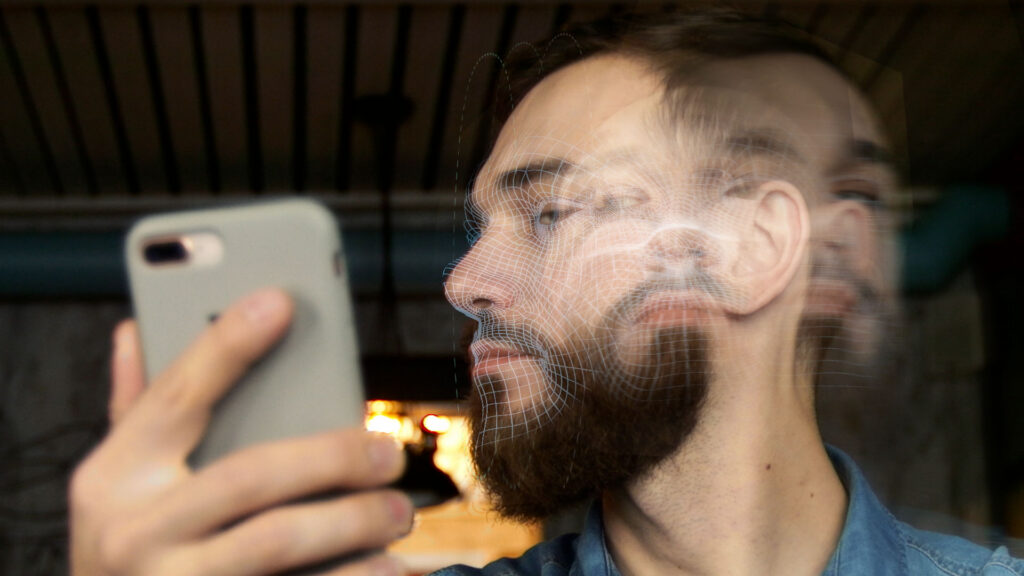
Think of your platform’s security like a bouncer at an exclusive club. Facial recognition is the first step, checking if a face matches the ID. But a good bouncer does more—they make sure you’re a real person, not a cardboard cutout. That second, crucial check is exactly what web liveness detection provides. A quality liveness detection service verifies a user is physically present during authentication, stopping fraud in its tracks. From simple photo printouts to sophisticated deepfakes, these tools are essential for secure digital onboarding and building user trust.
Key Takeaways
- Liveness detection adds a crucial security layer: It verifies a user is a real, live person present at the moment of verification, which protects against sophisticated fraud like deepfakes and spoofing attacks that can bypass standard facial recognition.
- Choose the right method for your needs: Passive liveness detection offers a seamless user experience by working in the background, while active methods provide high security for critical transactions by requiring user actions.
- A successful rollout depends on strategic planning: This includes integrating the technology into your existing security systems, selecting a vendor that prioritizes both accuracy and privacy, and educating your users on why the change improves their security.
What Is Web Liveness Detection and How Does It Really Work?
Think of liveness detection as a step beyond standard facial recognition. While facial recognition confirms that your face matches the photo on your account, liveness detection confirms you are a real, live person who is physically present during the check. It’s the digital equivalent of a security guard not just looking at your ID, but also making sure you’re not a cardboard cutout. This technology is designed to catch fraud in the act by looking for signs that a biometric sample, like a selfie, is coming from a living human being and not a photo, video, or mask.
This verification isn’t a single piece of technology but rather a combination of methods that work together to spot fakes. The core idea is to analyze a user’s biometric data for subtle cues that prove they are real. For platforms, this is a critical tool for authenticating users and protecting against sophisticated fraud attempts. By verifying a user is real, you can be confident that the person logging in, making a payment, or creating a profile is exactly who they claim to be. This process is essential for building trust and keeping your platform secure from bots and bad actors trying to exploit your systems.
Understanding Its Role in Identity Verification
So, we know liveness detection confirms a user is a real person in real time. But how does that fit into the broader process of verifying someone’s identity? It’s a common point of confusion. Many people think liveness detection and facial recognition are the same thing, but they play distinct and equally important roles. Liveness detection isn’t about figuring out who you are; it’s about confirming that you are a living, breathing human being interacting with the system right now. This distinction is the key to understanding its power. It acts as a foundational security check that must happen before any other identity-matching process can be trusted.
Proving Presence, Not Identity
The most important thing to grasp about liveness detection is that its job is to prove presence, not identity. Think of it this way: facial recognition matches your selfie to the photo on your driver’s license to confirm you are Jane Doe. Liveness detection, on the other hand, confirms the selfie you just took came from the real Jane Doe, not a photo of her or a deepfake video. Its primary goal is to stop spoofing attacks before they can even begin. As one security firm puts it, its main job is to stop fake identities from tricking the system. This is the core principle behind technologies designed to confirm human presence without adding friction, ensuring the user on the other side of the screen is authentic.
Liveness for Other Biometrics Like Voice
While facial analysis is the most common application, the concept of liveness isn’t limited to what a camera can see. The same principles apply to other biometrics, like your voice. Imagine you’re using a voice command to access a secure account. A simple voice match isn’t enough, because a fraudster could just play a recording of your voice. Voice liveness detection analyzes the audio input for subtle characteristics of live human speech, distinguishing it from a pre-recorded playback. This same logic extends to other biometric identifiers, like fingerprints, where the system checks for the unique properties of living skin versus a silicone replica. It’s all about verifying the source of the biometric data is alive and present.
Active vs. Passive Liveness: What’s the Real Difference?
When it comes to liveness detection, there are two main approaches: active and passive. Active liveness detection requires the user to perform a specific action to prove they’re real. You’ve probably encountered this before when a system asks you to blink, smile, or turn your head from side to side. While effective, these extra steps can add friction to the user experience.
In contrast, passive liveness detection works silently in the background without asking the user to do anything special. A person simply takes a selfie or a short video, and the system analyzes it to confirm their presence. This creates a seamless, faster experience for the user, reducing the chances they’ll get frustrated and abandon the process. For businesses, a frictionless process means higher completion rates and happier customers.
The Technology Behind Biometric Security and Liveness Detection
So, how does a machine know you’re a living person and not just a high-resolution photo? The magic is in the technology that powers biometric authentication. Liveness detection uses a sophisticated mix of artificial intelligence, advanced algorithms, and computer vision to analyze biometric data in incredible detail. These systems are trained to spot the subtle, almost imperceptible indicators of life that a simple photo or video can’t replicate.
This technology examines things the human eye might miss, like natural skin texture, the way light reflects off a curved surface like a face, and involuntary micro-movements. Advanced liveness detection techniques can even analyze 3D depth and other environmental cues to differentiate between a live person and a spoofing attack. By combining these methods, the system can confidently determine whether the biometric sample it’s seeing comes from a real person in real time.
Client-Side Capture and Server-Side Analysis
The liveness detection process is a clever two-part system: client-side capture and server-side analysis. It all starts on the user’s device—their phone or computer—which handles the “client-side” capture of a selfie or short video. This raw data is then securely sent to a remote server where the “server-side” analysis begins. This is where the heavy lifting happens. The server uses powerful algorithms to run complex checks that would be too slow or demanding for a personal device. This division of labor is smart because it keeps the user experience fast while ensuring the security checks are incredibly thorough. It adds a crucial security layer that verifies a user is a real person present at that moment, effectively protecting your platform from sophisticated attacks like deepfakes and presentation attacks.
2D vs. 3D Analysis for Enhanced Security
Not all liveness detection methods are created equal, and they generally fall into two categories: 2D and 3D. A 2D analysis examines a flat image, looking for telltale signs of life like natural skin texture, light reflections, and subtle color variations that are hard to fake. While this is great for catching basic spoofs, like someone holding up a printed photo, it can be tricked. That’s why more advanced systems incorporate 3D analysis. By using depth perception, the technology can distinguish between a flat screen and the actual contours of a human face. The most secure solutions combine both 2D and 3D techniques, analyzing everything from micro-movements to environmental cues. This multi-layered approach provides a much higher level of assurance that you’re dealing with a real person.
Selecting the Best Image for Verification
To ensure the highest possible accuracy, a liveness detection system doesn’t just rely on a single, random snapshot. Instead, it captures a quick series of frames from the user’s camera feed. From this collection, the system’s AI acts like a professional photo editor, sorting through the images to find the single best one for verification. It’s looking for a frame that is sharp, well-lit, and where the user’s face is correctly positioned. This selection process is vital because a blurry or poorly angled photo can easily cause a false rejection, which is a frustrating experience for a legitimate user. By automatically picking the best picture for the job, the system dramatically improves the reliability of the facial matching step that follows, making sure good users get through without a hitch.
Why Liveness Detection Is Essential for Secure Logins
For years, we relied on passwords to protect our digital lives, but their weaknesses have become impossible to ignore. Biometrics, like facial recognition, offered a stronger alternative by verifying you based on who you are, not just what you know. But even this advanced method has a critical vulnerability. What happens when a fraudster gets a high-quality photo or video of your face? Without an extra layer of security, they could potentially trick the system.
This is where liveness detection becomes essential. It answers a simple but vital question: Is the person in front of the camera a real, live human being, present at this very moment? Think of it as the difference between showing a photo of yourself and actually being there in person. By analyzing subtle cues that prove you’re a living, breathing person, liveness detection adds a crucial security check that static biometrics alone can’t provide. For any platform that needs to build trust with its users, verifying liveness is no longer a nice-to-have feature; it’s a fundamental requirement for secure logins.
How It Stops Fraud and Account Takeovers
At its core, liveness detection is a powerful defense against fraud and account takeovers. It’s a security feature specifically designed to confirm that the user attempting to log in is a real person, not a digital forgery. This technology is built to spot and block fraudsters who try to use photos, pre-recorded videos, realistic masks, or even sophisticated, AI-generated deepfakes to impersonate someone else. By verifying the user’s physical presence in real time, liveness detection ensures that the only person gaining access to an account is its rightful, living owner. This makes it a critical component for any secure identity verification process.
Combating the Low Cost of Fake Identities
It’s a sobering thought, but a fraudster can buy a fake digital identity for as little as $15. This low barrier to entry means that bad actors can easily acquire the tools—like high-resolution photos and personal information—needed to attempt account takeovers on a massive scale. This is precisely the threat that liveness detection is built to neutralize. While a static photo might fool a basic facial recognition system, it can’t fool a system that’s looking for signs of life. Liveness detection adds a crucial security layer by verifying a user is physically present at the moment of authentication. It’s designed to spot and reject presentation attacks, whether they come from a printed photo, a video replay on a screen, or even an AI-generated deepfake. By confirming real-time presence, you effectively render those cheap, stolen identity kits useless, ensuring the person on the other side of the screen is a living, breathing human.
How Spoofing Attacks Bypass Traditional Security
Without liveness detection, a standard biometric system can be surprisingly easy to fool. An attacker might only need a high-quality photograph or a video of your face, which they could easily find on your social media profiles, to bypass security. This type of fraud is known as a spoofing attack. The threat has grown significantly as AI tools have made it much cheaper and faster for criminals to create convincing fake identities. We’re not just talking about simple photo printouts anymore. The rise of deepfake technology has created a serious security risk, allowing for hyper-realistic impersonations that can trick basic systems. This is why just matching a face isn’t enough; you have to verify it’s a live face.
An Overview of Liveness Detection Methods
When you hear “liveness detection,” you might picture a single type of technology, but it’s not a one-size-fits-all solution. Different methods exist to confirm a user is a real, live person, and each one strikes a different balance between security and user convenience. Choosing the right approach depends entirely on what you’re trying to protect. For some interactions, you need the highest level of security possible, even if it adds an extra step for the user. For others, a seamless, invisible check is the better way to go.
Think of it like locking your front door. Sometimes a standard deadbolt is enough, but for a bank vault, you need something much more complex. The same principle applies here. The goal is to match the level of security to the level of risk involved in a specific user action. Understanding the main types of liveness detection, active, passive, and hybrid, helps you pick the right tool for the job. This ensures you can protect your platform and your users without creating unnecessary roadblocks that might cause them to leave. Each method has its own strengths, making it crucial to know which one fits your specific security needs and user experience goals. Let’s break down how each one works and where it shines.
Active Liveness: Proving You Are Really There
Active liveness detection is the most direct approach. It asks the user to perform a specific action to prove they are a live person in front of the camera. You’ve probably seen this before: an app might ask you to blink, smile, or turn your head from side to side. These challenges are designed to be easy for a human but difficult for a static photo or a simple video replay to mimic. Because it requires a clear, deliberate action, this method is highly secure. It’s an excellent choice for high-stakes situations, like when a customer is opening a new bank account or authorizing a large financial transaction. The trade-off, of course, is that it adds a bit of friction to the user experience.
Passive Liveness: Verifying You Without the Extra Steps
Passive liveness detection is the invisible guardian of the login process. Instead of asking the user to do anything, it works quietly in the background to confirm their presence. This technology analyzes a short video stream or a selfie to look for subtle, natural cues that indicate a real person, like tiny movements, light reflections, and skin textures. The biggest advantage here is the user experience. Since it requires no extra effort, it reduces friction and helps prevent people from giving up halfway through a process. It’s a sophisticated way to safeguard your systems from spoofing attacks without ever interrupting the user’s flow, making it perfect for everyday logins and interactions where a smooth experience is key.
How Frictionless Solutions Like Realeyes’ VerifEye Work
Frictionless solutions take the concept of passive liveness a step further by making the check nearly instantaneous. Instead of a long video, systems like Realeyes’ VerifEye can analyze a single image from a device’s camera to confirm a user is a real person. This process happens in the background, using sophisticated AI to look for tell-tale signs of life—like natural skin texture and subtle light reflections—that are nearly impossible to fake with a photo or mask. The user doesn’t have to do anything but look at their camera for a moment. This silent verification provides robust security against bots and deepfakes while keeping the user experience completely seamless, ensuring trust without the friction.
Hybrid Models: Combining the Best of Both Methods
As you might guess, hybrid liveness detection combines elements from both active and passive methods to find a happy medium. A hybrid system typically relies on passive analysis first, checking for natural human signs in the background. If the system needs a little more confidence, it might then prompt the user for one simple action, like a quick smile. This approach offers a great balance of security and usability. It keeps the process smooth for most users while adding a small, interactive challenge when needed to confirm a person’s liveness. This makes it a flexible option for platforms that want strong security without always requiring users to jump through hoops.
How Does Liveness Detection Know You’re a Real Person?
So, how does a machine tell the difference between you and a picture of you? It’s not magic, but it is incredibly smart. Liveness detection technology acts like a digital detective, looking for the subtle clues that prove you are a living, breathing person present at that exact moment. It goes far beyond simple facial recognition, which just matches your face to a stored image. Instead, it’s designed to spot the tell-tale signs of a spoofing attack, whether that’s someone holding up a photo, wearing a mask, or using a deepfake video.
The system doesn’t just look at one thing; it analyzes a combination of different data points to make a confident decision. Think of it as a multi-layered check that confirms you are who you say you are, and that you’re physically there. It examines how you move, the tiny details of your physical appearance, and sometimes even the sound of your voice. By cross-referencing these signals, the technology can effectively determine if it’s interacting with a real person or a clever fake. This process is what makes it so difficult for fraudsters to trick the system and gain unauthorized access to your accounts, protecting both your users and your platform from sophisticated threats.
Analyzing Natural Human Movements and Behaviors
One of the first things liveness detection checks for is natural human movement. We’re never perfectly still. We blink, our eyes shift, and our heads make tiny, almost imperceptible movements. These are the subtle signs of life that a static photo or a simple video loop can’t replicate. Some systems use active liveness detection, which prompts you to perform a simple action like turning your head or smiling. This challenge-response test is designed to provoke a natural reaction that is extremely difficult for a fraudster to fake in real time, confirming that you are physically present and in control of your device.
Verifying Skin Texture and Environmental Clues
Beyond movement, the technology zooms in on the details. A real human face has depth, texture, and imperfections that a 2D image on a screen or a printed photo simply lacks. Advanced algorithms are trained to look for these specific characteristics. The system is capable of analyzing skin texture, looking for pores and subtle light reflections that indicate a three-dimensional object. It also assesses environmental cues, like how light and shadows play across your face. These elements change dynamically as you move, providing another layer of proof that the system is seeing a real person in a real environment, not a flat, artificial image.
Using Voice Recognition and User Responses
For an even higher level of assurance, some liveness detection systems incorporate voice analysis. This adds another biometric layer to the verification process. The system might ask you to say a short phrase, analyzing not just the words but the unique characteristics of your voice, like pitch, tone, and cadence. Passive liveness detection can even use AI to analyze your face and voice in the background as you interact with an application, without requiring you to perform any specific actions. This helps ensure that the responses are genuine and not a pre-recorded or AI-generated voice clip, stopping more sophisticated attacks in their tracks.
What Are the Challenges of Modern Liveness Detection?
Implementing liveness detection isn’t a simple plug-and-play solution. While the technology is incredibly powerful, it faces a few key hurdles that any platform needs to consider. The digital landscape is constantly shifting, with bad actors developing new ways to trick security systems. At the same time, technology has to work for real people using a wide variety of devices in less-than-ideal conditions. The biggest challenge of all is finding the sweet spot between iron-clad security and a user experience that feels effortless. Getting this balance right is what separates a good liveness detection system from a great one. It requires a deep understanding of both the evolving threat landscape and the expectations of everyday users who just want to log in without a fuss.
Keeping Up With Sophisticated Spoofing Attacks
The world of online fraud is a constant cat-and-mouse game. As soon as a new security measure is in place, fraudsters are already working to break it. Early biometric systems could be fooled with a simple high-resolution photo or video. Today, the threats are far more advanced, including realistic 3D masks and AI-generated deepfakes that can mimic a real person with startling accuracy. This is why modern facial liveness detection goes beyond just matching a face to a profile. It actively looks for signs of a live, physically present person, analyzing subtle cues like micro-movements, reflections, and skin texture that are nearly impossible to replicate digitally.
Working Around Environmental and Hardware Limitations
For liveness detection to be effective, it has to work reliably in the real world, not just in a lab. This means accounting for a huge range of variables. A user might be trying to log in from a dimly lit room, on a moving train, or using a laptop with an old, low-resolution webcam. These environmental factors and hardware limitations can make it difficult for an algorithm to get a clear reading. A robust system must be sophisticated enough to filter out background noise and analyze biometric data accurately, regardless of the user’s camera quality or lighting conditions. The goal is to minimize false rejections and ensure everyone can get access when they should.
Balancing Top-Notch Security With a Great User Experience
The strongest lock in the world is useless if it’s so complicated that no one wants to use it. The same principle applies to digital security. While asking a user to smile, blink, and turn their head can confirm they’re live, it also adds friction to the login process. Every extra step is a potential point where a customer might get frustrated and give up. The ultimate goal is to make security feel invisible. This is where passive liveness detection truly shines, as it verifies a user’s presence in the background without requiring any specific actions. It provides a strong, multi-layered approach to authentication while keeping the user journey fast and seamless.
The Trade-Off Between False Acceptance and False Rejection Rates (FAR vs. FRR)
This brings us to one of the most critical balancing acts in biometric security: the trade-off between the False Acceptance Rate (FAR) and the False Rejection Rate (FRR). In simple terms, FAR measures how often an imposter is incorrectly accepted, while FRR measures how often a legitimate user is incorrectly rejected. These two rates are intrinsically linked; if you tighten security to decrease the FAR, you almost always increase the FRR. Think of it this way: a system with a very low FAR is like an overzealous bouncer who turns away real members because their ID photo is slightly outdated. This creates a secure environment, but it also frustrates your best customers. Conversely, a system with a very low FRR is more convenient but might let a few fakes slip through the cracks. The challenge for any platform is to find that sweet spot where security is strong enough to stop fraud, but the user experience remains smooth enough to keep legitimate users happy.
Common Roadblocks to Implementing Liveness Detection
Adopting liveness detection is a smart move for strengthening security, but like any new technology, it comes with a few practical considerations. Thinking through these potential challenges ahead of time will help you create a clear path forward and ensure a smooth rollout for your team and your users. The main areas to focus on are how the technology fits into your current setup, what the budget looks like, and how your users will respond to the change.
Integrating With Your Existing Tech Stack
Adding a new tool to your security stack can feel like a complex puzzle, but liveness detection is designed to be a powerful layer, not a standalone fix. It works best when combined with your existing identity verification and biometric authentication processes. This creates a stronger, multi-layered defense that makes it much more difficult for fraudsters to find a way in. The goal is to have liveness detection seamlessly safeguard your digital onboarding and login flows, confirming that the person behind the screen is real and present without disrupting your established systems. A good solution should offer flexible APIs and clear documentation to make this integration as straightforward as possible for your development team.
Considering the Costs and Required Resources
Of course, budget is always a key factor. While there’s an upfront investment in implementing liveness detection, it’s helpful to weigh it against the high price of doing nothing. When verification fails, you’re left dealing with the fallout from fake accounts, manipulated data, and direct fraud losses. Traditional verification methods often come with their own storm of security gaps, poor user experiences, and climbing operational costs. The right liveness detection technology can actually represent a significant breakthrough by preventing fraud at the source, ultimately reducing costs associated with manual reviews, customer support, and financial losses.
Encouraging User Adoption While Protecting Privacy
The strongest security measure is useless if your customers won’t use it. If a login process is too complicated or invasive, users will simply give up. This is where the distinction between active and passive liveness becomes critical. Active methods that require users to follow instructions can add friction, but modern passive liveness detection works quietly in the background to verify a user’s presence without them having to do anything. This frictionless approach is key to high adoption rates. At the same time, users are rightfully concerned about their privacy. It’s essential to choose a solution that not only secures their accounts but also protects their personal data by design, proving human presence without compromising anonymity.
Your Step-by-Step Guide to Implementing Liveness Detection
Adding liveness detection to your platform is a powerful move, but a successful launch goes beyond just installing new software. It requires a thoughtful approach that considers your existing systems, your users’ experience, and the capabilities of your technology partner. Getting these pieces right ensures you strengthen security without creating frustrating roadblocks for the real people using your service. By focusing on a clear strategy, transparent communication, and careful vendor selection, you can roll out a solution that protects your platform and builds user trust.
Step 1: Create Your Integration Strategy
Before you write a single line of code, map out exactly how liveness detection will fit into your current user flows. Think of it as a new, smarter layer in your security stack. Liveness detection isn’t a standalone fix; it’s a set of methods that works best when combined with other security measures. For example, you might integrate it into your initial Know Your Customer (KYC) process or use it as a step-up challenge for suspicious login attempts. A strong integration strategy considers the entire user journey, identifying the moments where verifying a real human presence provides the most value without adding unnecessary friction. This planning phase is critical for a seamless and effective deployment.
Choosing Between Cloud and On-Premise Deployment
Deciding where your liveness detection technology will live—on your own servers or in the cloud—is a major strategic choice. An on-premise solution means you host everything within your own infrastructure. This gives you maximum control over your data, which can be a critical factor for industries like banking that face strict data residency requirements. However, this control comes with the responsibility of managing all maintenance, updates, and security yourself. On the other hand, a cloud-based SaaS model offloads that work to your vendor. This approach is typically more scalable and cost-effective, as you don’t need to maintain the physical hardware. For most organizations, the cloud offers a more efficient and strategic path, especially when rapid scalability and staying ahead of cybersecurity threats are top priorities.
Exploring Simplified “Quick Link” Integrations
The thought of integrating a new security tool can be intimidating, but it doesn’t have to mean a complete overhaul of your systems. Modern liveness detection is designed to be a flexible layer, not a disruptive replacement. Many solutions offer simplified integration paths, like a secure “quick link” that can be sent to users or a flexible API that your developers can easily plug into your existing app or website. The goal is to add this crucial verification step without creating a massive engineering project. This is where a frictionless solution like our own VerifEye technology really makes a difference. It works passively in the background, confirming a user is real without interrupting their journey, making the entire security check feel invisible to them.
Step 2: Educate Your Users for a Smooth Rollout
People are naturally wary of changes to their login routines, so clear communication is key. Let your users know what’s changing and, more importantly, why. Frame the addition of liveness detection as a benefit that offers them greater protection against fraud and account takeovers. Explain how the technology works in simple terms, especially if you’re using a passive system. Highlighting that a quick, effortless check can confirm they’re real without requiring complicated actions can significantly improve adoption. A well-informed user is more likely to see the new feature as a valuable security upgrade rather than an inconvenient hurdle, making the transition much smoother for everyone involved.
Step 3: Choose and Test the Right Liveness Detection Service
Your choice of vendor will define the effectiveness and user experience of your liveness detection system. Look for a partner whose technology is built on sophisticated AI that can reliably spot spoofing attempts. But technical skill is only part of the equation. The right partner should also share your commitment to user privacy. For instance, solutions like VerifEye can prove a user is a real, unique human while preserving their anonymity. Before committing, run a pilot program to test the solution’s accuracy, speed, and compatibility with the devices your audience uses. This ensures the technology performs well in the real world and meets the specific needs of your platform.
How to Choose the Right Liveness Detection Solution for Your Business
Selecting a liveness detection solution is more than a technical upgrade; it’s a critical business decision that impacts your security, your users, and your bottom line. With so many options available, it’s easy to get lost in the details. The right partner won’t just sell you software. They will help you build a more secure and trustworthy platform. To find the best fit, focus on three key areas: your technical requirements, your users’ experience, and your compliance obligations. By evaluating potential solutions against these benchmarks, you can confidently choose a provider that aligns with your goals and protects your ecosystem from evolving threats.
Define Your Technical and Accuracy Requirements
First, get clear on what you need the technology to do. Liveness detection isn’t a single technology but a combination of methods designed to stop fraud. Your ideal solution depends on the specific threats you face. Are you primarily concerned with simple presentation attacks, like someone holding up a photo? Or do you need protection against sophisticated deepfakes and injection attacks? Look for a provider that uses advanced AI algorithms and computer vision to analyze biometric data. Ask for detailed performance metrics, including Presentation Attack Detection (PAD) levels, and both false acceptance and false rejection rates. A low false rejection rate is just as important as a high accuracy rate, as it ensures you aren’t turning away legitimate users.
Look for iBeta Level 1 and 2 Conformance
When you’re vetting a liveness detection provider, don’t just take their word for their system’s accuracy. Look for independent, third-party validation. One of the most respected certifications comes from iBeta, a lab that specializes in quality assurance testing. A solution that has achieved iBeta Level 1 and 2 conformance has proven its ability to withstand a wide range of presentation attacks. Level 1 tests against basic spoofs like photos and videos, while Level 2 uses more complex attacks like realistic masks and 3D models. For example, some top-tier systems have passed these tests with a 0% failure rate, meaning no fakes got through. This certification is a clear, unbiased signal that a solution is truly effective at stopping fraud.
Understanding ISO/IEC 30107-3 Standards
Another critical benchmark to look for is compliance with international security standards, specifically ISO/IEC 30107-3. This standard provides a framework for testing and evaluating a system’s ability to detect presentation attacks, which is the technical term for spoofing. Think of it as a global rulebook for what makes a liveness detection system secure. When a provider states they are compliant with this standard, it means their technology has been rigorously tested against a known set of attack methods and has met a high bar for performance. It’s a powerful indicator that the solution is built on a solid, industry-recognized foundation and isn’t just making empty claims about its security capabilities.
Evaluating System Confidence Scores and Error Codes
A liveness detection system doesn’t just return a simple “pass” or “fail.” A sophisticated solution will provide a more nuanced result, often in the form of a confidence score. This score tells you how certain the system is that the user is a real, live person. For instance, a result might be graded on a scale from low to very high confidence. This is incredibly useful because it allows you to build smarter business rules. A very high-confidence result can be approved automatically, while a lower-confidence score might trigger a request for an additional verification step or a manual review. This gives you the flexibility to balance security and user experience based on the level of risk involved.
Checking for Advanced Abuse Detection Features
The most effective liveness detection solutions don’t just analyze the user’s face in isolation; they look at the bigger picture to spot patterns of abuse. This is a crucial feature for catching organized fraud rings and sophisticated bad actors. For example, an advanced system can identify and flag risky liveness checks that originate from suspicious IP addresses or devices known to be associated with fraudulent activity. By monitoring these signals, the platform can detect and block bad actors early, often before they even attempt a spoof. This proactive approach to abuse detection is a hallmark of a truly enterprise-grade solution that helps protect the integrity of your entire ecosystem.
Confirm It Works Seamlessly Across All Platforms
A powerful security tool is only effective if people can actually use it. Your liveness detection solution must provide a consistent and smooth experience across every device and platform your customers use, from web browsers to native mobile apps. The verification process should be quick and intuitive, without requiring users to have the latest smartphone or a perfect internet connection. The goal is to confirm that a biometric sample comes from a live person, not a static image or video, without adding unnecessary friction. Test potential solutions on various devices and in different network conditions to see how they perform in real-world scenarios. A seamless user experience is key to adoption and retention.
Verify It Meets Compliance and Data Protection Standards
In a world of increasing data privacy regulations, compliance is non-negotiable. Your liveness detection provider must adhere to global standards like GDPR and CCPA, ensuring that all biometric data is handled securely and ethically. A strong solution helps you meet Know Your Customer (KYC) and Anti-Money Laundering (AML) requirements by strengthening your identity verification processes. Ask potential vendors about their data storage policies, encryption methods, and compliance certifications. By combining biometric authentication with certified liveness detection, you create a multi-layered defense that satisfies regulators and builds trust with your users, proving your commitment to protecting their personal information.
Ensuring User Data Is Not Stored or Used for Training
When you ask users for biometric data, their first question is often, “What happens to my face?” It’s a fair question, and your answer is critical for building trust. A truly privacy-focused liveness detection solution doesn’t store sensitive data like images or videos after the check is complete. According to Microsoft, these files are used only in the moment to decide if the face is real or fake and are then immediately discarded. Critically, this data should never be seen by a human or used to train AI models. This principle is at the heart of technologies like our VerifEye solution, which is designed to confirm human presence without creating a database of user faces, ensuring that privacy and security go hand in hand.
The Security Advantages of Mobile App Solutions
While web-based liveness detection offers convenience, mobile app solutions generally provide a higher level of security. A native mobile app has more direct control over the device’s camera and operating system, making it much harder for fraudsters to carry out sophisticated injection attacks where they try to feed a pre-recorded or deepfake video into the verification process. Because of these extra security features, it’s often recommended to use a mobile solution whenever possible, especially for high-stakes transactions like opening an account or authorizing a large payment. By guiding users toward your mobile app for these critical moments, you add another robust layer of protection against advanced fraud.
Where Web Liveness Detection Fits in Your Security Strategy
Liveness detection isn’t a standalone fix you can just plug in and forget. It’s better to think of it as a critical layer in your security strategy, one that makes all your other defenses stronger. It works best when you integrate it thoughtfully into your existing security stack, creating a layered defense that is much harder for bad actors to break through. By adding a check for genuine human presence, you reinforce every other part of your verification process.
Pairing Liveness Detection With Multi-Factor Authentication (MFA)
Multi-factor authentication (MFA) is a security standard for a reason, but it’s not invincible. A password can be stolen, and an SMS code can be intercepted. Even biometric factors like a fingerprint or face scan have their own vulnerabilities. This is where liveness detection makes a huge difference. It adds a dynamic, real-time check to the biometric step, confirming the person providing the scan is physically present and not just using a photo or a mask. This simple addition addresses key weaknesses in traditional biometric security, turning a good security measure into a great one by verifying genuine presence during the authentication process.
Building a Complete Digital Onboarding and Verification System
Beyond just logins, liveness detection is a cornerstone of any modern identity verification (IDV) system. During critical moments like user onboarding or high-stakes transactions, you need absolute certainty that the person on the other end is who they claim to be. A facial liveness detection check provides that certainty by confirming a submitted selfie or video comes from a living person, effectively stopping spoofs like printed photos or deepfakes in their tracks. This not only secures the process but also protects user privacy by ensuring only legitimate biometric data is captured. By combining liveness checks with other verification methods, you create a robust, multi-layered approach to user authentication that builds trust and keeps your platform secure.
Related Articles
- What Is Liveness Detection? The Ultimate Guide
- What is a Passive Liveness Check & How Does It Work?
- Liveness Detection for AI Fraud: An Essential Guide
Frequently Asked Questions
Why is liveness detection necessary if I already use facial recognition? Think of it this way: facial recognition answers the question, “Is this the right person?” by matching a face to a photo on file. Liveness detection answers a different, equally important question: “Is this a real, live person who is physically here right now?” Without it, a standard facial recognition system could be tricked by a high-quality photo or video of the correct person. Liveness detection adds that essential security layer to confirm genuine presence, stopping fraud before it starts.
What’s the main difference between active and passive liveness detection? The difference comes down to what the user has to do. Active liveness detection requires you to perform a specific action, like smiling or turning your head, to prove you’re real. It’s a direct challenge. Passive liveness detection, on the other hand, works silently in the background. It analyzes a selfie or short video for natural signs of life, like tiny movements and skin texture, without asking you to do anything. This creates a much smoother and faster experience for the user.
Will adding this security step annoy my users? That’s a valid concern, and the answer depends entirely on the approach you choose. If you force users through multiple, complicated steps (an active approach), you might create some frustration. However, modern passive liveness detection is designed to be completely invisible. It verifies a user’s presence in the background in a fraction of a second, adding a powerful layer of security without adding any friction to the login process. When done right, it makes the user journey both safer and more seamless.
How does liveness detection handle sophisticated fakes like deepfakes? It’s able to spot advanced fakes by looking for clues that go far beyond a simple facial match. The technology analyzes a combination of subtle, dynamic data points that are incredibly difficult to replicate, even with AI. This includes things like natural skin texture, the way light reflects off a three-dimensional face, and involuntary micro-movements. By analyzing these signals together, the system can confidently distinguish between a real person and a sophisticated digital forgery.
Is this technology difficult to integrate into my existing systems? Not at all. Modern liveness detection solutions are designed to be a flexible layer within your existing security stack, not a complete overhaul. They work alongside your current identity verification and authentication processes to make them stronger. A good provider will offer clear documentation and flexible APIs, which allows your development team to integrate the technology smoothly into your user onboarding or login flows with minimal disruption.
Common Use Cases: From Employee Onboarding to Digital Visas
Liveness detection is useful for more than just secure logins; its applications span any industry where digital trust is essential. For example, during remote employee onboarding, you need to be absolutely sure the person you’re hiring is who they say they are. A quick facial liveness detection check offers that confidence by confirming a new hire is a real person, not just a photo. This same security is critical in financial services for high-stakes moments, like when a customer opens a new bank account or approves a large transfer. The technology is also becoming vital for government functions, such as processing digital visas and verifying travelers’ identities. In every case, liveness detection acts as a crucial line of defense against fraud by proving the person on the other side of the screen is genuinely present.