


An ID upload can stop a new user before your platform confirms they are human. Realeyes VerifEye is built for that gap, verifying human presence without turning onboarding into document collection.
Contact Realeyes to learn how VerifEye can add document-free human verification to your platform.
An identity verification API can confirm a live human user within a digital flow without requiring a government ID upload. Realeyes VerifEye applies biometric liveness detection through programmable APIs, helping platforms screen for bots and deepfakes while avoiding traditional document collection. It fits web and mobile onboarding where product teams need fast verification, security teams need confidence, and users need a privacy-first path. According to Realeyes, it confirms human presence without the privacy and friction of traditional ID uploads, protecting a clean onboarding experience for platforms. That gives product buyers a way to set a human gate at sign-up, sign-in, or another risk point without adding a new ID-document workflow.
If your platform needs to reduce automated abuse without collecting identity documents, the real buying question becomes practical. Start with What an identity verification API should do without ID uploads, then map those requirements to integration and user flow decisions. Here’s how.
What an identity verification API should do without ID uploads
A useful definition for platform teams
An identity verification api gives a digital product a way to check trust during a user flow. For a document-free use case, its first job is narrower: confirm that a live human is present. That check can help a platform respond to bots or synthetic media. It need not ask for a passport or driving licence image.
Product buyers should separate identity proofing from human presence verification. A document check tries to match a person to issued data. Human presence verification asks whether a real person is taking part now. Both can matter in some journeys. Yet they solve different risks and create different user experiences.
The cost of collecting documents
ID upload adds steps at the moment a user wants to start. People may need to find a document, position a camera, retry a scan, or wait for review. A document-free path removes that request when a live-human check is the right control. It keeps the step tied to the risk a product team must manage.
Collection also changes the privacy question. A platform that requests an ID image must consider the sensitive personal data involved. It must also decide how that data is handled. Teams can review ways to verify identity without document collection before mapping the right check to each journey.
Human presence as an API decision
A document-free model should return a clear signal that a live human completed the check. It should fit into web or mobile flows through an API. Teams can then trigger it where risk calls for it. Realeyes VerifEye is built around this model: it confirms human presence without traditional ID uploads.
This approach does not mean every identity need is the same. Teams still need to set assurance and authentication rules for each service. The NIST Digital Identity Guidelines give developers a framework for authentication and lifecycle management. A live-human signal can then support a flow shaped by its risk.
For product review, ask what data the API collects and what result it returns. Check where the step appears in the user journey. Ask how it handles bot and deepfake attempts without defaulting to document collection. Teams can assess Realeyes VerifEye for flows that need less upload friction.
How does document-free verification work?
Document-free verification asks a simple question: is a live, eligible person present for this event? Realeyes VerifEye is built for this flow. It can support an approach to verify identity without document collection. Users do not upload a driver’s license or passport.
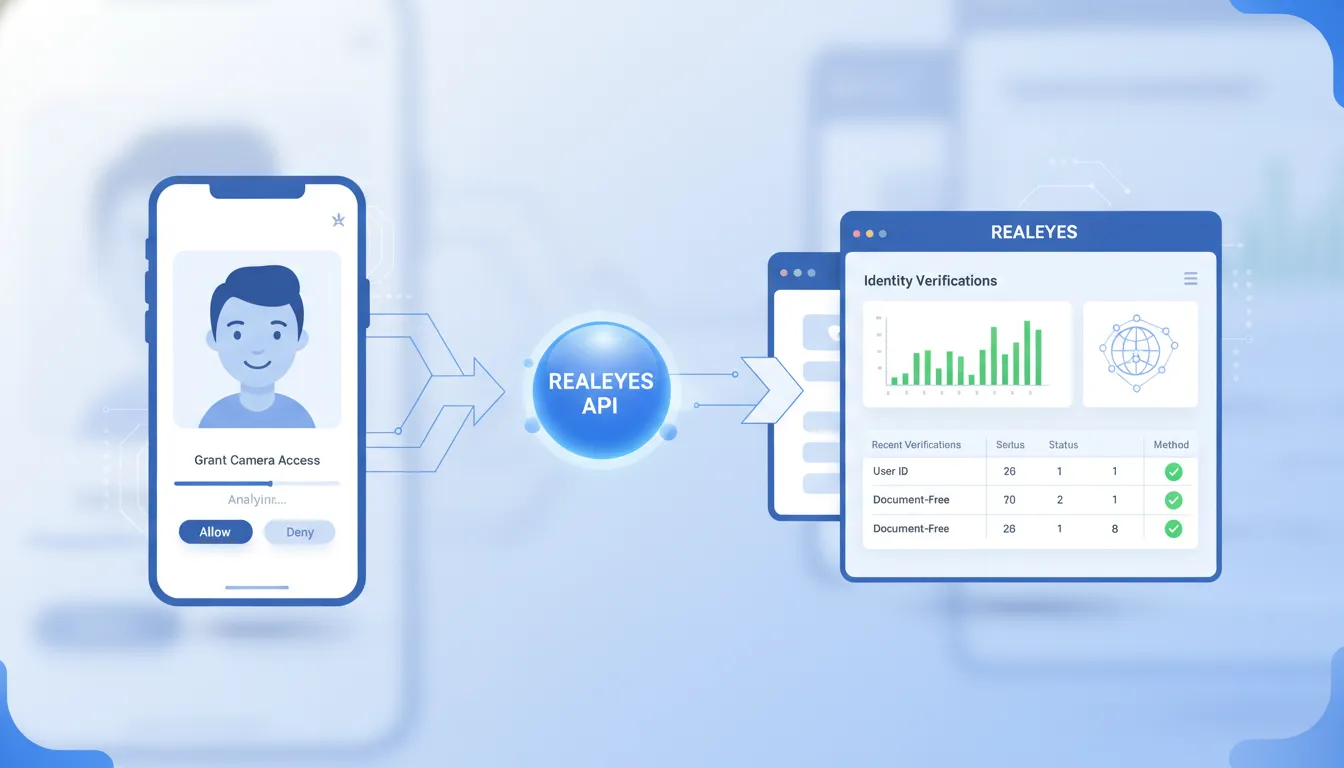
For developers, the flow fits into a web or mobile journey through an identity verification API. The app requests consent and camera access, then starts a short capture. Once a result returns, product teams apply their allow, review, or retry rules.
The verification sequence
-
Ask for consent. Tell the user why the camera is needed and what the check will do before capture starts.
-
Request camera access. The user completes a brief capture in the app or browser, without taking photos of an ID document.
-
Check for liveness. The service examines the capture for signs that a real person is present, not a replay or synthetic input.
-
Run the needed match check. A flow can confirm uniqueness for its use case, or compare a face when verification is required.
-
Add age estimation when needed. An age-gated journey may use an estimated age signal in its decision rules.
-
Return the result. The application receives a result through the API, then continues, retries, or sends the event for review.
Liveness before a decision
Liveness is a useful first gate because no document is collected. It seeks signs of a present human in the camera session. The app can check human presence before it uses a further uniqueness or verification signal.
The exact decision logic belongs in the product flow. A low-confidence result may lead to a retry instead of a rejection. Developers should map authentication and retry handling to current guidance. NIST digital identity guidance offers a framework for authentication and lifecycle management.
Uniqueness and privacy-safe data handling
After liveness, the next check depends on the risk being managed. Uniqueness can help limit repeat account creation by the same person. Face verification can be used when an app has a valid reference for a permitted match flow.
Document-free does not mean rule-free. Teams still need clear consent, retention limits, access controls, and a path for failed checks. The key difference is simple: users do not submit government ID images for the verification event.
This model can reduce sensitive identity material in an onboarding flow. Teams planning this architecture can review privacy-preserving identity verification. It should sit alongside API handling, risk policy, and user notice needs.
Where platforms can use VerifEye verification
Realeyes VerifEye can place a human presence check at moments where trust matters, without asking for a government ID upload. That makes an identity verification API useful beyond initial sign-up. It can support account recovery, rewards, access gates, and high-risk submissions.
Gaming and creator communities
Gaming platforms can check for a live person before a new account joins ranked play or claims a limited reward. The same check can deter bot farms and repeat accounts. This supports a one-player, one-profile rule.
A game publisher might trigger a check when one device creates many accounts. It could also check before it approves a tournament entry. Creator platforms can add the check before payouts, age-gated streams, sales, or private community areas.
Teams planning these flows can review how to verify identity without document collection while keeping consent clear. The check can also help with account recovery when a real player or creator loses access.
Payments, shopping, and patient access
Fintech and ecommerce teams face different risks, but both need trusted action points. A presence check can be used before wallet recovery or new payment details. It may also fit resale listings or costly promotion claims.
For a fintech app, recovery is a high-trust moment because it can restore account control. A platform can ask for human presence after another recovery factor succeeds. In online retail, checks may fit seller onboarding, refund review, or access to restricted sales.
Healthcare use is narrower and sensitive. A telehealth provider can add verification during patient account recovery or ahead of a virtual appointment. Identity choices should follow risk controls and current NIST digital identity guidelines.
Research, advertising, and age assurance
Market research depends on knowing a response came from a real participant. VerifEye can check human presence before survey entry and help limit duplicate panel participation. An advertising platform can use a similar gate before it accepts paid participant feedback.
These checks can screen automated submissions before those entries shape campaign or product decisions. An ad platform may also check a creator before campaign access or payment. The useful point is the trust event, not every routine action.
Ecommerce, gaming, and creator services can place age assurance at access points for restricted products or content. A platform may ask for a check before an age-gated interaction proceeds. It can keep that step apart from routine browsing or normal account use.
For product teams, the pattern is simple. Pick the event that needs more trust, gain clear consent, and route the result into an existing decision flow. Developers can map that flow through the Realeyes VerifEye API documentation.
Document-based vs. document-free verification APIs
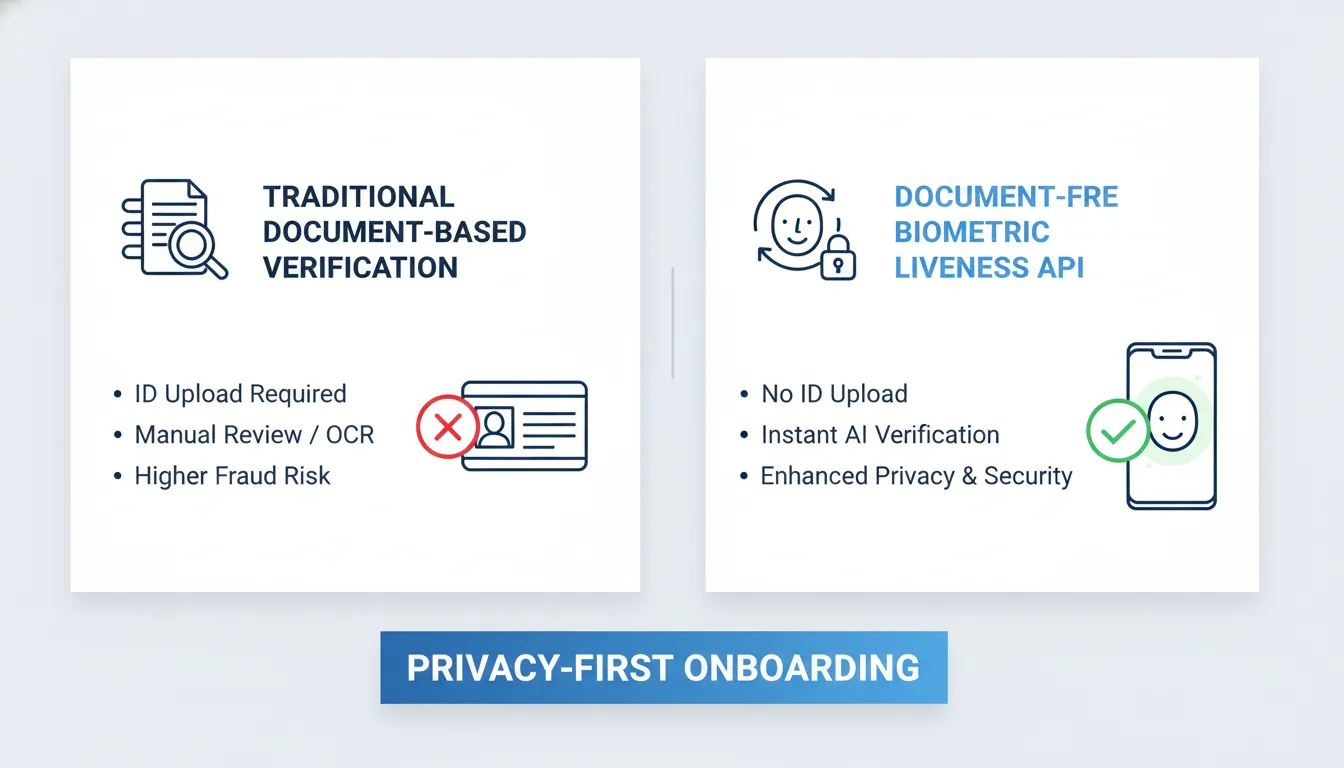
An identity verification API can ask for a government ID, or it can check whether a live human is present. These methods answer different questions. Document checks match a person to an issued credential. Document-free checks reduce data collection in flows that need human presence.
The proof each flow needs
Government ID verification is useful when a workflow must inspect an identity document. It adds a capture step and handles document data. Teams must plan how that data is sent, reviewed, stored, and removed.
Document-free human presence verification serves a narrower goal: confirming a live person without an ID upload. Realeyes VerifEye follows this model. It supports teams seeking privacy-preserving identity verification in onboarding or access flows.
- User experience: Document checks ask users to capture and submit an ID. Document-free checks verify live presence without that upload.
- Privacy: Document checks process identity document data. Document-free checks avoid document collection for this step.
- Conversion: Document checks add an upload step. Document-free checks remove that step from signup or recovery flows.
- Compliance burden: Document checks need controls for document data. Document-free checks reduce document-data handling scope.
- Fraud coverage: Document checks inspect a submitted credential. Document-free checks focus on live human presence.
- Best fit: Document checks fit flows that require document proof. Document-free checks fit flows that need a real-human check.
| Model | Main step | Best fit |
|---|---|---|
| Document check | ID capture | Legal ID proof |
| Document-free check | Live presence | Human verification |
Privacy and user friction
The difference matters at the first step of a journey. An ID upload can be appropriate, but it asks a user to share a sensitive document. A document-free check avoids that request when document proof is not part of the business need.
That narrower data request may help a product team keep an onboarding flow simple. It also makes the privacy choice easy to explain: confirm human presence without collecting an identity document. Readers can learn how to verify identity without document collection.
Controls for API selection
Neither option replaces a risk review. A regulated account opening flow may still call for document proof. A bot defense or access check may need proof of live presence instead. Product and security teams should map the method to the actual decision.
Developers should align authentication design with current policy and assurance needs. NIST digital identity guidance addresses authentication and lifecycle management. It gives teams a framework for assessing controls. Realeyes VerifEye is designed for the document-free path, with lower-friction human presence verification and a privacy-first data posture.
What should developers evaluate before choosing an API?
Integration fit and response flow
Start with the path from user action to verification result. An identity verification API should fit your web or mobile flow without forcing a full redesign. Check how your team submits a session, receives a result, handles timeouts, and retries failed requests.
Review REST endpoints, sample payloads, SDK support, authentication, test environments, and error codes. Ask whether results return in the request or through webhooks. Realeyes provides Realeyes VerifEye API documentation for teams reviewing the integration path and result handling before they build.
Latency also matters at decision points. Measure the time from capture to a usable pass, fail, or retry outcome. Test weak networks, older devices, poor lighting, and interrupted sessions. A fast happy path is not enough if uncommon cases strand users or create manual work.
Security, privacy, and records
Next, define what the API must prove. For human presence checks, review liveness controls and resistance to bots or deepfake attempts. Ask how the vendor tests attacks, changes models, reports failures, and supports your risk rules.
Map those checks to your assurance needs and account lifecycle. NIST digital identity guidance covers authentication and lifecycle management. Its cited revision was superseded by SP 800-63-4 in 2025. Teams should confirm the current standard during design review.
Privacy review should be specific. Document what images or derived data enter the service, how long each item remains, and who can access it. Confirm deletion paths, consent needs, regional processing options, encryption, and audit logs. Logs should support incident review without exposing data that your application does not need.
Operational proof before launch
Evaluate coverage with the people and devices your platform serves. Create a test plan across device types, browsers, connection quality, lighting, accessibility needs, and target regions. Record false rejects, retries, abandoned flows, and any uneven outcomes. This makes inclusivity a measured release need rather than a vague promise.
Cost review should follow the same real flow. Compare charge units, retries, failed captures, test usage, volume tiers, support, and webhook overhead. A low per-check price can be misleading when a fragile flow causes repeated calls or support tickets.
Before selection, run a small proof of concept with event handling and audit records. Teams considering Realeyes VerifEye can review the Realeyes VerifEye identity verification product page alongside the API materials. Choose based on measured integration effort, privacy controls, security testing, and usable results.
How do identity verification APIs protect privacy?
A privacy-first identity verification api should prove what is needed, while collecting as little personal data as possible. For many platforms, the question is not a person’s legal name. It is whether a live human is present, or whether a user can pass a needed check.
Less data at the point of verification
Realeyes VerifEye is designed to confirm live human presence without requiring a government ID upload. Realeyes also states that no images are recorded or retained during service. That model can limit exposure of document images and the personal details shown on them. It aligns with the broader aim of privacy-preserving identity verification.
Consent still matters when a camera or facial analysis is used. Before capture starts, buyers should look for a clear opt-in prompt and a plain purpose statement. They should also confirm what the API returns after a check. This may be a status result, an age range, or another needed signal.
Questions about storage and compliance
Not collecting an ID document does not remove every privacy duty. A buyer should ask whether any image, face template, embedding, token, or session ID is retained. They should ask how long each item lasts, where it is processed, and who can access it.
For GDPR and CCPA work, the right question is not a broad claim of compliance. Teams need written answers about consent, deletion requests, data access, retention, service providers, and data transfer terms. Legal and security teams can then review those facts against their own duties.
- Require opt-in consent before camera access or analysis begins.
- Map each field returned by the API to a clear business need.
- Set limits for retained results, logs, and support records.
- Document deletion, access control, and incident response steps.
Auditability and responsible use
Security review should cover more than the verification result. Developers need access controls, protected API keys, error handling, and useful logs. Those logs should show decisions without exposing raw personal data.
Standards can help teams set review questions. NIST digital identity guidance covers authentication and lifecycle management. Buyers can use that frame to test access controls, log needs, retention limits, and response plans before launch.
Responsible AI review adds another layer. Buyers can ask how consent was obtained for training data. They can ask how performance is checked across user groups and how failures are handled. Realeyes states that VerifEye uses explicit opt-in consent scenarios and a privacy-first approach. Each deployment still needs its own risk and compliance review.
Request a Realeyes demo to see VerifEye’s document-free identity verification API in action.
Frequently Asked Questions
Can identity verification work without a government ID upload?
Yes. An identity verification API can confirm that a live person is present without asking for a passport or driver’s license upload. Realeyes VerifEye uses human presence verification for that purpose, reducing document collection during account or transaction checks. This approach fits platforms that need to limit personal data handling while still screening for automated abuse and synthetic fraud.
How does liveness detection work in an identity verification API?
Liveness detection checks whether a camera interaction comes from a real person rather than a photo, replay, bot, or generated impersonation. In an identity verification API, this check returns a decision that a platform can apply within signup, sign-in, or transaction flows. Realeyes describes VerifEye as using biometric liveness detection to help protect against bots and deepfakes.
What should developers look for in an identity verification API?
Developers should assess integration method, response handling, consent, data retention, failure states, and testing across user devices. A useful API should fit the existing application flow without forcing manual review for every routine check. For Realeyes VerifEye, the Face Verification API documentation is a starting point for implementation details and request patterns.
How do identity verification APIs protect privacy?
Identity verification APIs protect privacy by collecting only the information required for the verification purpose and limiting unnecessary document handling. A document-free flow can avoid asking users to surrender government ID images for a human presence check. Realeyes describes this model as identity verification without personal data, which buyers can review alongside consent, retention, and security requirements.