

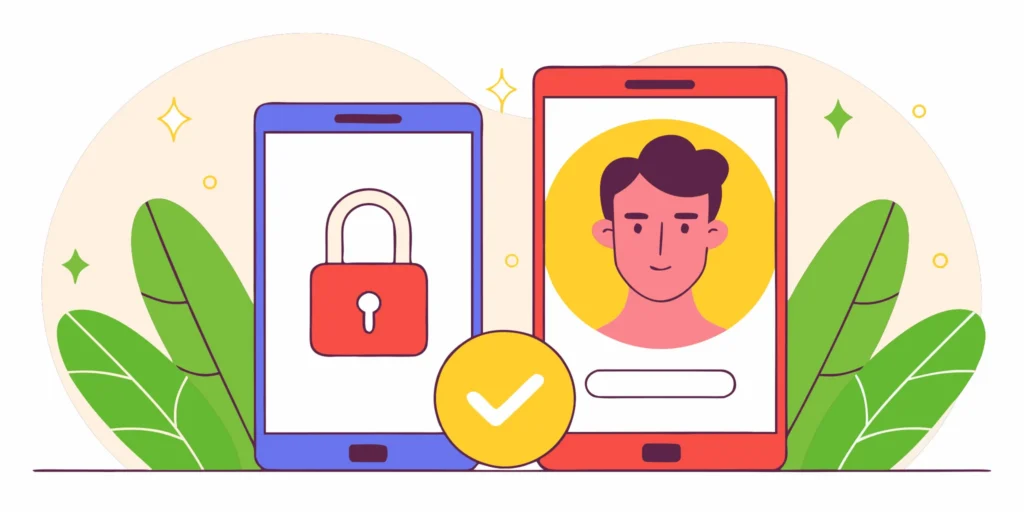
Device-bound identity gives account-security teams strong proof that a request comes from trusted hardware. It blocks many credential and session-theft attacks, but it cannot prove that the person holding the device is real, unique, or authorized. For onboarding, recovery, and shared-device journeys, platforms need an additional human signal.
Request a demo to see how VerifEye adds privacy-preserving human verification without adding friction.
Device-bound identity links account access to cryptographic keys held on trusted hardware. It can prove which device made a request and resist stolen-credential attacks. It cannot prove that the person holding that device is real or unique. Human verification complements device trust by adding liveness and uniqueness checks at higher-risk moments.
The distinction matters because a trusted device and a trusted person answer different security questions. The strongest account-security design uses each signal for the job it can actually do.
What Device-Bound Identity Proves
A device-bound identity links your account to your phone. A secret key stays locked inside the hardware. When you log in, the system checks for it. This stops hackers. They might have your code, but they do not have your real device.
This method is safer than old ways of logging in. Most old systems used shared secrets that people could type into any box. Now, the security stays with the machine you hold in your hand. This is a big step for the role of device-bound identity in keeping data safe. It makes it harder for bad actors to trick the system.
How cryptographic keys work in hardware
The core of this system is a set of math keys. One key stays on the device and never leaves. It is kept in a secure chip that is hard to break into. When the server asks for proof, the device uses that key to sign a message. This proves the request came from that exact piece of hardware. It is like a digital seal that cannot be copied or moved.
This process creates a hardware-protected session. Even if a thief steals your session token, they cannot use it on another machine. The link between the account and the hardware is strong. This shift toward device-bound identity frameworks helps companies protect their users. It moves security away from things you know to things you have.
Device possession vs human presence
Knowing that a device is present is useful, but it is not the full story. A device-bound identity proves that a specific phone is being used. It does not prove who is holding that phone. A child could be playing with a parent’s device. A thief could have stolen the phone after it was unlocked. Having a tool does not mean the right person is there.
This is where many security plans fall short. They confuse a trusted device with a trusted human. A phone is just a piece of glass and metal. It can be passed from one person to another. To be safe, you need to know if a real person is present. You also need to know if they are the same person who owns the account.
Verifying the human behind the glass
To fix this gap, systems must check for a human signal. The NIST digital identity guidelines show how to check users. They state that the system must show that a person is in control of the secrets. Hardware keys are good, but they work best when joined with proof of life. This ensures that a real person is making the choice.
Realeyes and VerifEye help by adding this human layer. VerifEye checks that a real, unique person is behind the screen. It does this without storing images or making the user wait. By pairing hardware keys with human proof, you get the best of both worlds. You know the device is right, and you know the person is real. This is the future of a more human internet.

Why Device Signals Fall Short at Onboarding
At onboarding, device signals can identify suspicious hardware and environments, but they cannot establish that a real, unique person is creating the account. That gap lets account farms use clean devices, emulators, or virtual machines to appear legitimate at scale.
Most digital services use device signals to stop fraud. They check for a device-bound identity to see if a phone or laptop is known and trusted. This method works well for returning users because the hardware is already linked to an account. But it often fails during the sign-up phase. At onboarding, a service has no history with the user. It cannot rely on a past link between the person and the hardware. This leaves a blind spot that bot farms and bad actors love to use.
A device signal tells you about the machine, not the soul behind it. It can show if a phone has been used for fraud before. It can tell you the brand, the software version, and the location. But it cannot tell you if a real person is holding the phone. It cannot prove that the person is real. For a smooth sign-up, you need more than just a chip and a screen. You need to know that a human is there.
The threat of account farms and synthetic users
Fraud teams use account farms to bypass basic checks. These farms use many real devices to create fake accounts at scale. Since each device is unique and “clean,” it looks safe to most systems. A service may see a valid device signal, but it does not see the human intent behind it. This gap allows thousands of fake profiles to flood a platform in a short time. Even with a strong hardware bond, the system cannot stop a person sitting in a room with fifty phones.
Synthetic fraud is another big risk. Bad actors mix real and fake data to build new personas. They often use high-end tools to make these accounts look like real people. According to NIST digital identity guidelines, strong proofing must verify that a person is in control of their secrets. Device signals alone cannot prove who is typing on the screen. They only prove the device itself is not a known threat. Without a human check, these synthetic users can stay in your system for years.
How emulators and virtual machines trick the system
Smart bots do not always use real phones. They use emulators to mimic a mobile device. These programs can change their ID, location, and hardware specs in seconds. To a standard security check, an emulator looks like a new, trusted phone. This makes it easy for bots to bypass device-bound identity frameworks that lack deep vision AI. Without seeing the user, the system cannot tell a bot from a person. The bot can then do tasks like a real user, such as clicking ads or making fake posts.
Virtual machines (VMs) work in a similar way. They allow one computer to act like many different devices. A single server can make hundreds of unique “device” identities. Each one can then sign up for a new account. These signals are technically correct, but they do not lead to a real customer. They lead to a bot that can drain resources or spread spam. This is why many firms now look at better identity tools to see through these tricks.
Why a trusted device does not mean a real person
The main limit of device signals is that hardware does not equal a human. A device may be secure, but that does not mean the user is real or unique. One person can own many phones. A group of people can share one tablet. If a service only trusts the device, it misses the human element. This is why brands need to verify the person, not just the box they carry. Here are three reasons why hardware trust is not enough:
- One user can hide behind many devices to run a Sybil attack.
- Multiple people can share a single “trusted” device.
- Stolen or hacked hardware can still send a valid signal.
A “trusted” device can still be part of an attack. A bad actor may use many devices to gain power in a network. They may want to tilt a vote, steal a reward, or push fake news. To stop this, services need to verify the human face and presence in real-time. Only then can they be sure they are talking to a real, unique human. Hardware is just one layer; the person is the truth.
Explore Realeyes solutions for adding a human signal where device trust alone leaves gaps.
What Happens When the Trusted Device Is Gone?
A secure recovery flow must re-establish trust without weakening the controls that protected the original account. Human verification can help confirm presence during device replacement, while policy and other account signals determine whether access should be restored.
Device-bound identity creates a strong link between a user and their hardware. This link keeps accounts safe from remote attacks. But what happens if you lose your phone or it breaks? If the security key is only on that one device, you might lose access to your account. This is the main challenge with hardware-bound security.
The risk of a single point of failure
When you use the role of device-bound identity, your phone or laptop acts as a physical key. This stops hackers from across the world from getting in. They do not have your physical device. However, if that device is stolen or reset, the key is gone forever. This can leave users locked out of their banking or work accounts for days.
The standard way to fix this is to have a backup method. Some people use recovery codes or a second device. But hackers often target these backup paths. They might try to take over your email or swap your SIM card. If they can trick the recovery process, the strong security of the first device no longer matters.
Restoring access with human signals
To keep accounts safe, the recovery path must be as strong as the original login. This is where human signals help. Instead of relying only on a secret code, the system can check for a real person. This adds a layer of trust that does not depend on a specific piece of hardware. This approach is much safer than simple codes.
The NIST digital identity guidelines explain how to verify that a person is in control of their account. By adding a human check, you can prove it is really you without needing your old phone. This makes the account recovery process faster and more secure for every user.
Steps for secure device replacement
When a user gets a new device, the system must move the trust from the old hardware to the new one. This ensures that the new device becomes the new trusted key. Here is how a secure process works:
- The user starts a recovery request on their new device.
- The system asks for a backup factor, like a code sent to a verified email address.
- A human verification step, such as VerifEye, checks that a real person is making the request.
- The system compares the live human signal to the one on file from the old device.
- Once the match is clear, the system binds the account to the new hardware.
- The old device is removed from the list of trusted keys to prevent future abuse.
Using device-bound identity frameworks with human checks ensures that losing a phone is not a disaster. It allows for a smooth path back into the account while keeping out bad actors. This approach balances high security with the need for easy access. It keeps the user in control at all times.
Realeyes helps teams set up these paths with VerifEye. It confirms a real person is present without the need for documents or stored data. This keeps the recovery process smooth and private. Companies can trust that their users are safe even when their hardware is lost.
How Do Shared Devices Change the Risk Model?
Shared devices break the assumption that one trusted device maps neatly to one trusted person. Platforms should treat hardware trust as one input, then apply human verification and risk-based controls when identity or uniqueness matters.
Most security teams treat a smartphone like a digital fingerprint. They assume that if a person holds the device, they must be the owner. This idea of a one-to-one link is the basis for many modern security tools. But in the real world, people share their screens, keys, and hardware every day. Families pass tablets to children. Coworkers use the same office kiosk. Students log in on school lab computers. These shared habits break the common model of device-bound identity frameworks.
The limit of one device one person
A risk model that relies only on hardware trust has a blind spot. It cannot tell the difference between a known user and someone else using the same device. This gap is a major threat to businesses. In fact, research shows that 66% of enterprises have seen breaches caused by compromised machine identities. When a device is shared, the hardware itself is no longer a unique proof of person. A “trusted” device might belong to the right home but be in the hands of the wrong person.
This problem gets worse in public spaces. Retail kiosks and library computers are built for high turnover. If a security system locks a device after a single failed attempt, it might block the next ten real users. If it stays too open, it invites fraud. Most systems struggle to find the middle ground. They focus on the machine because they lack a way to verify the human in the loop.
The cost of false positives
When security tools fail to account for shared use, they often trigger false positives. A false positive happens when the system blocks a real user by mistake. For a bank or a store, this is a big loss. It stops a sale and hurts the brand. Users often get annoyed and leave when they face too much friction. They might never come back to the site. This is why teams must be careful when they set their risk limits.
The stakes are high because credentials are so easy to steal. Over 80% of data breaches involve stolen or leaked login info. If a system only checks for a password and a trusted device, it might miss a clever attack. A bad actor could use a stolen account on a shared office PC. The system sees the “safe” device and lets them in. This is a false negative. It allows a threat to slip through because the model trusts the hardware too much.
Securing shared hardware
To fix the risk model, teams need to add a layer of human verification. Hardware binding is a strong start, but it is not the final answer for a secure device-bound identity. The NIST digital identity guidelines explain that true security requires control over specific authenticators. You must prove that the person at the screen is the person who owns the account. This is where a “human-in-the-loop” approach makes a difference.
Realeyes built VerifEye to solve this exact problem. It quietly confirms that a real person is behind the screen in seconds. It does not need documents or stored data. By adding a quick human check, you can keep your devices secure without blocking the wrong people. This approach makes your security more human and more effective. It turns a shared device from a risk into a trusted gateway.
Device-Bound Identity vs Human Verification
Security teams often choose between device-bound identity and human verification to protect user accounts. While both methods aim to stop fraud, they serve different roles in a trust framework. Device-bound identity links a digital credential to specific hardware, such as a phone or laptop. This hardware-protected session ensures that only a trusted device can access a service. By using sender-constrained credentials, firms can shift from shared secrets to verifying the proof of origin for every request.
What each method proves
Device-bound identity confirms that a request comes from a known piece of hardware. It relies on cryptographic keys stored in a device’s secure module to prove ownership. However, a trusted device does not always mean a trusted user is at the controls. Human verification goes a step further by checking for a real person in real time. For instance, VerifEye quietly confirms a real person is present without storing any private data. This fills the gap left by device-only security, which can fail if a device is stolen or shared.
Onboarding and recovery needs
The setup for device-bound identity is often quick but rigid. Once a user binds their identity to a phone, losing that phone can lead to a lockout. Recovery usually needs a second factor or a support call. Human verification offers a more flexible path. Since it looks for the person rather than the tool, it can help with account recovery across new devices. The NIST guidelines suggest that successful authentication should provide risk-based proof that the same person is returning to a service. Combining these two methods helps firms meet high security levels while keeping the user experience smooth.
Comparing core features
Choosing the right tool depends on your security goals and how users interact with your app. Some tasks need the speed of hardware checks, while others need the certainty of a human signal. The table below shows how these two paths differ across key areas like privacy and device sharing.
| Feature | Device-Bound Identity | Human Verification |
|---|---|---|
| Proof Target | Specific hardware unit | Live human presence |
| Onboarding | Single-device binding | One-time human check |
| Shared Devices | Risk of multi-user access | Confirms the specific person |
| Privacy | No personal data stored | Privacy-safe human signal |
| Best Use | Workforce login security | High-value fraud checks |
Integration for better security
Most modern apps work best when they use both tools. You can use device-bound identity for daily logins to keep friction low. When a user tries a high-risk task, such as a large payment, you can trigger a human check. This layered approach helps you build a more human internet while stopping bot attacks. By improving device-bound identity with verification, you ensure that your security scale grows without hurting user trust. This mix is vital as teams face rising pressure to use phishing-resistant methods for both staff and customers.
See how VerifEye Protect adds liveness and uniqueness checks at high-risk moments.
Can Stronger Verification Preserve Privacy?
Yes. Stronger verification can preserve privacy when it confirms the minimum fact required, such as real-person presence or uniqueness, without retaining unnecessary personal data. The design goal is proportionate assurance, not maximum collection.
Many people think that better security means giving up more privacy. In the past, showing your ID often meant giving a passport or a driver’s license. Firms would scan these papers and store them in big files. This was risky. If a thief got into those files, they could steal private data from millions of people. Today, we need a better way to stop fraud without making everyone share their whole life story.
The risk of storing papers
When you upload an ID card, you share more than just your name. You also share your home address, your birth date, and your photo. Keeping this data is a task for firms and a risk for users. Data leaks are common. Once your info is out there, you cannot take it back. The goal is to stop using these deep checks. We should focus on what a user has and who they are. This is better than trusting what is written on a piece of paper.
Firms that store ID photos face high costs and strict rules. They must keep the data safe for many years. If they fail, they face large fines and lose the trust of their users. This old model treats people like data points. It ignores the need for a more human internet where trust does not require showing everything. We can do better by using tools that stay on the user’s own phone.
How device-bound identity works
A new way uses the role of device-bound identity to protect accounts. This method ties a user login to one piece of hardware, like a phone or a laptop. Instead of a password that a thief can copy, the device itself holds a secret key. This key is locked to a secure part of the hardware. Because the login is tied to that one device, a hacker in another country cannot use your info to log in. This creates a line of trust that starts with the phone in your hand.
This hardware binding is a big step up from old codes sent by text. Those codes can be stolen or tricked away from you. A device-bound identity makes sure that the request is coming from a trusted source. It turns the device into a proof of origin. This makes it much harder for bots or fake accounts to flood a system. It also means you do not have to remember long, complex passwords that you might lose or forget.
Confirming humans without storing data
Security gets even better when you add a human signal to the device. Realeyes uses VerifEye to confirm that a real person is behind the screen. It checks for two things: liveness and uniqueness. Liveness proves the user is a live human and not a bot. Uniqueness makes sure that one person does not create hundreds of fake accounts for fraud. This helps firms deal with the mess that happens when the internet is not human enough.
The key to privacy is doing this work on the device itself. VerifEye can check these signals without sending images to a cloud server. This means no photos are stored, and no state IDs are needed. This process follows strict rules for remote user authentication while keeping user data safe. By protecting the login process in this way, brands can stop fraud while respecting the rights of their users. It is verification that works without the friction.
Frequently Asked Questions
How do device-bound session credentials improve security?
Device-bound session credentials work by locking a user’s login to one single piece of hardware. This means the session cannot be moved to other laptops without the right keys. As noted by Okta, these tools use keys safe in hardware to stop session theft. By binding the login to the real device, it becomes much harder for bots to take over an account. This adds a layer of safety that simple passwords cannot give you on their own.
Are device-bound session credentials completely phishing-resistant?
These tools are a big step ahead, but they are not a total fix for phishing. They stop most theft of shared secrets that bots often use to break into accounts. But skilled crooks can still use fake sites to trick users in real time. As shown by Thales, using these passkeys helps workforces stay safe from many common online threats. To be fully safe, VerifEye can check that a real person is behind the device to stop fraud.
How does device-bound identity prevent session hijacking?
Device-bound identity stops session hijacking by keeping the secret keys locked on the local hardware. These secret keys never leave the physical phone or laptop that the user owns. This means a crook cannot copy a session token and use it on their own machine. Reports from Microsoft show that new standards help prove each request comes from the right device. This chain of trust makes sure that the person and the hardware are both known and checked.
What is the difference between device identity and device-bound identity?
Device identity is just a way for a system to name or track an exact machine. Device-bound identity is much stronger because it links a user’s login to the real chips in that machine. As noted by Oasis, many data breaches happen when machine identities are weak or stolen. By binding the login to the hardware, firms can be sure that only the right device can enter their network. This creates a much safer way to handle users and their own private data.
Verify Real Humans. Without the Friction.
Device-bound controls are strongest when they are paired with the right human signal at onboarding, recovery, and other high-risk moments. VerifEye confirms users are real and unique in seconds. No documents, no stored data, no drop-off.
Request a demo to design a layered account-security journey with Realeyes.