

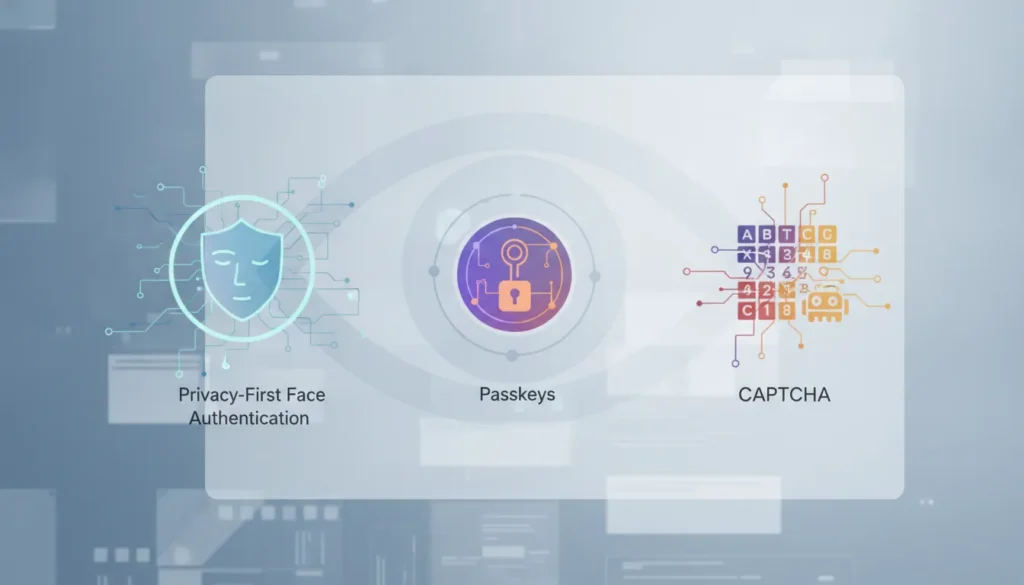
Passkeys, CAPTCHA, and face authentication all improve digital trust, but they do not answer the same question. A passkey can protect login while a bot still creates fake accounts, and a CAPTCHA can block simple automation while frustrating real users.
Face authentication verifies that a person is present, matches an expected identity, or meets a specific assurance requirement. Passkeys prove control of a credential. CAPTCHA challenges a visitor to show they are probably human. Enterprise teams get the best result when they layer these controls around risk instead of treating them as interchangeable.
That distinction matters for product, security, and compliance teams choosing how to stop bots without hurting completion rates. This guide compares each option, shows where Realeyes Passkeys Plus and VerifEye-style human verification fit, and gives buyers a practical framework for selecting the right control.
What Face Authentication Means for Enterprise Trust
Face authentication uses facial signals to support a trust decision, such as confirming a returning user, checking liveness, or verifying human presence. It is not the same as a passwordless credential or a puzzle challenge. Its value depends on when the business needs identity, presence, or age-related assurance.
For enterprise buyers, the first step is defining the risk. Account takeover, fake account creation, synthetic respondents, age-gated access, and prize abuse all create different requirements. A platform may need a strong identity match in one flow and a lighter human-presence check in another.
Identity, Liveness, and Human Presence Are Different Signals
Identity verification asks whether the person matches a claimed or enrolled identity. Liveness detection asks whether the face presented to the system comes from a live person instead of a photo, mask, or replay. Human presence checks ask whether a real person is participating now.
Realeyes positions VerifEye around passive, real-time human verification for use cases such as bot detection, age assurance, and account protection. That framing is important because many business problems do not require collecting government IDs. They require a lower-friction way to know that a real user is present.
Teams evaluating biometric face authentication should also review how data is handled. Privacy-preserving design, consent, retention limits, and accessible fallback paths are not afterthoughts. They shape whether a face-based check earns user trust.
Face Authentication vs Passkeys vs CAPTCHA
Face authentication, passkeys, and CAPTCHA each protect a different layer of the user journey. Passkeys are strongest for login security. CAPTCHA is a broad bot-screening tool. Face authentication adds identity, liveness, or human-presence evidence when the action carries more risk.
The practical question is not which method is universally best. It is which method answers the trust question with the least friction, enough privacy protection, and a clear path for users who cannot complete the primary check.
Side-by-Side Comparison
| Method. | Best fit. | Primary proof. | Common gap. |
|---|---|---|---|
| Face authentication. | Human presence, identity, liveness, age assurance, and high-risk actions. | A real person or expected person is present. | Needs consent, privacy controls, and fair fallback paths. |
| Passkeys. | Passwordless login and phishing-resistant account access. | The user controls a registered credential. | Does not prove the person behind the session is live or unique. |
| CAPTCHA. | Basic bot screening on public forms and low-risk pages. | The visitor can complete a human-style challenge. | Adds friction and may be bypassed by modern automation. |
This comparison shows why one control rarely replaces the others. A fintech app may use a passkey for login, a risk engine for session behavior, and a face check for recovery or restricted actions. A research platform may care less about account login and more about stopping duplicate or synthetic participants.
CAPTCHA still has a place for low-stakes public forms, but it is a blunt tool. It asks every visitor to complete work, including legitimate users. Face authentication is more selective when it is applied only to moments where identity or liveness truly matters.
Where Passkeys Are Strong and Where They Stop Short
Passkeys are excellent for replacing passwords because they reduce phishing risk and remove shared secrets from the login flow. They prove that a user can unlock a credential on a known device or password manager. They do not prove age, uniqueness, or ongoing human presence by themselves.
That makes passkeys a strong foundation, not a complete trust system. Platforms still need controls for account creation, recovery, fraud spikes, age-restricted access, and cases where one person tries to operate many accounts.
Login Security Is Not the Same as Identity Assurance
A passkey ceremony confirms possession of a registered credential. Local biometrics or a device PIN may approve the action on the device, but the service usually receives cryptographic proof rather than a fresh identity check. That is the point: passkeys protect privacy and resist phishing.
The limitation appears when the business question changes. If a platform needs to know whether the account holder is a live person, whether a new user is unique, or whether an age-gated action is appropriate, passkeys alone do not answer enough.
Realeyes’ guide to SMS passkeys vs facial verification explains this difference in account-security terms. The strongest architecture layers signals so login stays quick while sensitive actions receive more proof.
Why CAPTCHA Is Losing Ground with Modern Bots
CAPTCHA tries to separate people from automation by adding a challenge. That can reduce simple spam, but it also interrupts legitimate users. Modern bot operators, solver farms, and AI-assisted automation have made challenge-based screening less dependable for higher-risk flows.
Enterprise teams should treat CAPTCHA as a friction tradeoff, not a proof of identity. It may be enough for a low-value form. It is usually not enough for account recovery, age assurance, sample quality, or fraud-prone onboarding.
Friction Shows Up in Conversion and Accessibility
Every challenge creates another step between intent and completion. A difficult image grid, failed retry, or inaccessible prompt can turn a valid user into an abandoned session. The problem is larger on mobile devices, slow connections, and high-volume journeys where small completion-rate losses become expensive.
Realeyes covers this broader shift in its article on user authentication without CAPTCHA. The core idea is simple: protect the journey without making every real person prove themselves through a puzzle.
Passive human verification can reduce that burden when the business needs stronger confidence. It gives security teams another signal while preserving the product team’s need for a fast, understandable user experience.
How VerifEye Adds Face Authentication Without the Usual Friction
VerifEye adds a face-based human verification layer for teams that need stronger assurance than CAPTCHA and more context than a passkey can provide. It can support liveness, uniqueness, age assurance, and bot detection without making every user complete a long manual identity process.
This is where Realeyes’ positioning is clearest. VerifEye is designed for enterprise platforms that need trust signals in the flow, especially when bots, duplicate accounts, or restricted access create measurable business risk.
Talk to Realeyes about a lower-friction verification flow
Selective Checks Protect the Moments That Matter
A selective approach avoids over-challenging users. Product teams can apply face authentication during onboarding, account recovery, payout requests, restricted-content access, or suspicious sessions. Routine browsing or low-risk sign-in can stay simple.
That selectivity also helps with privacy. Teams can explain why a check appears, what it protects, and what alternative path exists. Clear purpose is especially important when biometric signals are involved.
For buyers comparing vendors, the current Realeyes pricing page is the best source for commercial details. This article avoids relying on static pricing claims because pricing can change by package, volume, and implementation scope.

When Should Enterprises Use Face Authentication?
Enterprises should use face authentication when the cost of weak assurance is higher than the cost of adding a targeted check. The best use cases involve account abuse, duplicate participation, restricted access, account recovery, high-value transactions, or trust-sensitive onboarding.
The wrong use case is just as important. If a simple session only needs phishing-resistant login, passkeys may be enough. If a public form needs light spam reduction, CAPTCHA or background risk scoring may be sufficient.
A Practical Decision Process
- Define the event to protect, such as account creation, recovery, payout, research participation, or age-gated access.
- Identify the threat, including bots, duplicate accounts, spoofing, account takeover, or underage access.
- Choose the signal needed, such as credential possession, human presence, liveness, identity match, or age assurance.
- Match the control to the risk with the least user friction.
- Measure completion rate, fraud reduction, false rejects, support tickets, and user feedback after launch.
This process keeps teams from using face authentication everywhere just because it is available. It also prevents the opposite mistake: relying on passkeys or CAPTCHA when the action needs stronger proof that a real, eligible person is present.
Teams can review related Realeyes guidance on facial verification APIs for websites and continuous liveness when planning where a face-based signal belongs.
What About Privacy, Bias, and User Consent?
Privacy, fairness, and consent should be built into any face authentication program before rollout. Biometric signals are sensitive because users cannot reset a face like a password. Enterprise teams need clear governance around collection, processing, retention, training use, and deletion.
The strongest vendor review connects technical claims to operational proof. Buyers should ask how liveness works, whether raw images are stored, what data is retained, how users are informed, and what fallback exists for people who cannot complete the check.
Controls Buyers Should Verify
- Clear consent language tied to a specific purpose.
- Retention and deletion rules for images, templates, and decision logs.
- Evidence of liveness controls against photos, masks, replay, and deepfake attempts.
- Accessibility and manual-review options for failed or unavailable checks.
- Fairness testing across relevant user groups, devices, and lighting conditions.
- Compliance support for markets where biometric or age-assurance rules apply.
Realeyes highlights privacy-first verification and responsible AI as part of its enterprise trust story. Buyers should still document their own requirements, especially when operating across regions with different biometric, data protection, or age-assurance expectations.
Frequently Asked Questions
How does face authentication compare to passkeys?
Face authentication verifies a person’s identity or live presence from facial signals. Passkeys prove that a user controls a registered credential on a device. Enterprises can combine them. This works when a transaction needs phishing-resistant login and stronger proof that the right person is present.
Is face authentication better than CAPTCHA?
Face authentication and CAPTCHA solve different problems. CAPTCHA challenges a visitor to prove they appear human, while face authentication can support identity, liveness, or human presence checks. For high-friction flows, passive human verification can reduce user burden while adding a stronger trust signal.
Can face authentication help with bot detection?
Yes. Face authentication can help bot detection when it includes liveness and human presence checks. It is strongest as one part of a layered fraud strategy. Use it with device, behavioral, rate-limit, and transaction signals.
When should enterprises use face authentication?
Enterprises should use face authentication at high-risk moments. Examples include account creation, recovery, age-gated access, prize claims, research participation, or sensitive account changes. The goal is selective assurance, not adding a face check to every routine session.
Does face authentication replace passkeys?
No. Passkeys are strong for passwordless sign-in, while face authentication answers identity and live-presence questions that passkeys do not answer alone. The best architecture usually layers both around the risk of the action.
Ready to Compare Your Verification Options?
Face authentication, passkeys, and CAPTCHA all have a role, but enterprise teams need a risk-based architecture rather than another blanket challenge. Start with the journeys where bot pressure, account abuse, age assurance, or recovery friction create the greatest business cost.
Realeyes can help your team evaluate where passive human verification belongs, how it should work alongside passkeys, and which user journeys deserve stronger proof without adding unnecessary friction.