

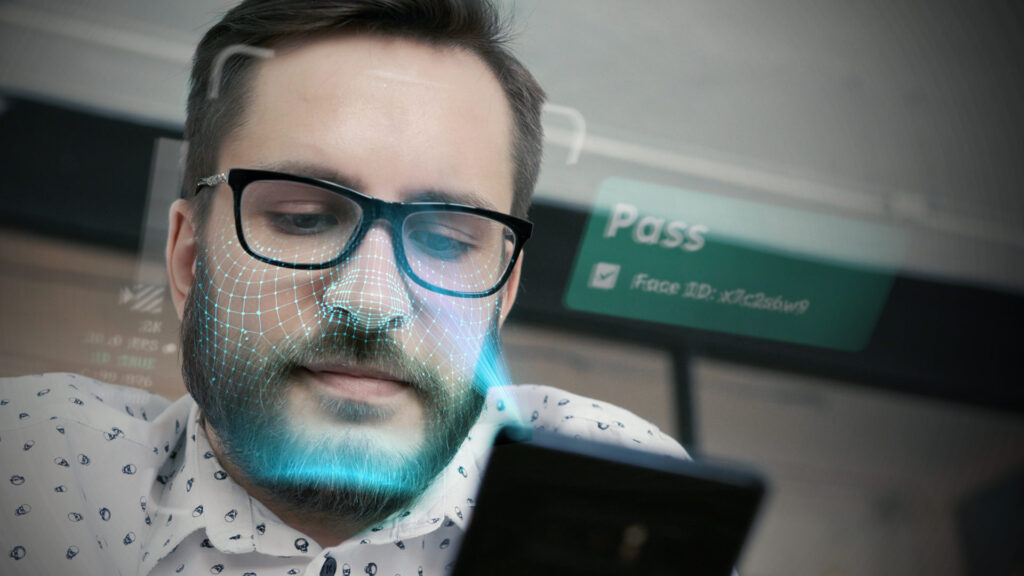
On-device facial recognition checks a face on the user’s own phone or laptop instead of a remote server. The face image never has to travel across the internet or sit in a cloud database. That one design choice removes the biggest privacy risk in biometrics: a central store of faces waiting to be breached.
This guide explains how on-device facial recognition works and what data it creates. It also covers where the real risks sit and how businesses use it to verify people without collecting their biometric data.
Key Takeaways
- On-device facial recognition processes the face locally, so raw images don’t leave the device.
- The system keeps a mathematical template, not a photo. A face can’t be rebuilt from it.
- Local processing shrinks the attack surface. There is no central face database to breach.
- It isn’t risk-free. Liveness detection, device security and proven accuracy across demographics still matter.
- Businesses can use it to confirm a real person at sign-up and at high-risk moments without holding biometric data.
What is On-Device Facial Recognition?
“On-device” means the camera capture, the face analysis and the match all happen on the device in front of the user. Cloud-based recognition sends the face image to a server for processing instead. A hybrid model sits in between. The device does the heavy lifting and sends only a minimal result to the server, such as a pass or fail.
Phone unlock is the best-known example. Apple’s Face ID security documentation states that face data stays on the device and is encrypted. It isn’t sent to Apple or backed up to iCloud. The same principle now applies well beyond unlocking a phone.
On-Device vs. Cloud Facial Recognition
The difference comes down to where the face data goes. With cloud processing, every check puts an image or template in transit. A copy then sits on someone else’s server. With on-device facial recognition, the face data stays with the user. The server learns only the outcome it needs to act on.
How On-Device Facial Recognition Works
Most on-device systems follow the same four steps. Each one runs in well under a second on modern hardware.
1. Detect the Face
The camera finds a face in the frame and checks it is usable: in focus, well lit and facing the camera. Frameworks such as Apple’s Vision and Google’s ML Kit handle this detection step locally. However, detection only finds a face. It doesn’t identify who the person is. That takes a separate recognition model.
2. Confirm a Live Person Is Present
Liveness detection checks that a real person is in front of the camera. It rejects photos, screen replays, masks and deepfakes. Strong systems are tested against presentation attacks under ISO/IEC 30107-3, the standard for presentation attack detection.
3. Create a Face Template
Next, a neural network converts the face into an embedding. This is a short list of numbers that describes the face’s geometry. It is often called a faceprint or face template.
4. Compare and Decide
Finally, the new template is compared with a stored one to answer a single question: is this the same person? The result is a match score. The app gets a simple yes or no.
Running all of this on a phone means making models small and fast. Techniques such as quantisation shrink models without a large accuracy cost. Lightweight runtimes like Google’s LiteRT (formerly TensorFlow Lite) then run them on everyday hardware.
A Face Template is Not a Picture
This is the most misunderstood part of facial recognition. A template is a set of numbers, not an image. It records relationships between facial features in a form only the matching model can use.
You can’t reverse a template back into a face. It is also useless outside the system that created it. On a well-built device, the template is encrypted and tied to that device. So even if someone extracted it, they would hold a string of numbers with no picture behind it.
The Privacy Benefits of On-Device Facial Recognition
No Central Face Database to Breach
Cloud systems concentrate millions of biometric records in one place. That makes them a high-value target. On-device facial recognition spreads the data across individual devices instead. An attacker would need to compromise each device one by one, which makes mass theft impractical.
Less Data Shared With Third Parties
When processing happens locally, the business and its vendors never receive the face image. As a result, there is far less to share, sell or misuse. Users keep control of their own biometric data.
Simpler Compliance With Biometric Privacy Laws
Regulators treat biometrics as high-risk data. GDPR Article 9 classes biometric data used to identify a person as special category data. In the US, the Illinois Biometric Information Privacy Act (BIPA) sets strict consent and retention rules. Keeping face data on the device can reduce the scope of these obligations. It doesn’t remove the need for clear consent and a lawful basis.
Myths and Real Risks
Myth: On-Device Means 100% Secure
No system is. A compromised, jailbroken or rooted device can expose data, whatever the biometric design. Therefore device security still matters: current software, a strong passcode and apps from trusted stores.
Myth: A Photo Can Unlock Any Face System
Basic 2D systems without liveness checks can be fooled by a printed photo or a video. That is a flaw in those systems, not in on-device processing. Certified liveness detection closes this gap, including against replayed and AI-generated faces.
Risk: Accuracy and Bias
Not all algorithms perform equally. NIST’s demographic effects study found that many algorithms had higher error rates for some groups. Yet the most accurate algorithms showed far smaller differences. So the right question to ask any vendor is simple: show us your accuracy data across age, sex and skin tone. VerifEye is trained on ethically sourced data, collected with consent from people across ages and skin tones.
Risk: A Lost or Stolen Device
The stored template is encrypted and isn’t a usable photo. A thief would need the owner’s live face, not a picture of it. For high-value actions, pair on-device facial recognition with a second factor such as a passcode.
How Businesses Use On-Device Facial Recognition
For product, trust and safety and fraud teams, the challenge is clear. They need to confirm a real person is behind an account without becoming the custodian of everyone’s face. On-device verification solves that.
VerifEye, from Realeyes, verifies real humans with a quick selfie and no documents. Native SDKs run face verification on the user’s device, so face embeddings can stay there and neither the business nor Realeyes needs to hold them. The same technology already handles more than a billion verifications a day. It maps to four points in the user journey:
- Onboard. Confirm a live person at sign-up to stop bots. A separate uniqueness check against embeddings or a Face Credential then catches duplicate accounts.
- Reverify. Confirm the returning user is the same person, without passwords or SMS codes.
- Protect. Add a step-up check before payouts, profile changes or large transactions to stop account takeover.
- Recover. Let genuine users regain access when credentials are lost or stolen.
For a wider look at this approach, see identity verification without personal data.
Questions to Ask a Facial Recognition Vendor
- Where does processing happen: on the device, in the cloud or both?
- What exactly is stored, where and for how long?
- How is liveness tested, and against which attacks?
- Can you share accuracy results across demographic groups?
- Which deployment options do you support, including on-device and on-premises?
Developers can see how integration works in our liveness detection SDK guide, and read more about our approach on the security page.
Verify Real People Without Holding Their Faces
On-device facial recognition shows that strong verification and strong privacy can work together. The face stays with the user, the business gets the answer it needs and there is no central database to breach. VerifEye brings that model to sign-up, return visits, high-risk actions and recovery.
Frequently Asked Questions
What is on-device facial recognition?addremove
On-device facial recognition detects, analyses and matches a face on the user's own phone or computer. The face image isn't sent to a cloud server, so the biometric data stays with the user.
Is on-device facial recognition more private than cloud-based recognition?addremove
Yes, in most cases. Cloud systems send face data to a server and often store it in a central database. On-device facial recognition keeps that data local, so there is no central store to breach and far less data shared with third parties.
Can a face template be used to recreate someone's face?addremove
No. A template is a set of numbers that describes facial geometry, not an image. It can't be reversed into a picture, and it only works inside the system that created it.
Can a photo or deepfake fool on-device facial recognition?addremove
Not if the system uses proper liveness detection. Liveness checks confirm a real person is in front of the camera and reject photos, screen replays, masks and AI-generated faces.
What happens to face data if a phone is lost or stolen?addremove
The stored template is encrypted and isn't a usable photo. A thief would need the owner's live face to pass a check. For high-value actions, pair facial recognition with a second factor such as a passcode.
How do businesses use on-device facial recognition?addremove
Businesses use on-device facial recognition to confirm a real person at sign-up, when users return and before high-risk actions such as payouts or account changes. It also helps genuine users recover lost accounts. VerifEye does this with a quick selfie and no documents, without the business holding biometric data.