

VerifEye exists to make human verification effortless; a real person, confirmed in about three seconds, from nothing more than a selfie. That only works if it’s just as effortless for the teams building on top of it. This release closes that gap. There are fewer calls to make and fewer docs to dig through. The verification flow now runs natively on mobile and web. And one Face API gives you that same choice in a single call.
Here’s what’s new, and what it means for you.
One API, Many Capabilities
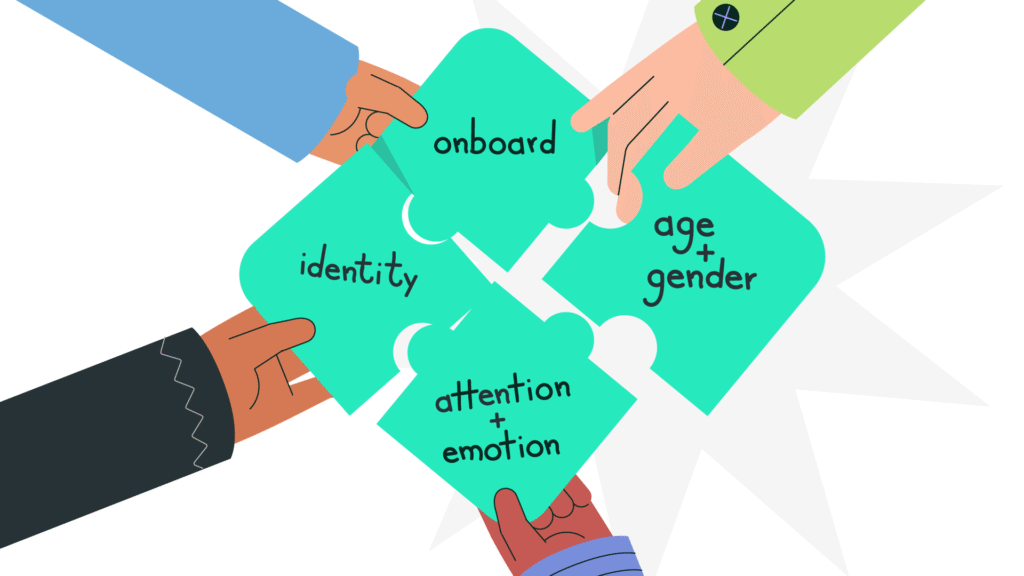
If you build with VerifEye Redirect or the Web SDK, you already choose what a verification check does. In one integration, you can onboard, identify, and read back age, gender, emotion, or attention. Until now, that choice wasn’t available at the API level. It meant working across several separate endpoints, each solid on its own. Coordinating them was left to you. This release changes that. The Face API is now a single endpoint, with that same choice built in.
The new VerifEye Face API is a single endpoint. Send an image, and in one request you can onboard or identify a face against your own collection. You can also get back the face id, estimated age, gender, emotional signals, and attention. You only get the attributes your flow actually needs, and nothing you don’t ask for. That makes the Face API a more integral part of VerifEye. The same capability works the same way, whether your users reach it through Redirect, the Web or Mobile SDK, or the API directly.
Built With Engineers in Mind
Less integration work: Just one endpoint to authenticate against, one response shape to parse, and far less code to write than wiring up four.
Faster requests: You only pay the latency cost for the attributes you enable. A lean identity check stays lean; a rich onboarding check can ask for more.
One place to build new flows: Whether you’re onboarding a new user, re-verifying a returning one, checking demographic information, or scoring engagement from a webcam frame, it’s the same API surface.
New integrations should build on the Face API; it’s the one we’ll be investing in going forward. See the Face API docs →

“One endpoint to authenticate against, one response shape to parse, instead of coordinating four.”
Built to Scale, Configured to Fit
Every attribute in the Face API can be opted-in. The same call can scale from a lean identity check to a fully enriched onboarding flow, and you don’t have to choose between them upfront. A high-volume screening flow can ask for a bare match and nothing else, keeping every call as light as it needs to be. A research or engagement use case that also needs Attention metrics can turn that on for just those calls. It can leave it off everywhere else.
That modularity is also what lets the Face API scale economically. Usage grows in step with what you call, not with a fixed bundle of capabilities you have to license upfront. Add a signal when a use case needs it, and only the calls where you’ve turned it on carry that extra cost.
Unifying the API also gave us a single place to improve the infrastructure behind it. Calls now run with lower latency, and the service scales more predictably under load. We’ve also optimised the cost of running it and passed those savings through as simplified pricing across VerifEye usage. That makes it both cheaper to run and easier to read on your invoice.
“Add a signal when a use case needs it and only the calls where you’ve turned it on carry that extra cost.“
Docs Organized Around How You’ll Use It
Alongside the new API, we’ve restructured the developer docs. The atomic APIs are now tucked behind the main navigation rather than competing for top billing. The Face API sits front and center as the recommended starting point.
“You should be able to go from ‘what does this do’ to a working call in a few minutes, not a few tabs.“
If you’re integrating VerifEye for the first time, that’s the experience we’ve rebuilt the docs around. Browse the docs →
VerifEye, Now Native on iOS and Android
The verification flow: camera access, consent, liveness, capture, has so far lived primarily in the browser via our Web SDK. With this release, alongside the Web SDK, we’re also rolling out native SDKs for iOS and Android. They bring the same flow directly into your mobile app. And they’re built the way mobile teams work: SwiftUI on iOS (16+), Jetpack Compose on Android (7.0+).
The integration model is simple. Your backend creates a verification session and hands the app a short-lived token. The SDK handles the camera, consent, and liveness check. Your backend then reads the result back from the VerifEye Session API. No webviews, no context-switching out of your app.
The verification flow now runs inside your app itself; no webviews, no context-switching out to a browser tab.
See it in action before you integrate anything:
Android demo app is live now on the PlayStore
(iOS demo app is completing App Store review and will follow shortly)
VerifEye, Now Native on iOS and Android
The verification flow: camera access, consent, liveness, capture, has so far lived primarily in the browser via our Web SDK. With this release, alongside the Web SDK, we’re also rolling out native SDKs for iOS and Android. They bring the same flow directly into your mobile app. And they’re built the way mobile teams work: SwiftUI on iOS (16+), Jetpack Compose on Android (7.0+).
The integration model is simple. Your backend creates a verification session and hands the app a short-lived token. The SDK handles the camera, consent, and liveness check. Your backend then reads the result back from the VerifEye Session API. No webviews, no context-switching out of your app.
Why This Update Matters
None of these changes are about adding a new capability so much as removing friction. For the people integrating VerifEye and the people being verified by it. A single Face API means less plumbing between you and a working verification flow. Native mobile SDKs mean that flow now belongs inside your app, not a browser tab bolted onto it. And together, they make VerifEye easier to stand up wherever your users already are.
You might be integrating our APIs, evaluating VerifEye for a mobile product, or just curious about what’s changed. Either way, we’d like to show you.
Get in touch with our team to book a demo.