

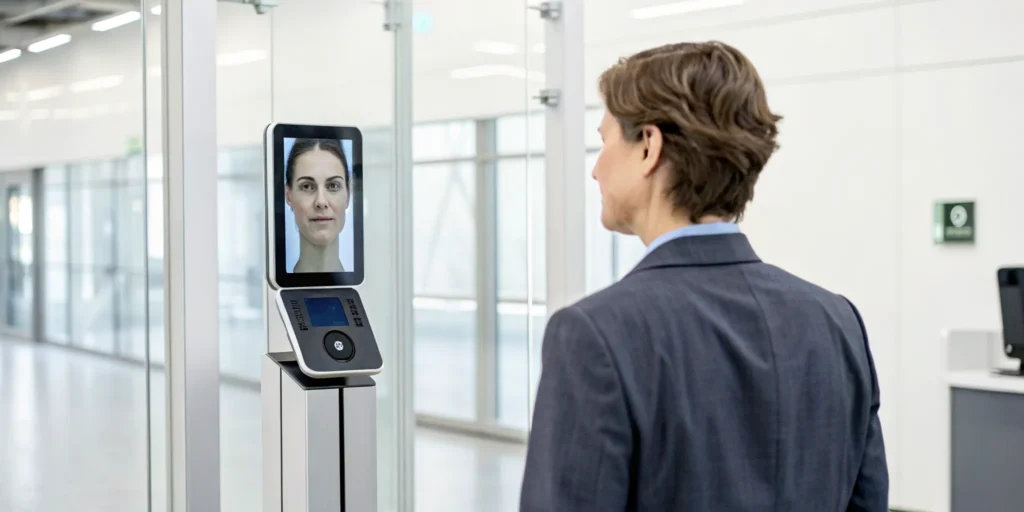
That “Forgot Password” button? It’s likely the biggest security hole on your platform. It kicks off a process using email links that can be hacked, text codes vulnerable to SIM-swapping, and security questions with easily found answers. Each step is a potential entry point for fraud. This is where face recovery changes the game. Instead of relying on something a user knows or has, it verifies who they actually are. By using advanced liveness detection to confirm a real person is present, you slam the door on common account takeover tactics and build real trust.
Key Takeaways
- It’s About Who You Are, Not What You Know: Facial recognition offers superior security by verifying your unique identity, making it a powerful defense against stolen passwords, hacked emails, and compromised security questions.
- Your Face Isn’t Stored as a Photo: Reputable systems protect your privacy by converting your facial map into encrypted code, using liveness detection to confirm you’re real, and often deleting the data immediately after verification.
- Stop Fraud Before It Starts: For platforms, facial verification with liveness detection is a proactive defense that shuts down account takeover attempts by confirming a real, live person is present, effectively neutralizing threats from photos, videos, and deepfakes.
So, What Exactly Is Face Recovery?
Getting locked out of an online account is a universal frustration. We’ve all been there—staring at a login screen, trying to remember a password we set months ago, or answering security questions about our first pet’s name. It’s a clunky process that feels outdated and, frankly, not very secure. Facial recognition for account recovery changes all of that. Instead of relying on something you know (like a password), it uses something you are—your unique facial features.
This method allows you to regain access to your accounts simply by verifying your identity with a quick scan of your face. It’s designed to replace traditional recovery options that are often time-consuming and easy for bad actors to circumvent. Think of it as a digital key that you can never lose. For businesses and platforms, this isn’t just about convenience; it’s about trust. When a user can securely recover their account without friction, it strengthens their confidence in your platform. By using biometrics, you can confirm you’re dealing with the legitimate owner of an account with a much higher degree of certainty. This shift not only makes your users’ lives easier but also adds a powerful layer of security, ensuring that only the real person can get back in. It’s a faster, simpler, and more secure way to manage digital identity at scale.
How Your Face Becomes the Key to Your Accounts
The process of using your face as a key is surprisingly straightforward. When you’re locked out, the platform will prompt you to take a short video selfie. This isn’t just a static picture; the system needs to see you in real-time to ensure you’re a live person and not a photo. Your device’s camera captures this video, which is then instantly compared to the profile picture or biometric data you previously enrolled. If the system confirms a match, your access is restored within seconds. This innovative approach provides a quick and efficient recovery process without the headache of remembering old information or waiting for a reset link to arrive in your inbox.
What Happens When an App Scans Your Face?
What makes this process so secure is the sophisticated technology working behind the scenes. Advanced facial recognition systems don’t just look at a flat image; they create a precise, three-dimensional map of your face. Systems like Apple’s Face ID advanced technology use a specialized camera to project thousands of invisible infrared dots onto your face. An infrared camera then captures this pattern, creating a detailed depth map that is unique to you. This 3D representation is incredibly difficult to fool with a simple photo or mask. It analyzes the unique geometry of your facial features—the distance between your eyes, the shape of your nose, the curve of your jaw—to create a biometric signature that is yours and yours alone.
Face Recovery: Unpacking the Different Meanings
The term “face recovery” can mean different things depending on the context, and it’s easy to see why there might be some confusion. While we’ve been talking about it in the digital security space—using your face to regain access to your accounts—the phrase is also commonly used in medicine and photo editing. Understanding these distinctions is key. One is about restoring your identity online, another is about physical healing, and the third is about enhancing a digital image. Let’s break down what face recovery means in these other fields to get a clearer picture of the landscape.
Medical and Surgical Recovery
In the medical world, face recovery refers to the healing process after a surgical procedure or facial trauma. This is a physical journey focused on restoring appearance and function, guided by medical professionals. It involves managing swelling, caring for incisions, and gradually returning to normal activities. The timeline and specific care instructions can vary dramatically based on the individual and the procedure, from cosmetic surgeries like facelifts to reconstructive surgery after an accident. This type of recovery is all about the body’s natural ability to heal, supported by medical expertise and patient care.
The Facelift Recovery Timeline
After a facelift, the healing process is a gradual one. While you might see noticeable results within a few weeks, a full recovery can take up to six months. The initial phase is the most intense, with swelling and bruising being most prominent in the first few days. Patience is essential during this time, as the final outcome isn’t immediately visible. The body needs time to settle, and following a structured timeline helps manage expectations and ensures the best possible results from the procedure.
Post-Surgery Care and Recommendations
Following your surgeon’s instructions is non-negotiable for a smooth recovery. This includes everything from wound care and medication schedules to attending all follow-up appointments. One of the most important recommendations is to limit physical activity. Strenuous exercise or heavy lifting is typically off-limits for several weeks to prevent putting any strain on the healing tissues, which could lead to swelling or other complications. Proper care is a critical component of the surgical outcome.
Common Physical Sensations During Healing
It’s completely normal to experience a range of physical sensations after facial surgery. Swelling, bruising, and a feeling of tightness in the face and neck are to be expected, usually peaking within the first two to three days. According to Feldmar Aesthetics, discomfort and pain are also part of the process, but they can be effectively managed with prescribed medication. These sensations are temporary signs that your body is healing and are a standard part of the recovery journey.
Factors That Influence Healing
Everyone heals differently, and several factors can influence your recovery timeline. Your lifestyle choices, the amount of rest you get, and your genetics all play a role. The specific type of facelift performed and your surgeon’s expertise are also significant. As The Naderi Center points out, combining procedures can also affect the healing stages. A holistic approach that considers all these elements is the best way to support a successful and efficient recovery.
Recovery from Facial Trauma
Healing from facial trauma, whether from an accident or injury, can be an overwhelming experience. The recovery process is highly dependent on the severity of the injury. It involves multiple stages, from initial pain and swelling management to the long-term work of rebuilding tissue and restoring both function and appearance. With the right medical support and a structured rehabilitation plan, a full recovery is possible, though it often requires significant time and patience.
Digital Photo Enhancement with AI
Separate from both account access and medical healing, “face recovery” is also a term used in the world of digital photography and artificial intelligence. In this context, it refers to technology that restores or enhances faces in digital images. Think about those old, grainy family photos or a blurry shot from a low-resolution camera. AI-powered tools can analyze these images, sharpen blurry features, reduce digital noise, and even increase the overall resolution to bring a face into clear focus. This technology is about rescuing visual data, not a person’s identity or physical well-being.
How AI Restores and Sharpens Facial Images
AI tools have become incredibly sophisticated at improving image quality. Software like Topaz Photo AI uses algorithms to fix, denoise, and deblur faces in photos. It can intelligently identify facial features and reconstruct them with stunning clarity, often doubling the resolution of the original image. This type of face recovery is a powerful tool for photographers, designers, and anyone looking to bring old or imperfect photos back to life by digitally enhancing their quality.
Where You’re Already Using Face Recovery
You might be surprised to learn that you’re probably already using facial recognition in your daily life. The world’s largest tech companies have been integrating this technology for years, not just for unlocking devices but as a secure method for account recovery. They understand that proving you are who you say you are is the foundation of online trust. This shift is a direct response to the weaknesses of traditional methods like passwords and security questions, which are increasingly vulnerable to phishing and data breaches. As a result, these industry leaders are pioneering facial verification to protect user accounts and maintain the integrity of their platforms.
By looking at how these platforms handle facial verification, we can see practical examples of how to balance robust security with a smooth user experience. They’re setting the standard for how to confirm a user’s identity with confidence, moving beyond what someone knows (a password) to what someone is (their unique biometric data). From social media platforms that hold our personal connections to the operating systems that manage our digital lives, your face is quickly becoming the most reliable key you own. Let’s look at how Facebook, Apple, and Google are putting this technology to work.
Facebook and the Video Selfie Method
If you’ve ever been locked out of your Facebook account, you know how frustrating it can be. Meta has introduced a clever solution to this problem by asking you to take a video selfie. The process is straightforward: you record a short video of your face, and Facebook’s system compares it to your existing profile pictures to confirm your identity. This method is a new way to get back into your locked Facebook account that’s both intuitive and secure. By using a video instead of a static photo, it adds a layer of liveness detection, making it much harder for a bad actor to fool the system with a simple picture.
Apple’s Seamless Face ID Integration
Apple has been a leader in bringing facial recognition to the mainstream with its Face ID feature. This isn’t just about unlocking your iPhone; it’s a deeply integrated security system. The magic happens with the TrueDepth camera, which projects thousands of invisible dots to create a precise 3D map of your facial structure. This detailed map is then encrypted and stored securely on your device. Because it captures depth, Face ID is incredibly difficult to spoof with a photo or mask. You can learn more directly from Apple about Face ID advanced technology and how it protects your device and personal data.
Using Your Face with Your Google Account
Google has woven biometric authentication throughout its vast ecosystem of products and services. While you might use it to unlock your Pixel phone, you can also use your face or fingerprint to verify your identity when accessing your Google account from other devices. This approach gives users a consistent and secure way to prove their identity without relying solely on passwords. By allowing you to sign in with your Google Account using biometrics, Google makes the recovery process faster and less of a headache, all while strengthening the security of your most important digital hub.
Is Face Recovery Actually Worth It?
We’ve all been there: staring at a login screen, completely blanking on the password we set just a few months ago. The recovery process that follows—digging through old emails for reset links or trying to remember the name of our first pet—is often slow, frustrating, and surprisingly insecure. This is where facial recognition comes in, offering a fundamentally different way to prove you are who you say you are. It’s not just about snapping a quick selfie; it’s about using your unique biological signature as the ultimate key.
Using your face to regain access to an account is faster, more secure, and far less of a headache for both you and the companies you trust. Instead of relying on information that can be forgotten or stolen, this method verifies the living, breathing person behind the screen. While early uses of facial recognition for things like photo tagging on social media raised valid privacy questions, its application in security is built on a different foundation of consent and protection. It’s designed to solve a universal problem by providing instant access when you need it most, fortifying your accounts against intruders, and freeing up support teams to handle more complex issues. It’s a simple yet powerful shift that puts your identity back in your hands—or, more accurately, on your face.
Say Goodbye to the “Forgot Password” Button
The biggest and most immediate benefit of using your face for account recovery is speed. Think about the last time you had to reset a password. You likely had to wait for an email or a text message, click a link, and then come up with yet another new password you’ll struggle to remember. Facial verification cuts through all of that.
You simply look at your device’s camera, and within seconds, the system confirms your identity and lets you back in. This process replaces outdated methods like security questions and password resets that are not only slow but also add unnecessary friction to your day. It’s a seamless experience that gets you from “locked out” to “logged in” almost instantly, so you can get back to what you were actually trying to do.
A Serious Security Upgrade for Your Accounts
Passwords can be guessed, emails can be hacked, and phone numbers can be spoofed. Your face, on the other hand, is uniquely yours and much harder to compromise. Modern facial recovery systems don’t just match a photo; they use sophisticated technology to ensure the person in front of the camera is real.
This is often done through a process called liveness detection, which can analyze 3D depth and subtle movements to confirm you’re a living person and not a photograph, a video, or a mask. This active verification step creates a powerful barrier against bad actors trying to trick the system. It provides a much higher level of security and assurance than traditional methods, which often rely on information that can easily be found or stolen online.
Finally, a Hassle-Free Way to Get Back In
For businesses, the constant stream of forgotten passwords is a huge operational drain. In fact, password-related issues can account for over half of all IT help desk calls, with each manual reset costing a company as much as $70. When you multiply that by thousands of users, the expense adds up quickly.
Implementing facial recognition for account recovery automates this entire process, allowing users to help themselves securely and instantly. This dramatically reduces the burden on customer support teams, freeing them up to focus on more complex problems. It also creates a better, more empowering experience for the customer, who no longer has to wait on hold to regain access to their own account. It’s a win-win that saves time, money, and a whole lot of frustration.
Face Recovery vs. Traditional Methods: A Quick Comparison
We’ve all been there: staring at a login screen, completely blanking on the password we set months ago. What follows is usually a frustrating journey through a maze of security questions, email links, and text message codes. These traditional recovery methods aren’t just inconvenient; they’re often the weakest link in an account’s security. They rely on information that can be forgotten, lost, or stolen.
Facial recognition flips the script by using something you can’t lose or forget: your own face. It replaces a clunky, multi-step process with a simple, intuitive action. Instead of proving what you know (a password or an answer to a security question) or what you have (your phone), you prove who you are. This fundamental shift makes getting back into your account both faster and far more secure.
The Flaws in the Classic “Forgot Password” Link
The “Forgot Password” button kicks off a process that feels anything but modern. You’re asked to check your email, click a link, and invent yet another new password you’ll struggle to remember. These outdated account recovery methods are not just slow and annoying; they expose users and businesses to risk. Each step is a potential point of failure, where a user might give up in frustration or a hacker could intercept a reset link sent to a compromised email account. For businesses, this friction translates directly into abandoned carts, user churn, and a heavy burden on customer support teams.
Are Your Security Questions Really That Secure?
Security questions were once a clever idea, but in an age of social media and data breaches, they’ve become a significant liability. Answers to questions like “What was the name of your first pet?” or “What city were you born in?” are often easily found through a quick online search or a peek at a social media profile. This makes them incredibly weak against a determined attacker. It’s no surprise that problems with getting into accounts, often stemming from forgotten answers, account for over half of all calls to IT support. They create a false sense of security while leaving the door wide open for unauthorized access.
The Hidden Dangers of SMS and Email Verification
Sending a one-time code to a phone or email seems secure, but this method has its own serious vulnerabilities. Hackers have become skilled at SIM-swapping attacks, where they trick a mobile carrier into transferring your phone number to their device, giving them access to your codes. Emails, on the other hand, are a primary target for phishing attacks. As platforms like Meta work to find a balance between security and convenience, it’s clear that relying on these channels is a compromise. They force a trade-off that facial recognition simply doesn’t, offering a path to recovery that is both user-friendly and resistant to common attack vectors.
But Is It Safe? How Your Facial Data Is Protected
It’s completely normal to wonder what happens to your facial data after you use it to recover an account. Handing over biometric information feels personal, and you want to know it’s being handled responsibly. The good news is that legitimate platforms build their facial recovery systems with multiple layers of security designed to protect your privacy from start to finish. These protections aren’t just an afterthought; they are fundamental to making the technology work safely.
Reputable systems don’t just store a selfie in a folder somewhere on a server. Instead, they rely on a combination of advanced techniques to keep you safe. This includes strong encryption to make your data unreadable to outsiders, liveness detection to ensure it’s really you in that moment, and strict data deletion policies to make sure your information isn’t kept longer than necessary. Think of it as a digital security detail where each layer has a specific job. Together, these measures create a secure process that verifies your identity without compromising your privacy. Let’s break down what each of these layers means for you and your data.
How Encryption Keeps Your Biometrics Private
First things first: your facial data is almost never stored as a simple image. Instead, it’s converted into a complex mathematical representation—a string of numbers and characters that is unique to your facial geometry. This data is then encrypted, which scrambles it into an unreadable code. Think of it like locking your information in a digital vault that can only be opened with a special key. For example, Apple explains that Face ID data is “encrypted and protected with a key available only to the Secure Enclave,” a dedicated, isolated processor designed to handle sensitive information. This process ensures that even if a company’s servers were somehow breached, your raw biometric data would remain secure and unusable to anyone else.
How Apps Know It’s Really You (and Not a Photo)
A strong security system needs to do more than just match your face to the one on file; it needs to confirm you are a real, live person present at that moment. This is where liveness detection comes in. This technology is designed to prevent fraud from someone using a photo, a video, or even a mask to try and trick the system. It often works by asking you to perform a simple action, like turning your head or smiling, to prove you’re not a static image. As the company Facia notes, its advanced 3D Liveness technology ensures “it’s really you and not someone trying to trick the system.” This real-time verification is a critical step in stopping spoofing attempts before they start.
Can You Actually Delete Your Facial Data?
So what happens to your data after your identity has been confirmed? In many cases, especially for one-time account recovery, the data is promptly deleted. Companies are becoming increasingly transparent about their data handling practices because they know it’s essential for building trust. For instance, when Meta introduced its video selfie recovery option, the company promised that the video would be encrypted and deleted after use. Reputable platforms will have a clear data retention policy that outlines exactly how long they store your information and for what purpose. This commitment to data minimization—only keeping what is absolutely necessary—is a cornerstone of modern digital privacy.
What to Know Before You Scan Your Face
Adopting facial recognition for account recovery is a big step, and it’s natural to have questions about privacy and security. Frankly, you should be asking them. Before you trust any platform with your users’ biometric data—or choose a technology for your own—it’s critical to understand how that information is handled. The best systems are built with privacy at their core, giving users transparency and control.
Thinking through these issues helps you separate the secure, user-respecting technologies from those that might create more problems than they solve. It’s about making an informed choice that protects your users and your platform’s integrity. Let’s walk through the essential questions you need to ask to ensure you’re partnering with a provider that takes privacy as seriously as you do.
Who Has Access to Your Facial Data?
When a user uploads a video of their face, the first question should always be: where does it go and what is it used for? For example, when Meta introduced a video selfie feature to help users get back into locked Facebook accounts, many people immediately wondered if their faces were being used to train the company’s AI models. This is a valid concern. A trustworthy system should use your facial data for one purpose only: to verify your identity at that specific moment. It shouldn’t be repurposed for advertising, AI training, or anything else without explicit consent. Always look for clear policies that define the scope of data usage and ensure the data is deleted right after verification.
Does Facial Recognition Work for Everyone?
A facial recognition system is only effective if it works for everyone, accurately and without prejudice. Historically, some facial analysis technologies have shown bias, performing less accurately for women and people of color. It’s essential to ask potential providers about the diversity of their training data and their accuracy rates across different demographics. Beyond bias, the system must be able to distinguish a real, live person from a spoof attempt. Technologies that use liveness detection can spot the difference between a person and a photo, video, or mask, preventing fraudsters from tricking the system. Apple’s Face ID, for instance, claims the chance of a random person unlocking your device is less than one in a million, setting a high bar for accuracy.
Know Your Rights When It Comes to Your Data
You and your users have rights when it comes to personal data. Regulations like the General Data Protection Regulation (GDPR) in Europe and the California Consumer Privacy Act (CCPA) give people control over their information, including the right to know how it’s being used and to request its deletion. Any company handling biometric data should be fully compliant with these rules. Before committing to a service, verify that it adheres to major data protection laws and has a straightforward privacy policy. Even when a company says data will be deleted, as Meta does with its selfie videos, it’s wise to understand the specifics of their data retention and deletion policies to ensure they align with your standards.
Ready to Try It? Here’s How to Get Started
Setting up facial recovery is one of the simplest yet most powerful steps you can take to secure your digital life. Think of it as giving your account a key that only you possess. While the exact steps might look a little different from one platform to another, the core process is designed to be quick and intuitive. Most services guide you through it in just a few minutes, and once it’s done, you have a reliable way to prove you’re you—without having to remember the name of your first pet or your favorite elementary school teacher.
This guide walks you through the three basic stages you’ll encounter when enabling facial recognition. It’s all about finding the setting, creating your unique facial map, and making sure it works correctly. By the end, you’ll have a fallback plan that’s not only convenient but also significantly more secure than traditional recovery methods. It’s a small investment of your time for a major upgrade in peace of mind, ensuring you can always get back into your accounts when you need to.
Step 1: Find and Enable the Setting
First things first, you need to locate the facial recovery option within your account settings. Typically, you’ll find this tucked away in the “Security,” “Login & Recovery,” or “Account” section of the app or website. Companies are making this feature more prominent as it becomes a standard for secure access. For example, Meta is rolling out a new way to get back into your locked Facebook account using a video selfie. Just look for terms like “Face ID,” “Facial Recognition,” or “Biometric Verification” and follow the prompts to begin the setup process.
Step 2: Scan Your Face to Create Your Profile
Once you’ve enabled the feature, the platform will ask you to create your facial profile. This usually involves taking a short video selfie. You’ll be prompted to look directly at your camera and slowly turn your head up, down, and side to side. This process allows the system to create a detailed, three-dimensional map of your facial features—something far more secure than a flat image. Platforms understand that this data is sensitive. Meta, for instance, has stated that these video selfies are encrypted and promptly deleted after your identity is confirmed. This ensures your unique biometric key is used only for its intended purpose: keeping your account safe.
Step 3: Test to Make Sure It Works
After creating your profile, it’s a good idea to make sure everything works as expected. The best systems are designed to be incredibly resilient. Advanced technology like Apple’s Face ID can recognize you even if you change your appearance by growing a beard, putting on makeup, or wearing glasses. It works in various lighting conditions and uses sophisticated 3D mapping to prevent spoofing with photos or masks. The system also includes liveness detection, which checks that your eyes are open and you’re paying attention. This simple but critical step ensures that no one can access your account without you being present and aware.
Pro Tips for a Smooth Face Recovery Experience
Setting up facial recovery is a great first step, but making sure it works perfectly when you’re locked out is what really matters. A failed scan can be frustrating, but a few simple habits can make the entire process smooth and stress-free. Think of it like keeping a spare key somewhere safe—it only works if you can find it and it still fits the lock. These tips will help you ensure your face is always the right key.
Finding the Right Light and Angle for a Perfect Scan
When you’re trying to get back into your account, the quality of your facial scan is everything. For the best results, find a well-lit area and face the light source directly to avoid shadows. Hold your phone at eye level and keep a neutral expression, just as you did when you set up your profile. Modern systems use advanced 3D liveness technology to confirm you’re a real person, not a photo or a mask. This tech analyzes subtle movements and depth, so a clear, steady video is crucial for it to work correctly and grant you instant access.
When (and Why) You Should Rescan Your Face
Your face is your key, but what happens if the lock changes? Major platforms like Meta are increasingly using video selfies to verify your identity if you get locked out of your account. The system works by comparing your new video to the one on file. If your appearance has changed significantly—maybe you grew a beard, got new glasses, or drastically changed your hair—the system might not recognize you. It’s a good practice to update your facial recovery profile every year or so, or after any major change in your appearance, to ensure the system always has an accurate reference.
Always Have a Backup Method, Just in Case
Even the best technology can run into hiccups. Maybe you’re in a poorly lit room, your phone’s camera is smudged, or the service is temporarily unavailable. That’s why having a backup plan is essential. Most services that offer facial recovery also provide alternative methods. For example, you might be prompted to upload a government ID to prove who you are if the video selfie doesn’t work. Make sure you know what your backup options are ahead of time, whether it’s an ID, recovery codes, or a trusted contact. This ensures you’re never truly locked out.
How Face Recovery Actively Fights Fraud
When someone gets locked out of their account, the biggest risk isn’t just their frustration—it’s the opportunity this creates for fraudsters. Traditional recovery methods, like answering security questions or clicking a reset link sent via email, can be easily compromised. This is where facial recognition steps in as a powerful line of defense. Instead of verifying something the user knows (a password) or has (a phone), it verifies who the user is. This fundamental shift from knowledge-based to identity-based verification is what makes it so effective against account takeover attacks.
The key to its security is sophisticated liveness detection technology. This isn’t just about matching a face to a photo on file. Advanced systems use 3D facial mapping to confirm that a real, live person is present during the recovery attempt. It analyzes depth, texture, and subtle movements to distinguish a living person from a photo, a video, or even a mask. By requiring proof of presence, these systems ensure that the person trying to regain access is the legitimate account holder, effectively shutting the door on common fraud tactics and protecting both your users and your platform.
Can It Be Fooled by a Photo or Deepfake?
Scammers are always finding new ways to trick security systems, from using a simple printed photo to deploying sophisticated deepfake videos. Facial recognition is designed to stay one step ahead of these spoofing attempts. Unlike a simple photo match, modern systems create a detailed, three-dimensional map of your face. As Apple explains about its own technology, Face ID uses 3D information, so it can’t be fooled by flat images or masks.
This technology works by projecting and analyzing thousands of invisible dots to create a depth map of the face, capturing its unique geometry. It also looks for signs of life, like blinking and slight head movements, that are difficult to replicate authentically. As deepfakes become more convincing, the algorithms behind facial recognition are also evolving, learning to spot the subtle digital artifacts and unnatural expressions that give fakes away. This makes it incredibly difficult for a fraudster to impersonate a real user.
How Instant Verification Stops Scammers in Their Tracks
In a world of instant everything, a slow account recovery process is more than just an inconvenience—it’s a security risk. The longer it takes to verify a user, the more time a potential attacker has to find a workaround. Facial recognition provides immediate, real-time authentication that strengthens security by closing this window of opportunity. The entire process is designed to be fast and seamless. A user simply initiates the recovery, completes a quick liveness check with their camera, and regains access almost instantly.
This speed is a direct result of the system’s confidence in its verification method. Because it’s confirming the physical presence of the actual user, there’s no need for delayed, multi-step processes like waiting for an SMS code that could be intercepted. This immediate feedback loop not only provides a better user experience but also creates a more secure environment by resolving access issues on the spot.
Spotting Sophisticated Threats Beyond a Simple Photo
Beyond stopping basic spoofing, facial recognition systems are built to detect more complex and advanced threats. These platforms often use machine learning to continuously analyze patterns and improve their detection capabilities. They learn from every interaction, getting better at distinguishing between legitimate and fraudulent recovery attempts over time. This allows them to identify sophisticated attacks, such as digital injection attacks where a fraudster tries to feed a pre-recorded or deepfake video directly into the system, bypassing the device’s camera entirely.
These systems can also cross-reference other data points in real time, like device information and location, to flag anomalies that might indicate a coordinated attack. When a platform like Meta introduces facial verification, the goal is to make account recovery faster and more secure because the technology is robust enough to handle these advanced threats. It’s not a static solution; it’s an intelligent defense that adapts to the evolving landscape of online fraud.
Related Articles
- How Account Recovery Using Facial Verification Works
- How Facial Recognition Prevents Account Fraud
- How Does Facial Recognition Prevent Duplicate Accounts?
- 9 Proven Ways to Stop Multiple User Accounts
Frequently Asked Questions
Can someone just use a photo of me to get into my account? That’s a common concern, but modern systems are designed to prevent exactly that. Account recovery doesn’t just match your face to a picture on file; it uses a technology called liveness detection to confirm you are a real person, present in that moment. This often involves a short video where the system analyzes 3D depth and subtle movements to ensure it’s interacting with a living person, not a static photo, a video, or even a sophisticated mask.
What happens if my appearance changes, like if I grow a beard or start wearing glasses? This is a great question, and the technology is surprisingly adaptable. Advanced systems like Apple’s Face ID are built to recognize you even with significant changes. They create a detailed mathematical map of your facial structure, which remains consistent even if you grow a beard, change your hairstyle, or put on makeup. For best results, it’s a good idea to update your facial profile every so often, just to keep the system current with your look.
Is my facial data stored as a photo on a server somewhere? Reputable platforms do not store your selfie as a simple image. Instead, your facial features are converted into a unique mathematical representation—a string of code that acts as a biometric template. This template is then encrypted, scrambling it so it’s unreadable to anyone else. In many cases, especially for a one-time recovery, this data is deleted immediately after your identity is confirmed, ensuring your information isn’t kept longer than necessary.
Why is this better than just getting a code sent to my phone? While getting a code via SMS or email feels secure, those methods have real vulnerabilities. Hackers can intercept text messages through SIM-swapping attacks, and email accounts can be compromised through phishing. Facial recognition closes these security gaps by verifying something only you possess: your unique identity. It proves you are physically present, which is a much stronger form of verification than confirming you have access to a phone or an inbox.
Does this technology work equally well for everyone? This is a critical point, as early facial recognition systems struggled with accuracy across different demographics. However, the technology has improved significantly. Leading providers now train their systems on vast and diverse datasets to minimize bias and ensure high accuracy for people of all skin tones, genders, and ages. When choosing a service, it’s important to ask about their accuracy rates and commitment to fairness to ensure the system is reliable for all your users.