

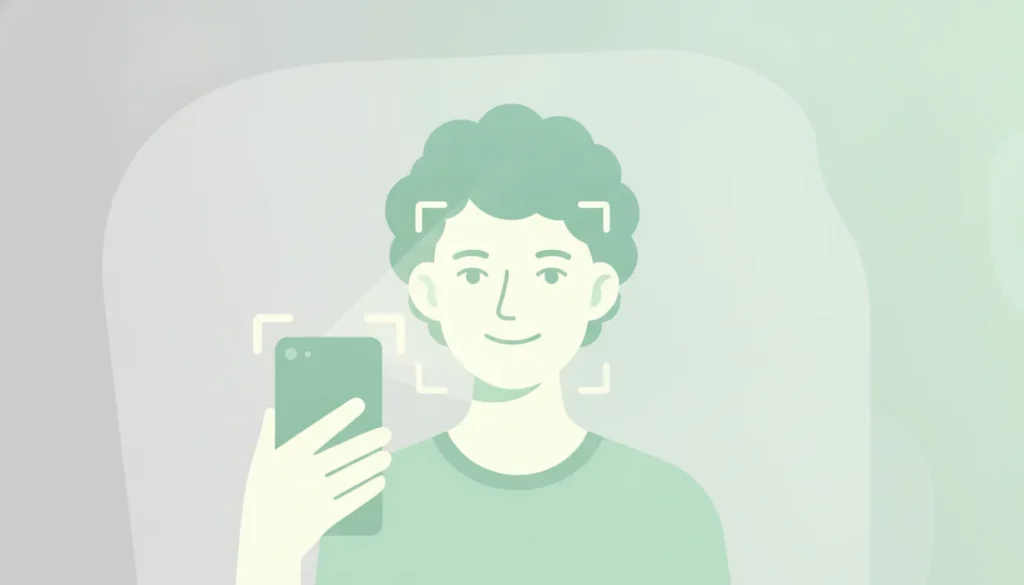
A face can be genuine, copied, replayed, or attached to an account that has already been used elsewhere. That distinction matters when an onboarding flow must establish human presence without turning every new user into a document-collection exercise.
Face verification is a 1:1 check that compares a live capture, such as a selfie or webcam scan, with one trusted reference photo to confirm identity. Reliable verification adds liveness and, where appropriate, uniqueness checks, so a convincing image is not mistaken for a physically present person.
For security and trust teams, the useful question is not simply whether software can match two faces. It is whether the system can distinguish a real person from a presentation attack, protect sensitive information, and fit the risk level of the account or transaction. The fundamentals begin with the difference between matching a face and verifying what that match actually represents.
What Is Face Verification?
Face verification is a biometric identity check that answers a narrow question: does this live person match the identity they claim? It performs a 1:1 comparison between a fresh capture, such as a selfie or webcam scan, and one trusted reference image already associated with that identity. The result is a confidence assessment, not a search through a population-sized database.
That distinction matters in enterprise workflows. During remote onboarding, for example, a user may provide a reference image as part of an approved identity process, then complete a live capture from a device. Face verification compares those two inputs to determine whether the person returning to the service is consistent with the enrolled identity. The same pattern can support account recovery, step-up authentication, and higher-confidence access to sensitive services.
A 1:1 Check, Not a 1:N Search
Face verification should not be confused with face recognition. Verification is a claimed-identity check: one live capture against one reference. Face recognition is generally a 1:N search, where a captured face is compared with many stored faces to identify an unknown person. The operational, legal, and governance questions are different, even when both rely on facial analysis.
A well-designed verification flow also needs to establish more than visual similarity. A convincing match can still come from a photograph, replayed video, mask, or synthetic presentation if the system does not assess whether a real person is physically present. That is why enterprise buyers should evaluate face verification alongside liveness, privacy, retention, and failure-handling controls rather than treating the matching score as the whole security decision.
Modern systems commonly use deep neural networks to perform the underlying analysis. Their performance has driven adoption in areas including identity duplication detection and mobile payment authentication, as documented in research on face verification systems. Those capabilities are useful, but they do not remove the need for thoughtful threat modeling. The strongest implementations place the biometric comparison inside a broader, human-first trust architecture that respects both security requirements and the person completing the check.
How Does Face Verification Work?
Face verification is a controlled comparison, not a vague judgment about whether two pictures look alike. A production workflow turns a live interaction into a biometric representation, then compares that representation with one trusted reference. The sequence typically looks like this:
- Capture a live face. The user presents a face through a phone camera, webcam, or another supported device. The system captures one or more frames and evaluates whether the input is usable, including factors such as face visibility, pose, lighting, and image quality. In higher-assurance workflows, capture is paired with liveness signals so a photograph, replayed video, or other presentation attack is not treated as a person who is physically present. That distinction matters because a clear image can still be evidence of the wrong thing.
- Detect the face and align its landmarks. Computer vision first locates the face within the frame. It then identifies landmarks around relevant features such as the eyes, nose, and mouth. Alignment normalizes the face for position, scale, and orientation, reducing the effect of a tilted head or a face that sits slightly off-center. This step gives the matching model a consistent input rather than asking it to solve capture quality and identity comparison at the same time.
- Extract features into a biometric template. A deep neural network processes the aligned face and converts visual characteristics into a mathematical representation, often called an embedding or biometric template. The template is designed to preserve identity-relevant patterns while making the comparison more robust to ordinary variation, such as a different camera, expression, or background. It is not simply a stored photograph. The system still needs appropriate controls for retention, access, and processing because biometric representations are sensitive information.
- Perform a 1:1 match against the reference. The resulting template is compared with one trusted reference, such as an enrollment image or a previously verified identity record. This is a 1:1 verification question: does the live person match the person associated with this reference? The system calculates a similarity score and applies a decision threshold based on the use case’s risk tolerance. Lower thresholds may reduce false rejections but allow more uncertain matches; stricter thresholds can improve assurance while increasing friction for some legitimate users.
Independent evaluation helps enterprises interpret those decisions rather than relying on a vendor’s headline metric alone. NIST’s Face Recognition Technology Evaluation program has assessed 1:1 verification algorithms since its ongoing evaluation began in 2017. In remote onboarding contexts, face verification is often described as reaching approximately 99% accuracy when implemented correctly. Although the practical result depends on the data, threshold, capture conditions, attack defenses, and definition of accuracy. The useful question is therefore not whether the number sounds impressive. It is whether the complete workflow produces reliable decisions for the population, devices, and risk scenarios an organization actually serves.
Face Verification vs. Face Recognition: What Is the Difference?
The terms are often used interchangeably, but they describe different biometric operations. Face verification is a 1:1 comparison: the system checks whether one live face matches one reference image. It answers, “Is this the person they claim to be?” The reference might come from an enrolled profile or an identity document.
Face recognition is a 1:N search. The system compares one face against many records in a database to answer. “Who is this?” or “Does this face already appear in the database?” That distinction affects the purpose of the workflow. The scale of the search, and the privacy decisions around it. The 1:1 and 1:N distinction is a useful starting point, but the right architecture depends on what an organization needs to establish.
| Aspect | Face Verification | Face Recognition |
|---|---|---|
| Purpose | Confirm that a person is the legitimate owner of a claimed identity. | Identify an unknown person or determine whether a face matches someone in a larger collection. |
| Match type | 1:1. One live capture is compared with one trusted reference image. | 1:N. One face is searched against many stored face records. |
| Privacy implication | The system can limit the comparison to a specific user and a defined purpose, reducing unnecessary search across a population. | A broader database search may involve more records, stronger governance, and clearer rules for retention, access, and use. |
| Typical use | Remote onboarding, account recovery, login authentication, or confirming a returning user. | Duplicate detection, watchlist screening, or identifying a person across a known database. |
Neither approach, on its own, proves that a live human is physically present. A photograph, replayed video, mask, or synthetic presentation can still challenge a system that only compares facial features. For enterprise workflows, face verification is usually paired with liveness checks and sensible data controls. The result is a narrower question, answered with less unnecessary exposure: does this live person match the identity they are presenting?
Faces Versus Humans: Why Liveness Matters
A face match answers a narrow question: does this image resemble the reference associated with an identity? That is useful, but it does not establish that a live person is present at the camera. A static photo, replayed video, silicone mask, or AI-generated face may provide enough visual material to resemble a legitimate user without involving that user at all.
That distinction matters wherever an organization needs more than a plausible image. Remote onboarding, account recovery, high-risk transactions, and community access all depend on knowing whether the subject is physically present at the point of verification. Liveness detection adds that missing layer by examining signals associated with a live person rather than treating facial similarity as proof on its own. Realeyes describes this as the challenge of differentiating simple face recognition from true liveness, which ensures the person being verified is physically present.
The relevant spoofing vectors include:
- Presentation attacks: printed photographs, screen replays, and recorded video can be placed in front of a camera.
- Physical impersonation: masks or other crafted artifacts can reproduce enough facial structure to mislead a system focused only on appearance.
- Synthetic identity signals: AI-generated or manipulated faces can create convincing imagery without a corresponding live subject.
These attacks do not need to look suspicious to a person reviewing the interaction. Modern face verification systems rely on deep neural networks that can perform remarkably well. Yet research has shown that adversarial examples may deceive those networks while remaining imperceptible to human observers. That is a useful reminder that visual plausibility is not the same as security evidence. A human reviewer can miss a subtle manipulation, and a model can be exposed to an input designed to exploit its decision boundary. Research on adversarial attacks against deep neural networks documents this problem across testing and deployment environments.
Liveness does not replace face verification. It makes the result more meaningful by pairing identity similarity with evidence of physical presence. In practice, the strongest workflow treats these as separate questions: does the captured face match the trusted reference. And is that face attached to a live human rather than a presentation artifact? For enterprise teams, liveness detection is therefore less about adding another dramatic checkpoint and more about closing a practical gap between recognizing a face and verifying a person.
Face Verification in Onboarding and Account Security
Remote onboarding is where face verification often earns its place first. A customer can open an account from a phone or laptop, capture a live image. And have that capture checked against a trusted reference image or another approved identity signal. The objective is not simply to recognize a face. It is to establish that the person attempting to enter the system is the person associated with the account, without turning a legitimate customer into a paperwork exercise.
When implemented correctly, face verification can reach roughly 99% accuracy in confirming that a remote user is who they claim to be, according to Realeyes’ published guidance. That figure should be treated as an implementation benchmark, not a universal guarantee. Camera quality, capture conditions, liveness controls, reference data, and the surrounding risk model all affect the result.
From Account Opening to Ongoing Protection
Verification should not necessarily end when onboarding does. Account security is a changing problem. A user may need to re-authenticate after a long period of inactivity. When signing in from an unfamiliar device, or when a session shows signals associated with elevated risk. A step-up check can add confidence at that moment without applying the same friction to every routine login.
The same pattern applies to sensitive actions. Financial institutions can request verification before a high-value transfer. Marketplaces can apply it when a seller changes payout details. Platforms can use it when an account attempts an unusual recovery flow or a user profile shows signs of coordinated abuse. The control is most useful when it is connected to a clear risk decision rather than presented as a ritual after every click.
Practical Uses Across Digital Journeys
Research has identified identity duplication detection and mobile payment authentication among the applications where face verification systems are adopted. These use cases reflect two different security needs: preventing one person from creating or controlling multiple identities. And confirming a user at the point where money or account authority is at stake. Both require more than a static image check. Liveness helps establish physical presence, while uniqueness checks can help identify repeat enrollment or suspicious identity reuse.
Teams building these workflows may also need an integration layer that fits existing authentication and fraud systems. A user verification API can support targeted checks across onboarding, re-authentication, and transaction flows, allowing product and security teams to place verification where it reduces meaningful risk. The result is a quieter form of protection: stronger assurance when the situation calls for it, and less unnecessary interruption everywhere else.
Privacy-Preserving Face Verification: The On-Device Option
Face verification does not have to mean collecting a government ID, sending sensitive images into a remote archive. Or asking users to accept a permanent biometric record as the price of access. For many enterprise use cases, the better design is to verify the signals that matter while minimizing what leaves the device and what the system retains.
On-device processing can evaluate a live facial interaction locally, helping determine whether a real person is present and whether that person appears unique within the relevant verification context. The output can be a decision or a narrowly scoped signal rather than a stored portrait. That distinction matters. A system that confirms a user is real without retaining the raw image reduces the amount of sensitive material available for accidental exposure. Unnecessary reuse, or access by teams that do not need it.
Accuracy and Privacy Are Not Opposing Requirements
Privacy-preserving face verification still needs to perform under real operating conditions. Cameras vary, lighting changes, and users do not always hold a phone at the exact angle a product designer had in mind. A credible implementation therefore combines biometric analysis with liveness checks, rather than treating a face match as proof that a live human is interacting with the service.
VerifEye is designed to verify liveness and uniqueness without storing sensitive images or requiring government identity documents. That supports a more proportionate approach to onboarding, access control, and trust and safety workflows. Enterprises can ask the verification question they actually need to answer. Such as whether an account is associated with a real and unique person, without expanding the process into full document collection.
Consent Should Be Part of the Architecture
Privacy is not only a storage setting. It also includes clear purpose, informed consent, data minimization, and a sensible retention policy. Users should understand why a verification step exists, what signal it produces, and whether any data is retained. Product teams should be able to explain those choices to security, compliance, and legal stakeholders without resorting to fine print as a substitute for design.
This is where liveness detection becomes part of a broader privacy strategy. On-device and privacy-preserving options can help organizations align verification with GDPR-conscious practices while keeping the interaction short. The result is not anonymity by slogan or accuracy at any cost. It is a narrower, more useful exchange: a person offers a live signal, the system evaluates the required attributes. And the organization keeps less sensitive material than it would under a document-heavy identity process.
VerifEye: The Human-First Approach
VerifEye treats verification as a question about people, not just images. A face in front of a camera is only one signal. The more useful question is whether a real person is physically present, whether that person is unique within the relevant system. And what limited attributes an enterprise needs to assess for a particular use case.
That is the human-first distinction. VerifEye combines liveness and uniqueness checks with optional age and gender assessment, giving security, fraud. Compliance, and trust and safety teams a more useful signal than a simple face match. Liveness helps establish that the interaction involves a live person rather than a replay, mask, or other presentation attack. Uniqueness helps identify repeat or duplicate participation where one-person-per-account or one-person-per-action policies matter.
Realeyes positions this capability as human-in-the-loop trust infrastructure. The system handles a narrow, important verification task, while the enterprise retains responsibility for the policy decision and the context around it. That makes the technology practical for workflows where trust matters, but forcing every legitimate user through document collection would create unnecessary friction.
Verification Without Building a Sensitive Data Store
Privacy is part of the design rather than a later compliance exercise. VerifEye can verify liveness and uniqueness without storing sensitive images or requiring a government ID. Its on-device, frictionless options are intended to confirm the signal needed for the decision without turning every interaction into a permanent identity record.
This approach is more privacy-preserving than cloud identity models that depend on collecting and retaining extensive user information. It also gives enterprises a way to separate human presence from identity-document ownership, which are related questions but not interchangeable ones. For teams evaluating a user verification API, that distinction deserves attention early: the best architecture is not necessarily the one that gathers the most data.
VerifEye therefore supports a quieter form of trust. It helps an enterprise understand whether an interaction is human and meaningfully unique, while leaving room for proportionate decisions, privacy safeguards, and a better user experience.
Frequently Asked Questions
How Does Face Verification Work?
Face verification compares a live capture, such as a selfie or webcam scan, with one trusted reference image. The system measures whether the biometric patterns are sufficiently similar, then applies the workflow’s security controls. A robust implementation also checks liveness, so a photograph, replayed video, or other presentation attack is not treated as a person.
What Is the Difference Between Face Verification and Face Recognition?
Face verification is a 1:1 comparison: it asks whether this live person matches this specific reference. Face recognition is generally a 1:N search, matching a face against multiple records to identify a possible person. The distinction matters in onboarding and account access, where the intended question is usually whether a claimant matches an account holder, not who they might be.
Is Face Verification Safe for Remote Onboarding?
It can be, when the design covers more than image similarity. Security teams should assess liveness detection, presentation-attack resistance, data handling, fallback paths, and operational monitoring. NIST’s Face Recognition Technology Evaluation program evaluates the performance of 1:1 verification algorithms, giving teams an established benchmark when assessing vendors: NIST FRTE.
Why Does Liveness Matter in Face Verification?
A face match alone does not prove that a live human is present. Liveness adds that missing condition by looking for evidence that the subject is physically in front of the camera rather than represented by a static image or playback. For privacy-conscious deployments, VerifEye is designed to verify liveness and uniqueness without storing sensitive images or requiring government IDs.
Verify Real Humans With VerifEye
Verify real humans. Without the friction.
VerifEye confirms users are real and unique in seconds. No documents, no stored data, no drop-off.