

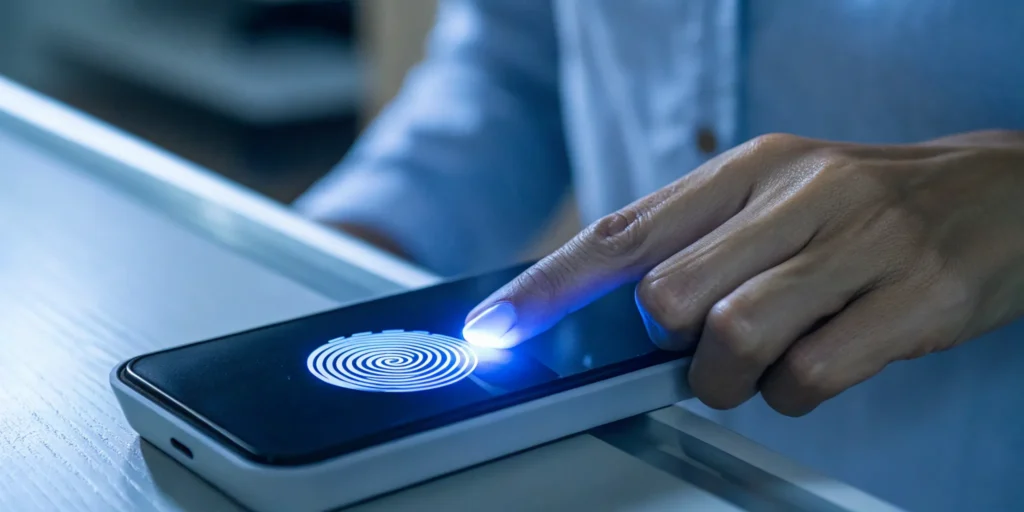
Your entire online security has been built on a fragile promise: the shared secret. You give a website your password, and they swear to keep it safe. But we all know how that story ends—phishing attacks and massive data breaches. This is where passkeys come in. They aren’t just a better password; they’re a complete overhaul of digital identity. Here, we have passkeys explained in a way that makes sense, showing you exactly how passkeys work. Instead of a secret you share, you use a cryptographic key that never leaves your device, making your accounts virtually immune to common attacks.
Key Takeaways
- Passkeys Replace Secrets with Proof: Instead of relying on a password that can be stolen, passkeys use a secure cryptographic key that never leaves your device, making them inherently resistant to phishing and server-side data breaches.
- A Better Experience for Everyone: The most secure login method is also the easiest. Users get a faster, more convenient sign-in using their fingerprint or face scan, while businesses reduce friction and build greater trust with their customers.
- Adopt a Hybrid Strategy for a Smooth Rollout: You don’t need to overhaul your entire system at once. Start by adding passkeys as an option alongside passwords, focusing on clear user education and a solid account recovery plan to manage the transition.
Passkeys Explained: What Are They?
If you’ve ever felt the frustration of a forgotten password or the anxiety of a data breach notification, you understand the limitations of our oldest security method. Passkeys are the modern answer to this problem—a simpler and far more secure way to sign into apps and websites. Instead of relying on a secret you have to remember, passkeys use a secret that your device holds for you, making your digital identity much harder to compromise.
How Do Passkeys Actually Work?
At its core, a passkey is a digital credential that replaces a traditional password. When you create a passkey for a service, your device—like your phone or laptop—generates a unique cryptographic key pair. This pair consists of a “public key” and a “private key.” The public key is sent to the website’s server and acts like a digital lock for your account. The private key, as the name suggests, is the secret key that stays securely stored on your personal device and is never shared. This entire process creates a simple and secure way to sign in without a password.
Multi-Device vs. Device-Bound Passkeys
When you create a passkey, it doesn’t just exist in a vacuum. It has to live somewhere, which brings us to the two main types you’ll encounter: multi-device and device-bound. The biggest difference between them comes down to a simple question: should your passkey travel with you across your devices, or should it stay put on one single piece of hardware? This distinction is crucial because it shapes both the user experience and the security model. Each approach has its place, and choosing the right one depends entirely on what you’re trying to protect, whether it’s a social media account or a corporate database.
Multi-device passkeys are all about making your life easier. When you create one on your phone, it syncs automatically to your other trusted devices through your cloud account, like iCloud Keychain or Google Password Manager. This means you can sign into an app on your laptop using the passkey you originally set up on your tablet, without any extra steps. This seamless experience is why they are perfect for most personal accounts—they offer that sweet spot of high security and low friction that passwords could never achieve. The FIDO Alliance refers to these as “synced passkeys,” and they are quickly becoming the standard for consumer applications.
On the other side of the coin are device-bound passkeys. These are designed for situations where security is the absolute top priority. Instead of syncing through the cloud, a device-bound passkey is tied to a single, physical device. This could be a specific work laptop or, more commonly, a dedicated hardware security key like a YubiKey. Because the private key never leaves that one piece of hardware, it provides an incredibly strong layer of protection against remote attacks. Businesses often use this method to secure access to sensitive internal systems, financial platforms, or administrative accounts where the risk of a breach is too high to compromise.
So, the choice isn’t about which type is universally “better.” It’s about matching the tool to the task. For your day-to-day logins, the convenience of a multi-device passkey is hard to beat. But for those high-stakes accounts that protect critical assets, the uncompromising security of a device-bound passkey offers peace of mind. Understanding this distinction is key for any business planning a rollout, as it allows you to offer the right level of security and convenience for different user needs, ensuring trust is maintained at every touchpoint.
How Public and Private Keys Keep You Safe
The real security magic happens in how these two keys interact. Because a website only stores your public key, it holds nothing of value for a potential hacker. Even if a company experiences a massive data breach, the stolen public keys are useless without their corresponding private keys. This is a fundamental shift from password-based systems, where a leaked database can expose thousands of user credentials. With passkeys, the critical piece of information—your private key—never leaves the safety of your device, making your accounts resistant to server-side breaches. You can find more details on how websites save a public key on Google’s developer site.
How Your Face or Fingerprint Becomes Your Key
So, how do you use this private key to log in? This is where the user experience becomes incredibly smooth. To approve a sign-in, you simply authenticate on your device using the same method you use to unlock it. This could be your fingerprint, a face scan, or your device’s PIN. This action confirms it’s really you and authorizes your device to use its private key to complete the login. This method of passkey authentication is not only faster than typing a password but also significantly more secure, as it ties your digital identity to your physical device and your unique biometric data.
The Story Behind the Standard
A great idea is one thing, but getting the entire digital world to adopt it is another challenge altogether. For passkeys to truly replace passwords, they couldn’t be a proprietary feature of just one company. They needed to be built on an open standard that any app, website, or device maker could use. This collaborative approach is what gives passkeys their power, ensuring a consistent and secure experience no matter where you go online. It’s a story of industry rivals coming together to solve a problem that affects everyone, laying a foundation of trust that benefits both businesses and their users.
The Formation of the FIDO Alliance
The journey toward a passwordless future began in earnest with the creation of the FIDO (Fast Identity Online) Alliance. Formed in 2012, this non-profit organization brought together tech giants and security leaders with a single, ambitious goal: to create a new security standard that would finally get rid of passwords. It was a collective recognition that the old model of shared secrets was fundamentally broken and couldn’t be fixed with small tweaks. By creating a common set of protocols, the FIDO Alliance paved the way for an interoperable system where a passkey created on an Apple device could work seamlessly on a Google or Microsoft platform, and vice versa.
Why Support From NIST Matters
While industry collaboration is crucial, getting a stamp of approval from a major government body is what solidifies a technology’s legitimacy. The endorsement from the National Institute of Standards and Technology (NIST) was a pivotal moment for passkeys. NIST sets the cybersecurity standards for the U.S. government and is highly respected globally. When NIST gives a technology its blessing, it sends a powerful signal to security-conscious industries like banking, finance, and healthcare that this is a standard they can trust. This support accelerates adoption and assures businesses that investing in passkey infrastructure is a safe, future-proof decision.
Why Passkeys Are a Major Upgrade From Passwords
For decades, we’ve been told to create complex, unique passwords for every account, but let’s be honest—it’s a system that’s fundamentally broken. It puts the burden of security on the user, leading to password reuse, weak credentials, and a constant vulnerability to data breaches. Passkeys flip that model on its head. Instead of relying on something you know (a password), they rely on something you have (your device) and something you are (your fingerprint or face). This simple shift makes logging in more secure, significantly easier, and far more resistant to common online attacks.
The Problem With Passwords by the Numbers
The statistics behind password vulnerabilities are pretty sobering, and they paint a clear picture of a system that’s past its prime. Researchers have found a staggering 6.7 billion unique usernames and passwords on the dark web, a direct result of countless data breaches. This massive pool of stolen credentials fuels the engine for phishing attacks, which, as the FIDO Alliance notes, are consistently on the rise. Even with security measures like two-factor authentication (2FA), sophisticated phishing schemes can still trick users into giving up their credentials. The fundamental issue is that passwords can be stolen, phished, or reused—vulnerabilities that passkeys are specifically designed to eliminate from the equation.
How Passkeys Drastically Improve Your Security
The biggest advantage of passkeys is their incredible security. Unlike passwords, which can be guessed, stolen from a database, or tricked out of you, a passkey is a unique cryptographic key pair. One key is stored securely on your device, and the other—the public key—is stored by the website or app. Because the server only holds the public key, a data breach becomes far less catastrophic; hackers can’t steal your private key, making the stolen data useless for logging in. This design means every passkey is automatically strong and unique to each site, completely eliminating the risks that come from weak or reused passwords.
Beyond Two-Factor Authentication (2FA)
Two-factor authentication (2FA) was a solid step forward, adding a much-needed second layer of defense to passwords. But it isn’t foolproof. Sophisticated phishing attacks can still trick people into entering their password and their one-time code on a fake website, giving attackers a direct path into their account. Passkeys are designed to shut down this threat entirely. Since a passkey is cryptographically tied to the legitimate website it was created for, it simply won’t work on a phishing site. As the FIDO Alliance explains, with no password to type or secret code to share, there’s nothing for a phisher to steal. This makes passkeys a true architectural fix, not just another patch on a broken system.
Putting an End to Credential Stuffing
Credential stuffing is one of the most common ways accounts get taken over. The attack is simple: hackers take usernames and passwords from a data breach at one company and try them on other popular services, hoping for a match. It’s brutally effective because so many of us reuse passwords. Passkeys make this entire attack method obsolete. Because every passkey is unique to a specific website and your private key never leaves your device, there is no credential to steal and reuse elsewhere. A data breach at one service becomes far less of a threat. As Dashlane points out, even if hackers manage to steal a server’s database of public keys, that information is useless for logging in. This fundamentally breaks the cycle of password reuse and breach exploitation.
Log In Faster and Easier Than Ever Before
Think about the last time you had to reset a forgotten password. It’s a frustrating, time-wasting process. Passkeys get rid of that friction entirely. Instead of typing in a long string of characters, you simply authenticate using the method you already use to unlock your phone or computer—like a fingerprint, face scan, or device PIN. This makes signing in almost instant. For businesses, this streamlined experience is a huge win. It reduces login-related support tickets and removes a major point of frustration for customers, creating a smoother journey from the moment they land on your site. It’s a rare case where the most secure option is also the easiest one to use.
How Passkeys Make You Phishing-Proof
Phishing attacks are one of the most common ways accounts get compromised. An attacker creates a fake login page that looks identical to the real one, hoping you’ll enter your username and password. Passkeys make this type of scam virtually impossible. A passkey is cryptographically bound to the specific website or app where it was created. When you try to log in, your device verifies that the site is legitimate before it will even offer the passkey as an option. If you’re on a fraudulent site, the passkey simply won’t work. This built-in verification provides powerful, automatic protection against phishing without you having to do a thing.
What Passkeys Mean for Your Business
Adopting new technology can feel like a heavy lift, but passkeys are one of those rare upgrades that offer a clear return on investment for both your company and your customers. Beyond just being a more secure way to log in, they represent a strategic shift that can directly impact your operational efficiency and the way users perceive your brand. It’s not just about better security; it’s about building a smarter, more trustworthy business from the front door in.
Reducing Operational Costs
Let’s talk about the bottom line. A significant portion of any company’s support budget is spent on password-related issues. Every time a customer forgets their password and needs help, or your system has to send text message codes for two-factor authentication, it costs you money. These seemingly small expenses add up quickly, draining resources that could be better used elsewhere. By implementing passkeys, you can drastically cut down on these operational costs. You’ll see fewer support tickets for locked accounts and spend less on monitoring for brute-force attacks, freeing up your team to focus on more valuable work.
Strengthening User Trust and Security
For a long time, we’ve accepted a trade-off between security and convenience. Passkeys finally eliminate that compromise. By offering a login method that is both easier and fundamentally more secure, you send a powerful message to your users: you value their time and their safety. Customers feel more confident when they know their accounts are protected from phishing and server-side breaches. This seamless, secure experience reduces friction and helps build greater trust with your customers, which is the bedrock of loyalty and retention in any digital business.
How to Set Up and Use Passkeys Today
Switching from passwords to passkeys might sound like a major technical project, but the process is surprisingly straightforward for the end-user. The beauty of passkey technology is that it leverages the security features people already use and trust every day, like the fingerprint or face scan that unlocks their phone. Instead of asking users to create and remember yet another complex password, you’re simply asking them to use a familiar, built-in action.
Getting started involves three basic phases: ensuring your devices are ready, walking through a quick one-time setup for each service, and understanding how your passkeys will sync. Major tech companies have worked hard to make this transition feel seamless, building the necessary infrastructure directly into their operating systems. This means that for most users with modern devices, the foundation for a passwordless future is already in place. The next step is simply activating it.
First, Does Your Device Support Passkeys?
Before you can create your first passkey, it’s worth doing a quick compatibility check. The good news is that passkeys are designed for the devices we use every day. If you have a phone, tablet, or computer from the last few years, you’re likely ready to go. Passkeys are supported on most modern operating systems, including iOS 16, Android 9, Windows 10, and macOS Ventura, along with their newer versions.
This broad support is a core part of the FIDO Alliance’s mission to create a universal standard. Because the technology is built at the operating system level, you don’t need to install special software. You can find a detailed list of supported platforms to confirm your specific device is on the list, but for the vast majority of users, the answer will be yes.
Where Can You Use Passkeys Today?
Passkeys aren’t a technology of the future; you can start using them right now on many of the platforms you visit daily. Major tech companies like Google, Apple, and Microsoft have built broad support, and you’ll find passkeys available on services ranging from Amazon and PayPal to social platforms like X and LinkedIn. The experience is designed to be incredibly smooth. When you create a passkey for a service on your phone, it securely syncs across your other devices through your Google Account or Apple ID, eliminating the need to set it up everywhere. A growing list of services support passkeys, making the transition away from passwords more straightforward every day.
Your Step-by-Step Guide to Creating a Passkey
Creating a passkey feels less like setting up a new security measure and more like saving a bookmark. The next time you sign into a supported app or website, head to your account security settings. You’ll likely see an option like “Create a passkey.” When you select it, your device will prompt you to confirm the action using the same method you use to unlock it—your face, fingerprint, or PIN.
Once you authenticate, that’s it. A unique passkey is created and securely stored on your device. There’s no new password to write down or memorize. The entire process is designed to be intuitive, piggybacking on an action that’s already second nature. The next time you log in, the site will simply ask for that same biometric scan or PIN instead of a password.
How to Sync and Manage Passkeys on All Your Devices
One of the most powerful features of passkeys is how easily they work across your personal devices. If you use Apple products, your passkeys automatically sync across your iPhone, iPad, and Mac using the secure iCloud Keychain. Google offers the same convenience, syncing your passkeys across all devices where you’re signed into your Google Account. This means you only need to create a passkey for a service once, and it will be available wherever you need it within that ecosystem.
But what about logging into a service on a device outside your ecosystem, like using your iPhone to sign into an app on a Windows PC? That’s covered, too. The service will display a QR code on the PC, which you can scan with your phone. After you authenticate on your phone, you’ll be securely logged in on the computer. This cross-device capability makes passkeys a truly flexible and practical replacement for passwords.
Common Myths About Passkeys, Debunked
New technology always comes with a bit of confusion and a lot of questions. As passkeys become more common, a few myths have started to pop up. It’s easy to see why—the idea of ditching passwords feels like a huge shift. But understanding how passkeys actually work can clear up these misconceptions and show why they’re such a powerful tool for securing online accounts. Let’s walk through some of the most common myths and set the record straight.
Do They Replace Every Other Login Method?
Not at all. Think of passkeys as a new, better option on the menu, not a replacement for the entire kitchen. You can still use your passwords if you want to, but the goal is to offer a more secure and convenient alternative. Most platforms are introducing passkeys as an additional sign-in method, allowing users to transition at their own pace. Over time, as more people adopt them, you might see passwords used less often, but the choice ultimately remains with the user and the platform. The key is that you’re adding a superior layer of security, not taking away familiar options overnight.
Is My Biometric Data Stored in the Cloud?
This is a big one, and the answer is a clear no. Your personal biometric data, like a fingerprint or face scan, never leaves your device. When you use your face or fingerprint to approve a passkey login, your device simply confirms your identity locally and then uses that confirmation to unlock the passkey. The service you’re logging into—whether it’s Google, Apple, or another platform—never receives or stores your biometric information. This design is a core part of what makes passkeys so secure and privacy-focused; the most sensitive data stays exactly where it belongs: with you.
What Happens if I Lose My Device?
Losing your phone or laptop is stressful enough without worrying about being locked out of your accounts forever. The good news is that you aren’t. If you lose a device with a passkey, you can typically use your old login methods, like your username and password, or go through the standard account recovery process to get back in. That said, if you lose all of the devices linked to your passkeys and don’t have a backup method configured, regaining access can be more challenging. This is why it’s so important to have a recovery plan in place, like keeping your password as a backup or setting up a recovery key.
Using Physical Security Keys for Backup
While standard account recovery is a good safety net, there’s an even stronger way to protect yourself: a physical security key. Think of it as a dedicated, tangible key for your digital life, completely separate from your phone or laptop. You can register a device, like a YubiKey, as an additional passkey for your most important accounts. Because this key isn’t synced through a cloud service, it serves as the ultimate failsafe. If you were to lose both your phone and your computer, you could simply plug your physical key into a new device to securely access your accounts and restore your access. This approach provides a concrete recovery option that sidesteps less secure methods, giving you confidence that your digital identity always remains in your control. It’s a powerful strategy for ensuring you never lose access, no matter what happens to your primary devices.
The Current Hurdles for Passkey Adoption
As promising as passkeys are, the transition to a passwordless world isn’t happening overnight. Like any major technological shift, this one comes with a few growing pains. While the core technology is secure and user-friendly, its widespread adoption is still a work in progress. For businesses and users alike, this means managing a temporary landscape where new and old systems coexist.
The main hurdles aren’t with the security of passkeys themselves, but with the practicalities of implementing them across a digital world built on passwords. Think of it less as a flaw in the design and more as the friction that comes with paving a new road. For enterprises, this means that while you can start offering a more secure, seamless experience for many users, you’ll still need to support traditional methods for a while. The key challenges right now boil down to universal support, clear recovery plans, and seamless syncing between different devices and operating systems. Understanding these issues will help you create a smoother, more realistic adoption strategy for your team and your customers.
Why Aren’t Passkeys Everywhere Yet?
The biggest challenge at the moment is that not every website and application supports passkeys. While adoption is growing quickly among tech giants, many services—especially legacy internal systems or smaller third-party vendors—still rely exclusively on traditional passwords. This creates a mixed environment where you might use a passkey for your Google account but still need a password for your company’s accounting software.
The good news is that all modern operating systems are on board. Passkeys are supported on Windows 10 and 11, macOS Ventura, iOS 16, Android 9, and newer versions. As platforms continue to update their infrastructure, passkey support will become the standard, not the exception. For now, patience and a hybrid approach are key as the rest of the digital world catches up.
Tracking Current Adoption Rates
The numbers tell a promising story about user readiness. A recent survey from the FIDO Alliance found that 53% of people have already enabled passkeys on at least one of their accounts. Even more encouraging, 22% of users are enabling them on every account they can, signaling a clear demand for more secure, passwordless options. This momentum is largely driven by the major players in tech. Big names like Apple, Google, Microsoft, Amazon, and PayPal now support passkeys, creating a foundation for widespread adoption. While we’re still in a transition period, these figures show that users are not just aware of the technology—they’re actively choosing it when given the option.
What’s the Plan for Backup and Recovery?
A common question is, “What happens if I lose my phone or laptop?” It’s a valid concern, but losing your device doesn’t mean you’re permanently locked out of your accounts. If your primary device is lost or broken, you can typically use an older login method, like your password, or go through the service’s standard account recovery process to regain access.
The best strategy is to be proactive. Before you run into an issue, you should set up backup authentication methods. This could mean registering a passkey on a secondary device, like a tablet or a work phone, or saving recovery codes in a secure location. Think of it like having a spare key to your house—you hope you never need it, but you’ll be glad it’s there if you do. This simple planning makes the entire passkey system more resilient.
The Tricky Business of Cross-Platform Syncing
While passkeys work beautifully within a single ecosystem, moving between them can be tricky. For example, a passkey you create on your iPhone is automatically synced across your other Apple devices through iCloud Keychain. This makes logging in on your MacBook or iPad completely seamless. However, that same passkey won’t automatically appear on your Windows PC or Android tablet.
In these situations, you may need to create a separate passkey for devices outside your primary ecosystem. While this adds an extra step, the industry is actively working on creating a more unified experience. The goal is for your passkeys to follow you effortlessly, regardless of whether you’re using a device from Apple, Google, or Microsoft. As cross-device solutions mature, this hurdle will become a thing of the past.
The Role of Dedicated Passkey Managers
While the built-in tools from Apple and Google are great for keeping you synced within their worlds, they can create digital silos. This is where dedicated passkey managers come in. These third-party applications are designed to solve the cross-platform problem by securely storing your passkeys and making them available on all your devices, regardless of the operating system. This gives you the freedom to use a passkey created on your iPhone to log into a service on your Windows laptop without needing QR codes or other workarounds. Beyond convenience, these managers often provide a single, organized dashboard for all your credentials and more robust options for account recovery, giving you a safety net that isn’t tied to a single tech giant.
How Secure Are Passkeys, Really?
So, we know passkeys are more convenient, but what really makes them a game-changer is their security architecture. It’s not just an incremental improvement over passwords; it’s a complete overhaul of how we prove our identity online. This new model tackles the biggest security headaches that have plagued businesses and users for decades, from phishing scams to massive data breaches. For any platform trying to maintain trust with its users, understanding this shift is critical. It’s about moving away from a fragile system of shared secrets—the password—to a robust one based on cryptographic proof.
This fundamental change creates a more resilient and trustworthy digital environment, which is essential for protecting systems, decisions, and communities. Instead of relying on something a user knows (and can forget or have stolen), passkeys rely on something a user has (their device) and something a user is (their biometric data). This multi-layered approach is inherently stronger and aligns with a future where we can confidently verify real human presence. It effectively eliminates entire categories of attacks that rely on human error, like reusing weak passwords or falling for clever phishing emails. By design, passkeys make the secure option the easy option, closing the gap between security best practices and actual user behavior. Let’s break down the three core pillars that make this technology so powerful and why it’s such a leap forward for online security.
How Cryptography Makes Passkeys Unbreakable
At its heart, a passkey is a unique digital signature that proves you are who you say you are. Instead of a password you have to remember, it uses a sophisticated method called public-key cryptography. Think of it as a pair of linked digital keys created on your device. One key is private and stays securely locked on your phone or computer, protected by your fingerprint, face scan, or device PIN. The other key is public and is shared with the website or app you’re logging into. These two keys are mathematically connected, but the private one can never be figured out from the public one. This combination of advanced cryptography and biometrics creates a login method that is both incredibly strong and easy to use.
How Secure Enclaves Protect Your Private Key
So, where exactly does this all-important private key live? It’s stored in a highly protected area of your device’s chip called a secure enclave. You can think of this as a digital vault built directly into the hardware, completely isolated from the rest of your device’s operating system. This separation is critical. It means that even if your phone or computer were somehow compromised by malware, the private key would remain untouchable within its fortified chamber. When you use your fingerprint or face to log in, you’re not sending that data anywhere; you’re simply giving the secure enclave permission to use the private key on your behalf. This hardware-level protection is what makes the entire system so robust, ensuring your digital identity is tied to something physically secure and not just a line of code that can be stolen.
Why Passkeys Are Phishing-Resistant
Phishing is one of the most common ways accounts get compromised, but passkeys are designed to stop it cold. A passkey is bound to the specific website or app where it was created. When you try to sign in, your browser or operating system verifies that the site you’re on is the real deal before it even lets you use your passkey. This means that even if you’re tricked into clicking a link to a convincing fake login page, the passkey simply won’t work. There’s no password to steal because you never type one in. This built-in verification offers the best protection against online scams because the technology itself prevents you from sharing your credentials with a fraudulent site.
How Passkeys Protect Websites From Breaches
Passkeys don’t just protect users; they also dramatically strengthen security for your business. With traditional passwords, companies have to store massive databases of user passwords (hopefully hashed, but still a risk). These databases are a prime target for hackers. If a breach occurs, millions of user credentials can be exposed. Passkeys completely change this. Your servers only store each user’s public key, which is useless to an attacker on its own. Since the secret—the private key—always remains on the user’s device, a server-side data breach becomes far less catastrophic. This makes your systems a less valuable target and protects both your company and your customers from the fallout of a successful attack.
Ready to Go Passwordless?
Making the shift to a passwordless future is more than just a security upgrade; it’s a fundamental improvement to the user experience on your platform. While the idea of ditching passwords entirely can seem daunting, the transition is designed to be gradual. Passkeys offer a path forward that allows you to enhance security without disrupting your existing systems overnight. By starting the process now, you can get ahead of user expectations and fortify your platform against evolving threats like phishing and account takeovers. The key is to approach it as a phased rollout, focusing on clear communication and a solid strategy that works for both your team and your users.
Your Game Plan for Going Passwordless
The first step in your passwordless journey is education. Your teams, from engineering to customer support, need to understand how this new technology works. Passkeys represent a new, easier, and safer way for users to sign in, but they are a departure from a decades-old habit. Begin by identifying a low-risk area of your platform to pilot passkey adoption, like an internal tool or a new user cohort. This allows you to gather feedback and work out any kinks in a controlled environment. You can also start by simply adding the option to create a passkey alongside traditional password setups, giving users the choice to opt-in and familiarize themselves with the process at their own pace.
Tips for a Seamless Switch to Passkeys
A successful rollout hinges on making the process feel like a natural evolution, not a forced change. The good news is that passkey technology is designed to work alongside your existing password infrastructure, so you don’t need to overhaul your sign-in page from day one. Focus on clear, simple instructions for users. When someone signs into their account, prompt them with a straightforward option to create a passkey for faster, more secure logins next time. As Google notes, setting up a passkey is simple—users just follow a few steps on their device. By framing it as a convenient upgrade, you can drive adoption without causing friction.
Juggling Passwords and Passkeys for Now
For the foreseeable future, you’ll likely be managing a hybrid system where some users have passkeys and others still rely on passwords. This is a normal part of the adoption curve. Your main challenge will be managing user expectations and support, especially around account recovery. Since passkeys are tied to a user’s physical devices, you need a robust plan for what happens when someone loses their phone or laptop. It’s crucial to have secure, alternative ways to verify a user’s identity before granting them access to create new passkeys. This is where having a strong account recovery strategy becomes non-negotiable.
Related Articles
- Passkeys Plus – Realeyes
- How to Implement User Authentication Without CAPTCHA
- How Biometrics Work Without Storing Your Data
- 9 Proven Ways to Stop Multiple User Accounts
Frequently Asked Questions
What happens if I lose the phone or computer that has my passkeys? Losing a device is a pain, but it doesn’t mean you’re locked out of your accounts forever. Because passkeys are still new, most services allow you to use your old password or another recovery method to sign in and set up a passkey on your new device. Plus, a thief would still need to get past your device’s lock screen—your fingerprint, face, or PIN—to even attempt to use your passkey, adding another layer of security.
Does this mean my fingerprint or face scan is stored on a server somewhere? Absolutely not. This is a common concern, but your personal biometric data never leaves your device. When you use your fingerprint or face to log in, your device simply verifies your identity locally. It then uses that confirmation to authorize the passkey. The website or app you’re signing into never sees or stores your biometric information, which keeps your most sensitive data private.
Do I have to set up a new passkey for every service on every device I use? Thankfully, no. If you use devices within the same ecosystem, like Apple or Google, your passkeys will automatically sync. For example, creating a passkey on your iPhone makes it instantly available on your Mac and iPad through your iCloud Keychain. If you need to log in on a device outside your ecosystem, like a public computer, you can simply scan a QR code with your phone to approve the sign-in without creating a new passkey.
Is this an all-or-nothing switch, or can passkeys work alongside our existing password system? This is a gradual transition, not a hard cutover. Passkeys are designed to work alongside traditional passwords, allowing you to offer a more secure and convenient option without forcing everyone to change their habits overnight. You can introduce passkeys as an optional upgrade, giving your users time to adopt them at their own pace while you manage a hybrid system.
How do passkeys actually stop someone from tricking me with a fake website? This is one of their most powerful features. A passkey is cryptographically tied to the specific website domain where it was created. If a scammer sends you a link to a fake login page that looks real, your device will recognize that the domain doesn’t match. As a result, it won’t even offer you the option to use your passkey. This built-in check makes passkeys resistant to phishing because the technology itself prevents you from signing into a fraudulent site.