

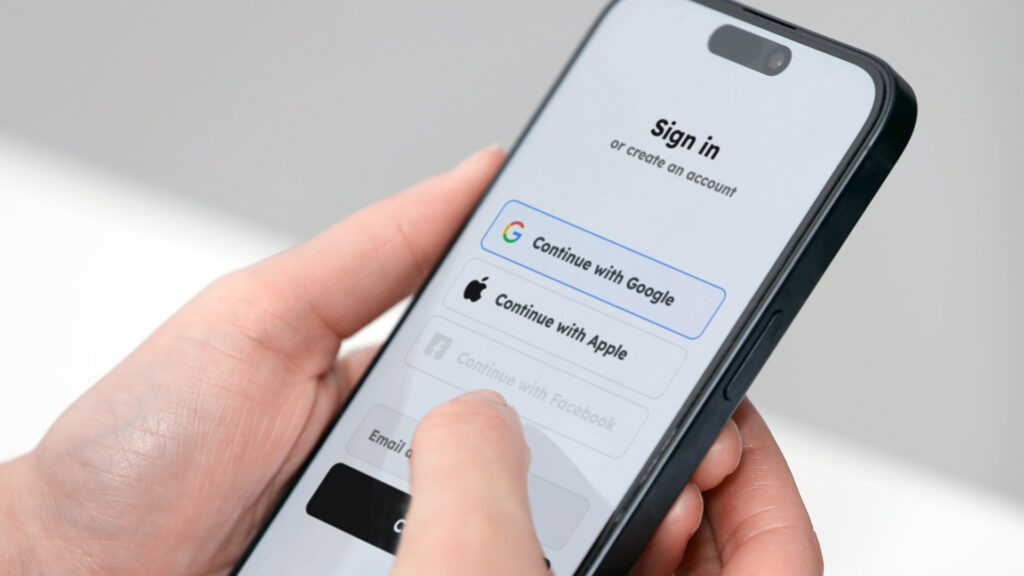
Social logins get users in fast, that’s the whole point. But speed comes with a blind spot: a Google account confirms an email exists, not that the person behind it is real, unique, or who they say they are. A biometric anchor fixes that gap without touching the login flow users already love.
The Identity Gap Nobody Talks About
“Continue with Google” is one of the most frictionless moments in digital product design. One tap, and the user is in. No password to remember, no form to fill out. It’s fast, familiar, and trusted — by users and platforms alike.
But social logins were designed for convenience, not identity verification. Creating a fake Gmail address takes about 30 seconds. From there, “Continue with Google” will happily issue a valid session on any platform that accepts it. The social provider confirms the account exists — not that the human is real, not that they’re unique, and not that they haven’t already created five other accounts.
“Social logins confirm a Google account exists, not that the human is real or unique. That’s the gap. And it’s a problem worth solving after the user commits, not before.”
For platforms where trust matters: where users book, pay, redeem loyalty points, or access sensitive account settings, this gap isn’t theoretical. It’s a live attack surface. Multi-accounting bypasses loyalty programs. Fake identities abuse promotional credits. And when fraud is flagged, the fallback is typically an SMS code: a mechanism that’s expensive, delay-prone, and vulnerable to interception.
Capture After Commitment, Not at the Gate
The instinct might be to add verification at sign-up. Block the fake accounts before they get in. But that’s the wrong moment and it’s a conversion killer. Users haven’t invested anything yet. Any friction at the door will be abandoned.
The smarter approach is to let the user in, let them engage, and trigger verification once they’ve demonstrated intent. Once a user is making their first booking, adding a payment method, or redeeming reward points, they’ve committed time and attention. A short verification step at that moment feels like protection, not a barrier.
“Framed as ‘create your recovery key,’ the user gets clear value not just another security hoop to jump through. Under 3 seconds. One scan. Done.”
This is precisely where a biometric anchor fits. Rather than asking a user to prove who they are before they’ve had a chance to care, the platform waits for a meaningful moment, then introduces a face scan framed as creating a recovery key. The user gets a tangible benefit. The platform gets something far more valuable: a verified, unique identity linked to the account.
What One Scan Actually Creates
A biometric anchor isn’t just a selfie stored somewhere. Done properly, a single capture produces a layered set of verified signals that the platform can act on immediately and in the future:
- Real person — liveness confirmed, no spoofing
- Unique — no existing accounts matched against this face
- Age estimated — demographic signal available for compliance
- Recovery key — biometric anchor stored and ready for future use
From that point on, the anchor works silently across the platform’s entire ecosystem. A user locked out of their account?
Face scan recovers it instantly. No waiting for an SMS, no support ticket. Flagged for suspicious activity? A 3-second scan replaces the OTP flow. Multi-accounting? The biometric layer catches duplicate identities before they cause damage, regardless of which email address they used to sign up.
Value Unlocked for Users
Never locked out
Lost account access? A quick face scan recovers it instantly — no codes, no waiting on support.
Recovery without SMS
Faster Verification
When flagged for suspicious activity, a face scan takes under 3 seconds, no “didn’t receive SMS” dead ends.
Smoother than OTP
Stronger Security
One biometric key protects an account across every brand on the platform. Can’t be phished or stolen like a password.
Cross-brand protection
Value Unlocked for Platforms
Toll fraud eliminated
No SMS sent means zero toll fraud exposure on every recovery and step-up auth flow. Face verification removes the channel attackers exploit.
Direct cost savings
Multi-accounting blocked
Fake email + social login creates a valid session. But a biometric layer catches the same face across all accounts, regardless of provider.
Protects loyalty
SMS challenge replaced
Drop-in replacement for the risk model’s Challenge tier. Same flow position, faster mechanism, no man-in-the-middle vector.
Fits existing risk model
Passkey bridge ready
When passkeys launch, users with biometric anchors migrate seamlessly. No re-verification required on day one.
Future-proof investment
“Biometric verification doesn’t compete with social logins or passkeys. It adds the identity layer they were never designed to provide and slots into existing risk flows without changing the architecture.”
The Philosophy Behind the Approach
The goal isn’t to make login harder. It’s to close the identity gap that convenience-first authentication was never designed to address. Social logins get users in fast and that stays unchanged. The biometric layer activates once, quietly, at the moment that matters most. After that, it works in the background: recovering accounts, stopping fraud, confirming identity, without ever asking the user to remember another password.
Platforms that deploy this today aren’t just solving a current problem. They’re building a verified user base that’s ready for whatever authentication standard comes next.
Integration note
VerifEye integrates with existing Accept / Challenge / Deny risk flows with no architecture changes. Turnkey cloud, on-prem model licensing, or hybrid deployment available — the same flexibility used at billions of verifications per year.