

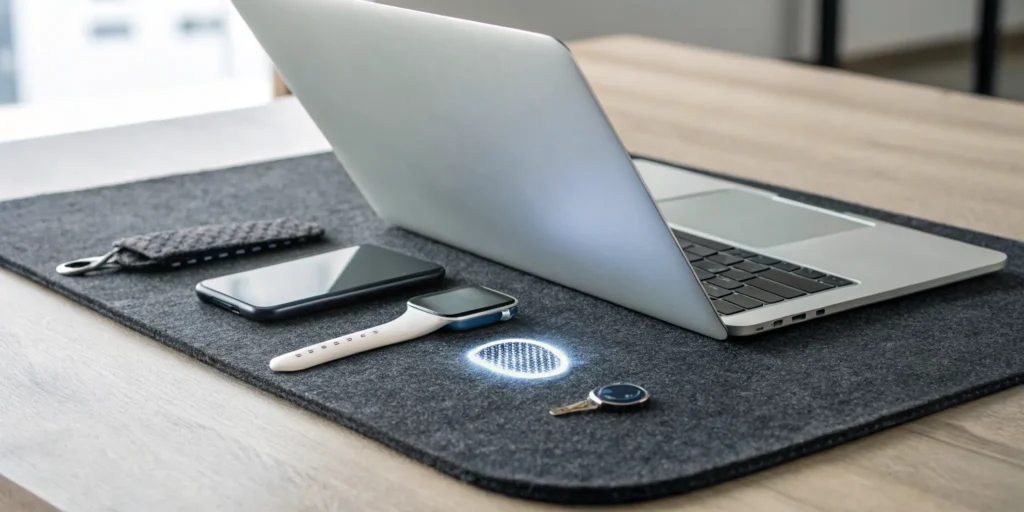
With bots and AI fakes everywhere, how can you be sure a real person is on the other side of the screen? Every transaction and community interaction is at risk when you can’t verify who you’re dealing with. At its core, multi-factor authentication (MFA) adds a second verification step to your password, such as a one-time code, biometric scan, or push notification. True or false? While that’s a true statement, viewing MFA as just a technical checkbox misses the point. It’s a strategic tool for ensuring the integrity of your platform and strengthening the human interactions that power your business.
Key Takeaways
- Make MFA Your Foundational Security Practice: Relying on passwords alone is no longer a viable defense. By requiring a second form of verification, MFA provides a critical layer of protection against the most common cyberattacks and is the most effective way to prevent unauthorized account access.
- Match Your Authentication Method to Your Risk: The strength of your security depends on the methods you choose. For your most sensitive data and high-privilege accounts, use phishing-resistant options like biometrics or physical security keys instead of more vulnerable methods like SMS codes.
- Prioritize a Smart and Seamless User Experience: The best security is the kind people will actually use. Modern MFA solutions use adaptive authentication to assess risk in real time, strengthening security when it matters most without creating unnecessary friction for your team and customers.
What Is Multi-Factor Authentication (MFA)?
Think of multi-factor authentication (MFA) as a digital deadbolt for your accounts. A password is like the first lock on your door, but MFA adds a second, and sometimes a third, layer of security. It’s a process that requires you to provide two or more pieces of evidence, or “factors,” to prove you are who you say you are before granting you access. This simple step makes it significantly harder for unauthorized users to get into your systems, even if they manage to steal a password.
In a world where digital interactions are the backbone of business, confirming that a real, authorized person is on the other end of the screen is critical. MFA is a foundational tool for establishing that trust. Instead of relying on a single, often weak, point of failure like a password, it creates a layered defense. The core idea is that a cybercriminal is unlikely to have access to all the different factors needed to log in. This approach is one of the most effective ways to protect sensitive data, secure remote access, and prevent account takeovers. The Cybersecurity and Infrastructure Security Agency strongly recommends multifactor authentication as a best practice for individuals and organizations alike.
What Are the Three Core Authentication Factors?
MFA works by combining credentials from at least two of three distinct categories. Think of them as different types of proof you can offer to verify your identity.
The first is something you know, which is typically a secret piece of information like a password, a PIN, or the answer to a security question. The second is something you have, which refers to a physical item in your possession. This could be your smartphone receiving a push notification, a USB security key, or a key fob that generates a temporary code. The third is something you are, which uses your unique biological traits. This category includes biometrics like a fingerprint scan, facial recognition, or a voiceprint.
How Does MFA Actually Work?
Let’s walk through a common example. You start by entering your username and password (something you know) on a login screen. Before you get access, the system prompts you for a second factor. It might send a six-digit code to your phone via a text message or an authenticator app. You then enter that code to complete the login. This proves you not only know your password but also have your phone in your possession.
Even if a hacker managed to steal your password through a phishing attack, they would be stopped at this second step. Without physical access to your phone, they can’t provide the final piece of the puzzle, and your account remains secure. This simple but powerful process is a cornerstone of modern cybersecurity strategy.
The Rule of Different Factor Categories
The real strength of MFA comes from a simple but powerful rule: you must combine verification methods from at least two different categories. Using a password and a security question together, for instance, doesn’t count as true MFA because they both fall into the same group. The three distinct categories of authentication factors are what make the system so effective. The first is something you know, a secret like a password or a PIN. The second is something you have, which is a physical object in your possession, such as your smartphone or a dedicated security key. The third, and arguably the most direct proof of human presence, is something you are. This category uses your unique biological traits, like a fingerprint, voiceprint, or facial recognition, to confirm your identity.
An Everyday Example: Using an ATM
If this sounds complicated, you’ve likely been using MFA for years without even thinking about it. Every time you use an ATM, you’re performing a multi-factor authentication. First, you insert your bank card, which is “something you have.” Then, you enter your Personal Identification Number (PIN), which is “something you know.” You need both to access your account. A thief who steals your card can’t get your money without the PIN, and someone who learns your PIN can’t do anything without the physical card. This two-step verification process has been a trusted method for securing financial transactions for decades, and the same principle now protects our digital accounts.
Understanding Out-of-Band Authentication
Many MFA methods rely on a concept called out-of-band (OOB) authentication. This simply means the verification step is delivered through a separate communication channel from your login attempt. For instance, when you log into a website on your laptop and receive a verification code via an SMS text message on your phone, that’s OOB authentication in action. The login request happens over your internet connection (the first band), while the verification code arrives via the cellular network (the second band). This separation is a critical security feature. It forces an attacker to compromise two different channels simultaneously, a significantly more difficult task than simply stealing a password from a single device.
MFA vs. Two-Factor Authentication (2FA)
You’ve probably heard these terms used interchangeably, and it’s easy to see why. The distinction is simple: two-factor authentication (2FA) is a specific type of MFA. Think of it this way: all 2FA is MFA, but not all MFA is 2FA. While 2FA always requires exactly two authentication factors (like a password and a phone code), MFA is the broader term for any process that requires two or more factors. For example, a high-security system might ask for your password, a code from an authenticator app, and a fingerprint scan. That’s three factors, which makes it MFA, but not 2FA. This flexibility allows businesses to layer security and apply the right level of protection based on the risk involved, ensuring that critical systems are defended by more than just a couple of locks.
Why Is MFA So Important for Cybersecurity?
In a perfect world, a strong password would be all you need. But we don’t live in a perfect world. Cyber threats are more sophisticated than ever, and a single compromised password can lead to a major security breach. This is where multi-factor authentication steps in, acting as a critical line of defense for your business, your data, and your users. It’s not just about adding another step; it’s about fundamentally changing the security equation to protect against modern attacks.
Why Passwords Alone Are No Longer Enough
Let’s be honest: passwords are the weak link in digital security. Even long, complex ones can be stolen in data breaches, guessed by powerful software, or phished from unsuspecting employees. Relying on a password alone is like locking your front door but leaving all the windows wide open. The Cybersecurity and Infrastructure Security Agency highlights that using Multifactor Authentication makes your accounts 99% less likely to be compromised. By requiring a second or third piece of evidence to prove a user’s identity, MFA ensures that even if a password falls into the wrong hands, your accounts remain secure.
How MFA Accounts for Human Error
We all make mistakes. An employee might accidentally click a phishing link, reuse a password across multiple sites, or choose a weak one to begin with. MFA serves as a crucial safety net for these inevitable human errors. It adds a layer of protection that doesn’t depend on perfect user behavior. While implementing a new security protocol can seem daunting, the protection it offers against today’s complex cyber threats is invaluable. It’s important to remember, however, that not all MFA methods are equally strong. A weak implementation can create a false sense of security, which is why choosing the right approach is so critical.
Using MFA to Detect Threats in Real Time
Modern MFA solutions go beyond a simple one-time check at login. The most advanced systems use adaptive authentication, which intelligently assesses risk factors like location, device, and user behavior to determine when to ask for more verification. This approach incorporates continuous authentication, which means it monitors user activity throughout a session, not just at the beginning. By using machine learning to analyze patterns, these systems can detect and block suspicious activity as it happens. This real-time threat detection is essential for stopping sophisticated attackers before they can do any real damage to your systems or communities.
What Are the Different Types of MFA?
Multi-factor authentication isn’t a single product but a strategy that layers different types of identity checks. Think of it like the security for a bank vault. You don’t just have one lock; you have a key, a combination, and maybe even a biometric scanner. MFA works the same way by combining independent credentials to verify a user’s identity.
Biometric MFA can verify the person behind a login without relying on an SMS code that can be intercepted or socially engineered.
These verification methods, or “factors,” are grouped into three core categories: something you know, something you have, and something you are. A strong MFA setup requires a user to provide evidence from at least two of these categories. For example, you might use your password (something you know) along with a one-time code sent to your phone (something you have). More advanced systems can even analyze the context of a login attempt, like your location or the device you’re using, to decide if extra proof is needed. Let’s break down what each of these types means in practice.
Knowledge Factors: Something You Know
This is the most familiar authentication factor and the one we all use every day. The “something you know” category is all about secret information that, in theory, only you should possess. This includes your passwords, PINs, or the answers to personal security questions like “What was the name of your first pet?”
This knowledge-based factor serves as the first line of defense for most accounts. While it’s a crucial starting point, it’s also the most vulnerable. Passwords can be forgotten, guessed, or stolen through phishing attacks. That’s why this factor is almost always paired with another, more robust method to create a secure MFA system. It’s the foundation, but it’s not strong enough to stand on its own.
Possession Factors: Something You Have
The second layer of security often involves “something you have.” This factor relies on you possessing a specific physical object to prove your identity. The most common example is your smartphone, which can receive a verification code via a text message or generate one through an authenticator app.
Other physical items in this category include hardware tokens, USB security keys, or employee ID badges. The logic is simple: even if a cybercriminal manages to steal your password, they can’t access your account without also having your physical device in their hands. This adds a significant hurdle for remote attackers and makes it much harder for them to breach your accounts.
Beyond SMS: Authenticator Apps, Hardware Keys, and More
While receiving a code via SMS is a common way to prove you have your phone, it’s also the most vulnerable of the possession factors. Hackers can use a technique called SIM swapping to trick a mobile carrier into transferring your phone number to their device, allowing them to intercept your verification codes. For a more secure option, authenticator apps like Google Authenticator or Authy generate time-sensitive codes directly on your device, making them immune to SIM swapping. For your most critical accounts, however, physical security keys are the gold standard. These small USB devices require you to be physically present to tap them, providing truly phishing-resistant authentication that can’t be intercepted online.
Inherence Factors: Something You Are
This category is all about you, literally. “Something you are” refers to any unique biological trait that can be used to verify your identity. These are also known as biometric authentication methods, and they are becoming increasingly common thanks to the sensors built into our phones and laptops.
Examples include scanning your fingerprint, using facial recognition to unlock your device, or even analyzing your voice pattern. Because these characteristics are unique to you, they are incredibly difficult for an attacker to steal or duplicate. This makes biometrics one of the strongest and most convenient authentication factors available, creating a secure experience that doesn’t require you to remember anything.
Going a Step Further With Adaptive Authentication
Adaptive authentication, sometimes called risk-based authentication, is a more intelligent and flexible approach to MFA. Instead of asking for the same factors every single time, this method adjusts the security measures based on the perceived risk of the login attempt. It quietly analyzes contextual signals in the background to determine if a user is who they say they are.
For instance, it might check your geographic location, IP address, the device you’re using, or the time of day. If you’re logging in from your usual laptop at your normal work hours, the system might just ask for a password. But if a login attempt comes from a new device in a different country, it will trigger a request for additional verification, like a fingerprint scan. This dynamic approach strengthens security where it’s needed most without adding unnecessary friction for legitimate users.
The Role of Implicit Attributes and Contextual Signals
Implicit attributes and contextual signals are the silent detectives of modern authentication. They are the background details that an adaptive system analyzes to understand the context of a login attempt. This includes information like your geographic location, the device you’re using, your IP address, and even the time of day. By continuously assessing these signals, the system builds a profile of your typical behavior. This allows it to analyze a wealth of contextual data to create a real-time risk score for each interaction. When you log in from your usual laptop during normal work hours, the system recognizes this pattern as low-risk and may let you in with minimal friction. This intelligent approach is key to providing security that feels invisible to legitimate users but acts as a solid wall against potential threats, helping platforms confidently verify human presence without disrupting the user experience.
How MFA Protects You From Modern Cyber Threats
As cyber threats become more sophisticated, relying on a single password is like leaving your front door unlocked. Multi-factor authentication provides layered security that addresses the most common and damaging attacks head-on. It creates crucial roadblocks for attackers, turning a simple password breach into a much more complex and often unsuccessful challenge. By requiring additional proof of identity, MFA directly counters the methods cybercriminals use to gain unauthorized access to your systems and data.
How MFA Stops Phishing and Social Engineering
Phishing attacks trick users into willingly handing over their credentials, often through deceptive emails or websites. Even the most security-savvy employee can have a momentary lapse in judgment. This is where MFA acts as your most reliable safety net. If an attacker successfully obtains a user’s password, they still can’t access the account without the second authentication factor, like a code from the user’s phone. This single step is incredibly effective, preventing an estimated 99.2% of account compromise attacks. It neutralizes the immediate threat of a stolen password and protects your organization from human error.
Blocking Credential Stuffing and Brute-Force Attacks
Credential stuffing and brute-force attacks are automated assaults where hackers use bots to try thousands of stolen or guessed password combinations. These attacks prey on the common habit of password reuse across different services. MFA renders these tactics almost completely ineffective. Even if an attacker has a valid password from another data breach, they are stopped cold when prompted for a second factor they don’t possess. Research from Microsoft shows just how critical this protection is, finding that 99.9% of compromised accounts did not use multi-factor authentication.
Preventing Keylogging and Session Hijacking
Keyloggers are a particularly sneaky form of malware that records everything you type, while session hijacking allows an attacker to take over your active login. MFA provides a powerful defense against both. Even if a keylogger captures your password, the attacker is still missing the second factor—the temporary code from your authenticator app or a confirmation on your physical device. Without that final piece of the puzzle, the stolen password is just a string of useless characters. This layered approach turns a potentially devastating session hijacking attempt into a dead end for the attacker, ensuring your account remains secure.
Guarding Against Man-in-the-Middle Attacks and Mobile Malware
More sophisticated threats like man-in-the-middle (MitM) attacks, where a hacker intercepts your online traffic, can sometimes bypass weaker forms of MFA like SMS codes. However, this doesn’t mean MFA is ineffective; it means the type of factor you use is critical. By implementing phishing-resistant methods such as physical security keys or biometric authentication, you create a secure channel that can’t be easily intercepted. These advanced methods provide crucial roadblocks for attackers, turning a simple password breach into a much more complex challenge. This layered security directly addresses some of the most common and damaging attacks, making it significantly harder for criminals to succeed even when they target your most trusted devices.
Can MFA Defend Against AI Attacks and Deepfakes?
The rise of AI has introduced new threats, including sophisticated bots and deepfakes designed to mimic legitimate users and bypass basic security. To counter this, modern MFA is also evolving. Advanced solutions now incorporate adaptive and continuous authentication, which monitors user behavior throughout a session, not just at login. By leveraging AI technology to analyze signals like typing speed, location, and device patterns, these systems can detect and block non-human or suspicious activity in real time. This ensures that even if an AI-powered attacker gets past the initial login, their unusual behavior will trigger security alerts and prevent them from causing damage.
What Are the Pros and Cons of MFA?
Multi-factor authentication is a powerful tool, but it’s not a one-size-fits-all solution. Like any security measure, it comes with its own set of trade-offs. Before you roll out an MFA strategy, it’s important to understand both the significant advantages it offers and the potential challenges you might face. Thinking through these points will help you choose the right approach for your organization and ensure a smooth implementation that actually strengthens your security posture without creating unnecessary friction for your users.
The Benefits: Stronger Security and Simplified Compliance
The most obvious benefit of MFA is the massive leap forward in security. By requiring more than just a password, you create a much higher barrier for unauthorized users. This isn’t just a small improvement; it’s a game-changer. A strong MFA setup is proven to prevent 99.2% of account compromise attacks, effectively neutralizing many common cyber threats. Beyond the direct security benefits, implementing MFA is also a critical step for meeting regulatory requirements. Many industries that handle sensitive information, like finance and healthcare, operate under strict compliance mandates that require robust identity verification. Adopting MFA helps you meet these standards, protecting your business from potential fines and legal trouble.
Meeting Regulatory Requirements Like PSD2
Beyond being a smart security move, implementing MFA is often a legal requirement. In the financial sector, for example, Europe’s Payment Services Directive (PSD2) mandates Strong Customer Authentication (SCA) for most online transactions. This means businesses must use at least two independent authentication factors to verify a customer’s identity before processing a payment. These regulations are a direct response to rising online fraud, creating a legal framework to ensure a real, authorized person is behind every transaction. By making MFA a standard part of your security, you’re not just protecting your accounts; you’re also simplifying the process of meeting regulatory requirements in finance, healthcare, and other industries that handle sensitive data. It’s a foundational step in building a system that regulators—and your customers—can trust.
The Challenges: Overcoming User Experience Hurdles
Let’s be honest: MFA can sometimes be a hassle for users. Asking for an extra verification step adds a bit of friction to the login process, and if you’re using different methods across various systems, it can slow people down. This user experience challenge is a real consideration. More importantly, not all MFA is created equal. Some methods are far more secure than others, and relying on a weak form of MFA can be just as dangerous as having no MFA at all. If attackers can easily bypass your second factor (like intercepting an SMS code), you’re left with a false sense of security.
Combating MFA Fatigue and Push Bombing
While MFA is a security powerhouse, a poorly designed system can backfire. If your team is constantly bombarded with verification requests for low-risk actions, they can develop “MFA fatigue.” This isn’t just an annoyance; it’s a security vulnerability. When people get tired of the constant pings, they might start approving prompts without thinking, just to make them go away. Attackers exploit this with a tactic called push bombing, where they spam a user with authentication requests, hoping to sneak a fraudulent one through. The key is to use smarter MFA that doesn’t treat every login the same. Solutions like number matching, which requires a user to enter a specific number from the login screen into their authenticator app, force a moment of attention. As Microsoft explains, this simple step can be a powerful defense against MFA fatigue attacks. The goal is to create a security experience that is both robust and human-friendly, confirming real human presence without overwhelming the person on the other end of the screen.
What to Expect for Cost and Implementation
Implementing an MFA system involves more than just flipping a switch. There are direct costs to consider, such as purchasing and maintaining physical security tokens or paying for software licenses. You also need to account for the internal resources required to integrate the system with your existing applications and infrastructure. The effectiveness of your MFA program depends heavily on how well it’s integrated into your broader security strategy, like a Zero Trust architecture, and on getting your team to actually use it correctly. Planning for these implementation and adoption costs is just as important as budgeting for the technology itself.
The Advantages of Cloud-Based MFA Solutions
While setting up any new system has its hurdles, modern cloud-based MFA solutions can significantly lighten the load. Instead of managing on-premise hardware and complex software installations, a cloud service handles the heavy lifting for you. This approach simplifies deployment and makes the system much easier to scale as your organization grows. Updates, new features, and security patches are managed automatically by the provider, ensuring your defenses are always current without requiring constant attention from your IT team. More importantly, cloud platforms are often where the most innovative security features, like adaptive authentication, are developed first. These systems can analyze login attempts in real time, strengthening security for risky situations while providing a frictionless experience for legitimate users. This intelligent, flexible approach is a core advantage of using a cloud-based MFA service, as it helps you balance robust security with the seamless user experience people have come to expect.
Don’t Fall for These Common MFA Myths
Multi-factor authentication is a huge step up for security, but it’s not a silver bullet. A lot of misconceptions float around that can give organizations a false sense of safety. Getting past the hype and understanding the reality of MFA is key to building a truly resilient security posture. Let’s clear the air and debunk a few of the most common myths.
Myth: MFA Is Completely Foolproof
You may have heard the popular claim that MFA blocks 99.9% of cyberattacks. While it dramatically reduces risk, it isn’t infallible. This statistic often overlooks the fact that determined attackers can bypass weaker forms of MFA through sophisticated phishing, social engineering, or SIM-swapping attacks. Thinking of MFA as an impenetrable shield is a mistake. Instead, view it as one essential, powerful layer in a comprehensive security strategy that still requires user awareness and other protective measures to prevent account compromise attacks.
Myth: All MFA Methods Are Equally Secure
It’s easy to assume that any MFA is good MFA, but that’s not the case. The security of your authentication process depends heavily on the methods you use. For example, receiving a one-time code via SMS text message is better than nothing, but it’s vulnerable to interception. In contrast, using an authenticator app, a biometric scan, or a physical security key provides much stronger protection. As research shows, some types of additional authentication forms are simply more effective than others, so it’s important to choose a method that matches your risk level.
A Hierarchy of MFA Methods: From Most to Least Secure
It helps to think about MFA methods on a scale from most to least secure. At the very top are phishing-resistant options that are nearly impossible for a remote attacker to compromise. This includes inherence factors like biometrics (your fingerprint or face) and strong possession factors like physical security keys. These are the gold standard because they prove a real person is physically present with their unique traits or a dedicated device. A step down, but still highly secure, are authenticator apps that generate time-sensitive codes. They are a great option, but since they are software-based, they aren’t quite as foolproof as hardware. At the bottom of the hierarchy are SMS and email codes. While common, they are the most vulnerable to interception through attacks like SIM swapping. It’s easy to assume any MFA is good MFA, but using a biometric scan or a physical security key provides much stronger protection than a simple text message code.
Myth: Your Team Will Adopt It Instantly
Rolling out a new security protocol isn’t just a technical challenge; it’s a human one. Don’t assume your employees will welcome MFA with open arms. If the process is clunky, slow, or confusing, people will get frustrated and look for workarounds, undermining the entire effort. The effectiveness of MFA is directly tied to user compliance and adoption. To ensure a smooth transition, you need a clear communication plan, proper training, and an MFA solution that prioritizes a seamless user experience. When your team understands why it’s important and finds it easy to use, they’re far more likely to get on board.
How to Choose the Right MFA Solution
Once you’re sold on MFA, the next step is picking the right solution. This isn’t a one-size-fits-all decision, as the best choice depends on your specific security needs, user experience goals, and existing technology. Thinking through these key areas will help you find a system that provides robust protection without creating unnecessary headaches for your team or customers.
First, Assess Your Unique Security Needs
Before looking at vendors, start with an internal review. What are you trying to protect? The security you need depends on the value of the data. For example, protecting an internal social media calendar requires less security than protecting sensitive customer financial data. A thorough risk assessment helps identify your most critical assets and threats. This process clarifies if simple SMS-based MFA is enough for some users, or if you need stronger methods like biometrics for administrators with high-level privileges.
Find the Right Balance Between Security and Usability
The most secure MFA system is useless if your team won’t use it. Too much friction in daily workflows leads to frustration and dangerous workarounds. The goal is to find the sweet spot between strong security and a smooth user experience. Look for MFA that people actually want to use. Modern solutions are better at this, using biometrics or adaptive authentication to verify identity with minimal interruption. Making security feel seamless, not like a roadblock, ultimately improves adoption and your overall security.
Plan Ahead for Integration and Future Growth
A new security tool should solve problems, not create them. Choose an MFA solution that integrates smoothly with your existing tech stack, from cloud apps to on-premise systems. Before committing, verify its compatibility. Also, think about the future. Will this solution scale as your company grows? Consider the total cost of ownership, not just the subscription price. A cost-effective, easy-to-deploy MFA solution makes enterprise-grade security accessible and ensures it can adapt to your evolving business needs.
How to Roll Out MFA Successfully
Switching to MFA isn’t just a technical update; it’s a change in how your entire organization operates. A thoughtful rollout can make the difference between a smooth transition and a frustrating one. By planning ahead, communicating clearly, and following technical standards, you can set your team up for success and strengthen your security posture without causing unnecessary headaches.
Map Out Your MFA Deployment Plan
A successful MFA rollout starts with a solid plan, not a company-wide mandate sent out on a Friday afternoon. Begin by identifying which systems and applications are most critical and who needs access to them. It’s often best to start with a small pilot group, like your IT department or another tech-savvy team, to work out any kinks. This allows you to gather feedback and refine the process before a full launch. Remember, MFA is crucial because passwords alone are not enough to protect against today’s cyber threats. Your plan should outline clear timelines, define success metrics, and prepare for potential user support needs.
How to Successfully Train Your Team on MFA
The biggest hurdle in any new security initiative is often user adoption. That’s why helping your team understand the “why” behind MFA is just as important as the “how.” Before you launch, explain why MFA is important and how it protects both the company and their personal information. Create simple, accessible training materials like short videos, one-page guides, or an FAQ document. Host brief training sessions where people can ask questions. When your team understands the reason for the change and feels supported through the process, they are far more likely to embrace it.
Key Technical Best Practices for a Smooth Rollout
From a technical standpoint, your goal is to make security as seamless as possible. A key best practice is to make it easy to use by offering different authentication options. Let users choose between a push notification, a one-time code, or a biometric scan so they can pick what works best for them. At the same time, security is not a one-and-done task. You should regularly check and update your security policies as new threats emerge. Staying current with the latest security practices is essential for keeping your MFA implementation effective over the long term.
Essential MFA Best Practices for Lasting Security
Once you’ve rolled out MFA, the work isn’t quite done. Maintaining a strong security posture means treating MFA as an ongoing practice, not a one-time project. By following a few key principles, you can make sure your MFA implementation remains effective, user-friendly, and resilient against new threats. Think of these practices as the foundation for building a lasting security culture within your organization, one that protects your systems and the people who use them. It’s all about creating a system that’s both secure and sustainable for the long haul.
Always Choose the Strongest Authentication Methods
Not all MFA methods offer the same level of protection. While any MFA is better than none, your goal should be to use the strongest methods that fit your organization’s risk profile and user needs. For example, SMS-based codes are convenient but can be vulnerable to attacks like SIM swapping. A more secure approach involves using authenticator apps that generate time-sensitive codes, push notifications that require a simple tap to approve, or physical security keys. The strongest authentication methods are typically those that are phishing-resistant, like FIDO2-based hardware tokens. Assess which assets are most critical and protect them with the most robust authentication options you can.
Where to Enable MFA First: A Priority Checklist
Trying to enable MFA everywhere at once can feel overwhelming, so a strategic, phased rollout is your best bet. Start by protecting your most valuable targets, which you can identify through a quick risk assessment. This almost always means focusing on your high-privilege accounts first—think system administrators, executives, and anyone with access to sensitive financial or customer data. These are the keys to your kingdom, and securing them with the strongest, phishing-resistant methods provides the biggest immediate security gain. Once those accounts are locked down, expand your focus to securing all remote access points, like your VPN. Finally, before a company-wide deployment, run a pilot program with a tech-savvy group like your IT department. This allows you to gather feedback and refine the process, ensuring a smoother transition for everyone.
Why You Absolutely Need a Backup and Recovery Plan
What happens when an employee loses their phone or their hardware token breaks? Without a plan, they could be locked out of their accounts for hours or even days, grinding productivity to a halt. A solid backup and recovery plan is essential. This means providing users with one-time recovery codes they can store in a safe place or establishing alternative verification methods. It’s also critical to enforce MFA consistently across all users, devices, and platforms. Leaving gaps in your coverage is like locking the front door but leaving a window wide open. A comprehensive plan ensures everyone stays secure without sacrificing access when life happens.
Pro Tip: Use Authenticator Apps With Cloud Backup
One of the biggest hesitations people have about authenticator apps is the fear of losing their phone. It’s a valid concern—the thought of being locked out of critical accounts because your device is lost or broken is a real nightmare. This is where using an authenticator app with a cloud backup feature makes all the difference. Major apps like Google Authenticator and Microsoft Authenticator now let you back up your MFA credentials to your cloud account. So, if you get a new phone, you can simply sign in and recover your credentials automatically. This eliminates the painful process of resetting each account individually and removes the phone as a single point of failure. You get the robust security of an authenticator app with the practical safety net of a backup, making it a smart choice for real-world use.
Continuously Monitor and Maintain Your MFA System
Cyber threats are constantly changing, so your defenses need to adapt, too. Don’t treat your MFA setup as a “set it and forget it” solution. You should regularly monitor your system for suspicious activity, like repeated failed login attempts or login requests from unusual locations. Periodically review your MFA policies and settings to ensure they still align with your security goals and the current threat landscape. This proactive approach helps you catch potential issues before they become major problems and ensures your security measures remain effective over time. Scheduling a quarterly or bi-annual review is a great way to stay on top of maintenance.
What’s Next for MFA?
Multi-factor authentication isn’t a static technology; it’s constantly evolving to stay ahead of new threats and become less of a hassle for users. As attackers get more sophisticated, authentication methods have to get smarter, faster, and more integrated into our digital experiences. The future of MFA is shaping up to be more intelligent, seamless, and persistent, moving beyond the simple one-time check at login. Three major trends are leading the charge: leveraging artificial intelligence for smarter decisions, moving away from passwords entirely, and verifying user identity continuously throughout a session.
These shifts promise a future where strong security doesn’t have to come at the expense of a smooth user experience. It’s about building a system of trust that can intelligently distinguish between a real human and a potential threat, adapting its defenses in real time without getting in the way. This evolution is critical for businesses that need to protect their platforms and communities from fraud while keeping interactions genuinely human. The goal is no longer just to verify an identity at the front door but to ensure that the person behind the screen remains the same trusted user from the beginning of a session to the end. This proactive stance is essential in an environment where bots and deepfakes can mimic human behavior, making passive, continuous verification a cornerstone of modern security.
The Role of AI in Smarter Authentication
AI and machine learning are making MFA more intuitive by allowing systems to assess risk in real time. Instead of treating every login attempt the same, this approach adapts the security challenge to the situation. This method, known as Risk-Based Authentication, analyzes contextual clues like the user’s location, device, IP address, and the time of day. If everything looks normal, the user might sail through without any friction. But if something seems off, like a login from a new country at 3 a.m., the system can automatically require an additional, more robust verification step. This intelligent approach strengthens security where it’s needed most without frustrating legitimate users with unnecessary hurdles.
The Move Toward Passwordless Solutions
For years, we’ve known that passwords are the weakest link in digital security. They can be stolen, guessed, or phished, which is why the industry is steadily moving toward a passwordless future. This doesn’t mean getting rid of authentication; it means replacing the vulnerable “something you know” factor with stronger options. Future trends in authentication point toward methods like biometrics (fingerprint and facial recognition), physical security keys, and one-time codes sent to a trusted device. By removing the password from the equation, companies can eliminate an entire category of common cyberattacks while making the login process faster and simpler for everyone.
The Rise of Continuous Authentication
Traditionally, authentication is a one-time event that happens when you log in. But what happens after that? Continuous authentication answers this question by verifying a user’s identity throughout their entire session. Instead of just checking credentials at the door, modern systems can passively monitor user behavior, such as typing cadence, mouse movements, and application usage patterns. This form of adaptive MFA can detect if a session has been hijacked or if an automated bot has taken over. If the system spots unusual activity, it can prompt the user to re-authenticate or even terminate the session, ensuring that the person using the account is the same one who logged in.
Related Articles
Frequently Asked Questions
We don’t use MFA yet. What’s the most important first step? The best first step isn’t buying a tool; it’s making a plan. Before you roll anything out, identify your most critical systems and data. Start by protecting those high-value assets first. It’s also smart to begin with a small pilot group, like your IT department, to test the process and get feedback. This allows you to smooth out any wrinkles before introducing it to the entire company.
Is using SMS for authentication still worth it, or is it too risky? Think of SMS-based authentication as a good starting point, but not the final destination. It is certainly better than relying on a password alone. However, it’s vulnerable to certain attacks like SIM swapping, where a criminal can hijack your phone number. For lower-risk applications, it can be an acceptable layer of security. For protecting your most sensitive data, you should aim for stronger methods like an authenticator app or a physical security key.
How can I add more security with MFA without frustrating my employees? The key is to make security feel seamless, not like a roadblock. Modern MFA solutions are great at this. Look into adaptive authentication, which intelligently assesses risk and only asks for extra proof when a login seems unusual. You can also explore passwordless options that use biometrics, like a fingerprint or facial scan. These methods are often faster than typing a password and provide a much higher level of security.
How does MFA help protect against modern threats like AI bots and deepfakes? Basic MFA is excellent at stopping automated attacks where bots try to log in with stolen passwords. But to fight smarter threats, you need smarter MFA. Advanced systems use AI to continuously monitor user behavior throughout a session, not just at the login screen. By analyzing patterns like typing speed and mouse movements, these systems can detect non-human activity and confirm that a real person is still in control, which is essential for spotting sophisticated bots.
What’s the difference between adaptive and continuous authentication? It’s helpful to think of them as two different security checkpoints. Adaptive authentication works at the front door; it assesses the risk of a login attempt and decides whether to ask for extra ID before letting you in. Continuous authentication works like a security guard inside the building; it passively monitors your behavior throughout your session to ensure you are still the same person who entered, ready to intervene if something seems off.